AI agent for no-code developers
Automation Run Failure Recovery Agent
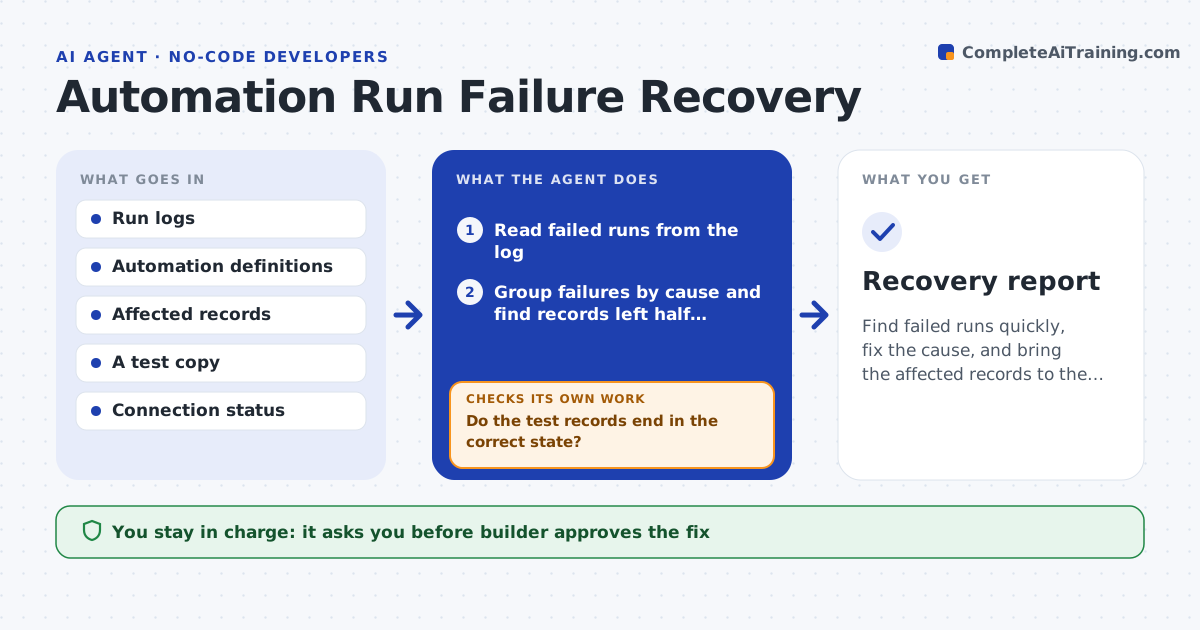
Find failed runs quickly, fix the cause, and bring the affected records to the right state
What it does
An automation fails on step 4 of 6 and the record is left half updated. Nobody notices for days. This agent reads the failed-run log for the last day, groups failures by cause, such as an expired connection, a missing field or a rate limit, and finds the records left in a half-done state. It proposes a fix per cause. It replays the failed runs in a test copy after the fix and checks that the end state of each record is correct. It reports what was recovered and what needs manual work. The builder approves replaying on live data. Edge case: replaying would send a customer a second email, so the agent skips that step and marks it.
How it works
Follow the arrows from top to bottom. The orange dashed arrow is the loop: when a check fails, the agent goes back and tries again.
Read the steps as a list
- Daily check or failure alert
- Read failed runs from the log
- Group failures by cause and find records left half updated
- Propose a fix and the safe steps to replay
- Builder approves the fixThe agent waits here for your OK.
- Apply the fix and replay the failed runs on a test copy
- Do the test records end in the correct state?If not: revise the fix or the replay steps and test again. Back to step 4.
- Builder approves replay on live dataThe agent waits here for your OK.
- Replay on live data and verify a sample
- Does the sample match the expected state with no duplicate actions?If not: stop the replay and list the records needing manual repair. Back to step 4.
- Recovery report
How it decides
It groups failures by error pattern, fixes the biggest group first, and replays only the steps that are safe to repeat.
- Replay only steps that cannot cause a duplicate message or payment
- Fix the cause before any replay
- Verify a sample of 10% of replayed records
- Escalate when over 5% of the runs fail again
Make it yours
Every agent is a starting point. You choose these settings for your own situation.
- Check schedule (default daily)
- Steps safe to replay
- Sample size for verification (default 10%)
- Platform and log source
- Alert channel
What keeps you in control
It always asks you first
- Builder approves the fix
- Builder approves live replay
Hard limits
- Never replay a step that sends a message or payment twice
- Never edit live records without approval
It stops when
- Done: all affected records are correct or listed for manual work
- Stop: the same failure repeats after the fix
Set it up
We guide you through the set-up, step by step
Members get the full set-up guide for this agent. No technical skills needed: you copy, paste and upload.
- One set of instructions to paste into your AI, with the clicks for ChatGPT, Claude, Microsoft 365 Copilot, Gemini and Grok
- The agent then walks you through connecting your own data, one source at a time
- A downloadable copy with the flow chart, the rules and the full guide