AI agent for benefits administrators
Benefits Carrier Invoice Reconciliation Agent
Carrier invoices that match actual enrollments before payment
What it does
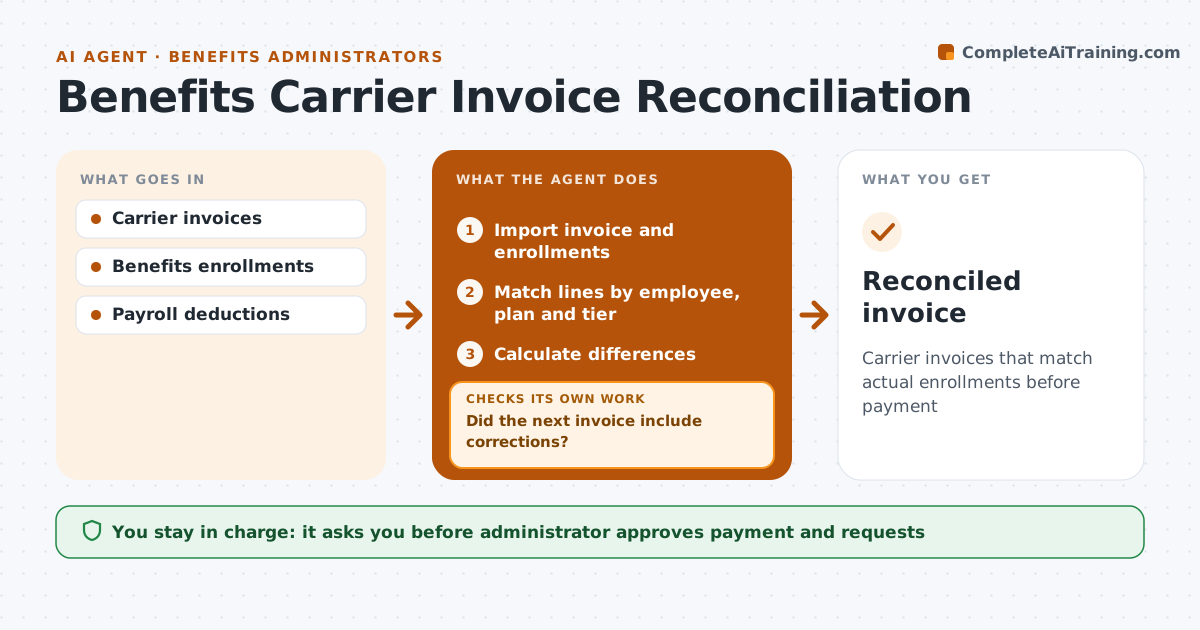
Each month, insurance carriers send invoices listing covered employees and premiums, and small errors add up over a year. This agent imports each invoice and the benefits system enrollments, and matches lines by employee ID, plan and tier. It also compares payroll deductions. It finds employees billed but not enrolled, enrolled but not billed, or billed at the wrong tier, calculates the difference and drafts a correction request. The administrator approves payment and the requests. When the next invoice arrives, the agent checks whether the corrections were made; if not, it follows up with the carrier. Retro limits are checked on every credit. Edge case: retroactive terminations older than the carrier's limit are flagged as possibly unrecoverable so nobody waits for a credit that will not come.
How it works
Follow the arrows from top to bottom. The orange dashed arrow is the loop: when a check fails, the agent goes back and tries again.
Read the steps as a list
- Invoice arrives
- Import invoice and enrollments
- Match lines by employee, plan and tier
- Calculate differences
- Draft correction requests
- Administrator approves payment and requestsThe agent waits here for your OK.
- Did the next invoice include corrections?If not: follow up with the carrier. Back to step 3.
- Reconciled invoice
How it decides
Each line is matched by employee, plan and tier. Differences become correction requests.
- Match by ID, plan and tier
- Retro limits checked
- Payroll deductions compared too
Make it yours
Every agent is a starting point. You choose these settings for your own situation.
- Carriers
- Retro limit
- Tolerance
- Report format
What keeps you in control
It always asks you first
- Administrator approves payment and requests
Hard limits
- Never pays invoices
- Never sends without approval
It stops when
- Done: reconciled
- Stop: invoice format unreadable
Set it up
We guide you through the set-up, step by step
Members get the full set-up guide for this agent. No technical skills needed: you copy, paste and upload.
- One set of instructions to paste into your AI, with the clicks for ChatGPT, Claude, Microsoft 365 Copilot, Gemini and Grok
- The agent then walks you through connecting your own data, one source at a time
- A downloadable copy with the flow chart, the rules and the full guide