AI agent for structural engineers
Calculation Spreadsheet Verification Agent
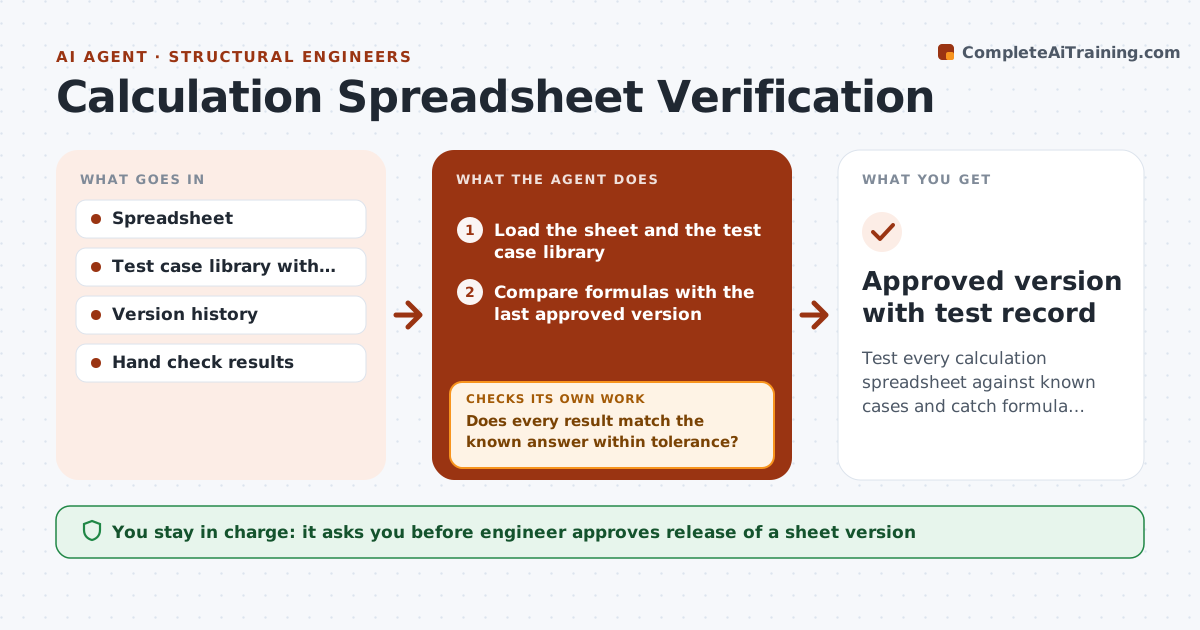
Test every calculation spreadsheet against known cases and catch formula changes before a version is released
What it does
Spreadsheet errors can survive for years and flow into designs. The agent runs each calculation sheet against test cases with known answers and compares the results with hand checks. It scans the formulas and flags any cell that changed since the last approved version. If a result differs, it logs the difference and the cell involved, and notes which tests failed. After the engineer fixes the sheet, the agent reruns all tests. It keeps a record of each version and its test results. The engineer approves release of a sheet version. Edge case: a unit conversion is changed from 12 to 10 in one cell, and the test with a known beam moment fails.
How it works
Follow the arrows from top to bottom. The orange dashed arrow is the loop: when a check fails, the agent goes back and tries again.
Read the steps as a list
- Sheet edited or release requested
- Load the sheet and the test case library
- Compare formulas with the last approved version
- List changed cells and ask for a note
- Run each test case through the sheet
- Does every result match the known answer within tolerance?If not: Log the failing case and cell, and report to the engineer. Back to step 4.
- Wait for the fix and rerun all tests
- Do all tests and hand checks now pass?If not: Repeat the diagnosis on the remaining failures. Back to step 5.
- Write the version record with tests and changes
- Engineer approves release of the sheet versionThe agent waits here for your OK.
- Approved version with test record
How it decides
A version is releasable only when every test case matches the known answer within tolerance and no formula changed without a note.
- Pass only when every test is within tolerance (default 0.5%)
- Flag a formula change not listed in the change note
- Rerun every test after any fix, not only the failing ones
- Never overwrite an approved version
Make it yours
Every agent is a starting point. You choose these settings for your own situation.
- Tolerance (default 0.5%)
- Test case library location
- Sheets covered
- Release approval rule
What keeps you in control
It always asks you first
- Engineer approves release of a sheet version
- Engineer approves changes to the test cases
Hard limits
- Never release a sheet that fails a test
- Do not edit the sheet itself
It stops when
- Done: all tests pass and the version is approved
- Stop: no test case exists for the sheet's main output
Set it up
We guide you through the set-up, step by step
Members get the full set-up guide for this agent. No technical skills needed: you copy, paste and upload.
- One set of instructions to paste into your AI, with the clicks for ChatGPT, Claude, Microsoft 365 Copilot, Gemini and Grok
- The agent then walks you through connecting your own data, one source at a time
- A downloadable copy with the flow chart, the rules and the full guide