AI agent for management consultants
Change Adoption Pulse Agent
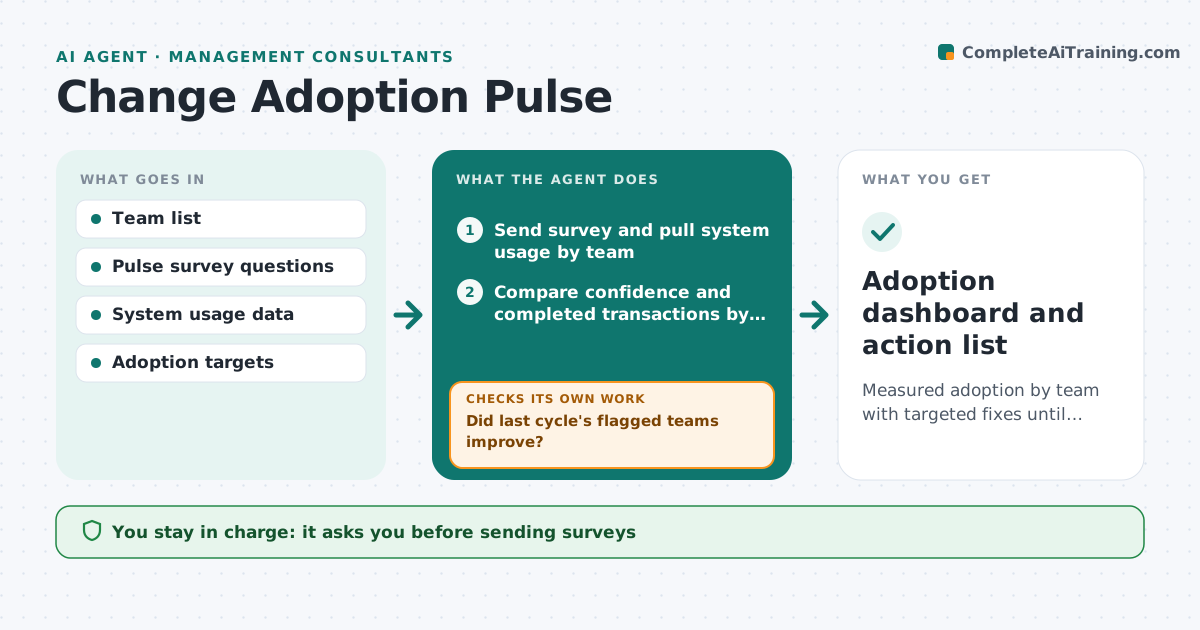
Measured adoption by team with targeted fixes until adoption targets are met
What it does
After a new process or system goes live, teams often drift back to old ways while the program declares success. Every two weeks this agent sends short pulse surveys to affected teams and pulls usage data from the new system. It compares what people say with what the data shows by team, using completed transactions rather than logins, since a workaround can inflate logins. Teams with low usage or confidence are flagged with likely causes from comments, such as missing training or a broken step. It drafts targeted actions and checks next cycle whether those teams improved. If not, it escalates with a different action. The consultant approves surveys and actions.
How it works
Follow the arrows from top to bottom. The orange dashed arrow is the loop: when a check fails, the agent goes back and tries again.
Read the steps as a list
- Pulse cycle begins
- Consultant approves the pulse surveyThe agent waits here for your OK.
- Send survey and pull system usage by team
- Compare confidence and completed transactions by team
- Find likely causes from comments
- Draft actions for teams below target
- Did last cycle's flagged teams improve?If not: choose a different action and escalate to the sponsor. Back to step 6.
- Consultant approves actions before they reach the clientThe agent waits here for your OK.
- Adoption dashboard and action list
How it decides
It compares survey confidence and real usage by team and flags any team below target on either.
- Usage measured by completed transactions, not logins
- Below target for two cycles means escalation
- Comments are grouped into causes before actions are drafted
Make it yours
Every agent is a starting point. You choose these settings for your own situation.
- Pulse frequency
- Adoption targets per team
- Survey questions
- Escalation rule
What keeps you in control
It always asks you first
- Sending surveys
- Escalation to the client sponsor
Hard limits
- Survey answers reported only in groups of 5 or more
- No individual monitoring
It stops when
- Done: all teams at target for two cycles
- Stop: client ends the program
Set it up
We guide you through the set-up, step by step
Members get the full set-up guide for this agent. No technical skills needed: you copy, paste and upload.
- One set of instructions to paste into your AI, with the clicks for ChatGPT, Claude, Microsoft 365 Copilot, Gemini and Grok
- The agent then walks you through connecting your own data, one source at a time
- A downloadable copy with the flow chart, the rules and the full guide