AI agent for videographers
Client Brief to Shot Plan Agent
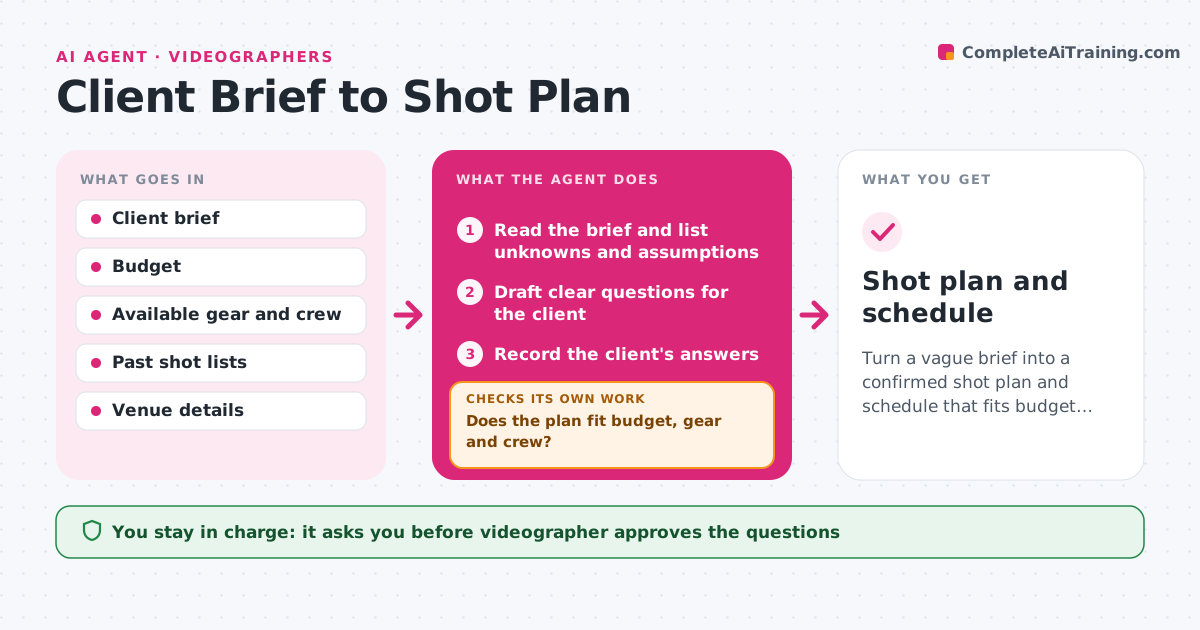
Turn a vague brief into a confirmed shot plan and schedule that fits budget, gear and crew.
What it does
A client writes that they want a short video about the event, and you arrive without knowing which speakers matter or what the video is for. This agent reads the brief and lists everything that is unknown, such as audience, length, key moments, locations, delivery format and approvals. It drafts clear questions for the client and waits for answers. Using the answers, it builds a shot list and a schedule with times and locations. It checks the plan against the budget, the available gear and the crew, and flags anything that does not fit. If it does not fit, it trims shots or suggests a second shoot day and checks again. When new answers arrive it revises the plan. The videographer approves the plan and the message to the client. Edge case: the client wants drone footage, but the venue bans drones, so the agent flags it.
How it works
Follow the arrows from top to bottom. The orange dashed arrow is the loop: when a check fails, the agent goes back and tries again.
Read the steps as a list
- Client brief arrives
- Read the brief and list unknowns and assumptions
- Draft clear questions for the client
- Videographer approves the questionsThe agent waits here for your OK.
- Record the client's answers
- Build the shot list and schedule by priority
- Compare the plan with the budget, gear and crew
- Does the plan fit budget, gear and crew?If not: trim lowest priority shots or propose a second day, then rebuild. Back to step 6.
- Are all key questions answered?If not: ask the missing questions again and mark risky assumptions. Back to step 3.
- Videographer approves the plan before it goes to the clientThe agent waits here for your OK.
- Shot plan and schedule
How it decides
It lists a question for every missing item that affects shots, such as audience and key moments. It builds shots by priority and drops the lowest priority first when the plan does not fit.
- Ask a question whenever the audience, length or delivery format is not stated
- Rank shots as must have, should have or nice to have
- Allow 25% extra time for setup between locations
- Flag venue rules such as drone bans or no-filming areas before they are planned
Make it yours
Every agent is a starting point. You choose these settings for your own situation.
- Question list by project type (corporate, event)
- Priority levels for shots
- Extra time buffer (default 25%)
- Budget limit and day rate
- Deliverable formats
What keeps you in control
It always asks you first
- Videographer approves the questions
- Videographer approves the plan before it is sent to the client
Hard limits
- Never send questions or the plan to the client without approval
- Never promise shots the budget does not cover
It stops when
- Done: a plan the client accepts and that fits budget and gear
- Stop: the client does not answer key questions after two reminders
Set it up
We guide you through the set-up, step by step
Members get the full set-up guide for this agent. No technical skills needed: you copy, paste and upload.
- One set of instructions to paste into your AI, with the clicks for ChatGPT, Claude, Microsoft 365 Copilot, Gemini and Grok
- The agent then walks you through connecting your own data, one source at a time
- A downloadable copy with the flow chart, the rules and the full guide