AI agent for cloud architects
Cloud Migration Wave Planning Agent
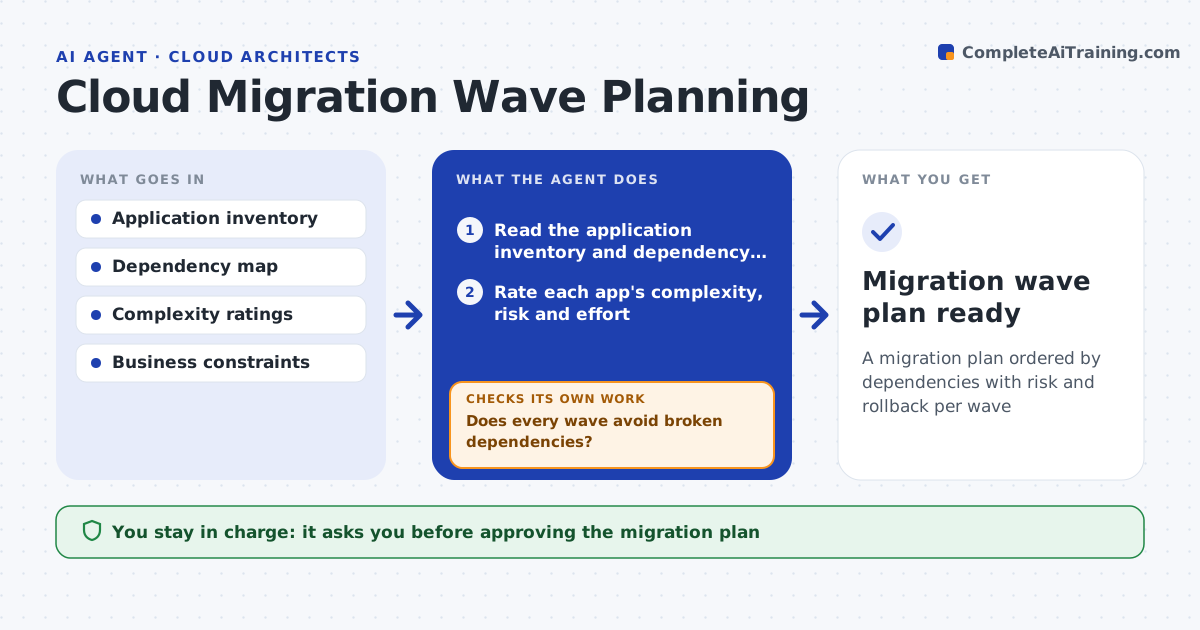
A migration plan ordered by dependencies with risk and rollback per wave
What it does
Moving many applications to the cloud needs the right order, because moving an app before the systems it depends on breaks things. This agent reads the application inventory and dependency map, groups applications into migration waves so dependencies move together or in the right sequence, and rates each app's complexity and risk. It checks each wave for broken dependencies, where an app would run in the cloud while something it needs is still on-premises. If a wave has a gap, it moves apps between waves and rechecks. It then checks each wave's effort against team capacity and rebalances if needed. It drafts a wave plan with effort and a rollback per wave. You approve the plan. Edge case: an app depending on a system that cannot move is flagged for a network link or redesign decision.
How it works
Follow the arrows from top to bottom. The orange dashed arrow is the loop: when a check fails, the agent goes back and tries again.
Read the steps as a list
- Migration planning begins
- Read the application inventory and dependency map
- Rate each app's complexity, risk and effort
- Group apps into waves by dependency
- Does every wave avoid broken dependencies?If not: move apps between waves and recheck. Back to step 4.
- Does each wave's effort fit team capacity?If not: move lower-risk apps to a later wave and recheck. Back to step 4.
- Add a rollback and verification step per wave
- Project lead approves the wave planThe agent waits here for your OK.
- Migration wave plan ready
How it decides
It orders waves so no app goes live without its dependencies available, and balances waves by risk and effort.
- Keep dependent apps in the same or earlier wave
- Balance waves by risk and effort
- Flag immovable dependencies for a separate decision
Make it yours
Every agent is a starting point. You choose these settings for your own situation.
- Wave size and cadence
- Risk and effort scoring
- Business blackout dates
- Rollback requirements per wave
What keeps you in control
It always asks you first
- Approving the migration plan
Hard limits
- Does not migrate anything itself
- Flags unknown dependencies rather than guessing
It stops when
- Done: waves are dependency-safe and approved
- Stop: the dependency map is incomplete
Set it up
We guide you through the set-up, step by step
Members get the full set-up guide for this agent. No technical skills needed: you copy, paste and upload.
- One set of instructions to paste into your AI, with the clicks for ChatGPT, Claude, Microsoft 365 Copilot, Gemini and Grok
- The agent then walks you through connecting your own data, one source at a time
- A downloadable copy with the flow chart, the rules and the full guide