AI agent for industrial designers
Concept Review Round Agent
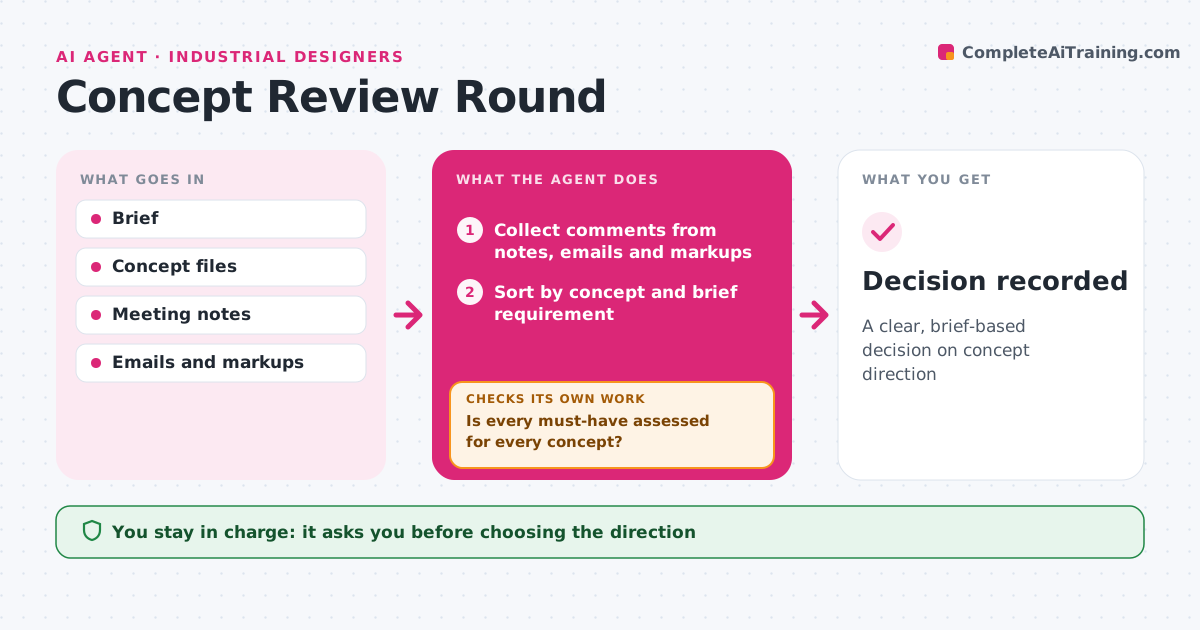
A clear, brief-based decision on concept direction
What it does
After a concept review, feedback arrives from many people in many forms, and it is hard to see which concept truly meets the brief. This agent collects comments from meeting notes, emails and markups. It sorts them by concept and by brief requirement, and marks conflicts between stakeholders. It scores each concept against the brief's must-haves using the feedback and the designer's notes. It then checks that every must-have was assessed for every concept. Missing assessments are sent as questions to the right stakeholder, and the scores are updated when answers come back. It drafts a summary with a recommended direction and open questions. The designer and client decide the direction. Edge case: a stakeholder favorite that fails a must-have is shown clearly as failing.
How it works
Follow the arrows from top to bottom. The orange dashed arrow is the loop: when a check fails, the agent goes back and tries again.
Read the steps as a list
- Concept review held
- Collect comments from notes, emails and markups
- Sort by concept and brief requirement
- Score concepts against must-haves
- Is every must-have assessed for every concept?If not: send questions to the relevant stakeholders. Back to step 3.
- Draft summary and recommended direction
- Designer and client decide the directionThe agent waits here for your OK.
- Decision recorded
How it decides
It scores concepts on brief must-haves first, then on stakeholder preference.
- Must-haves outrank preferences
- Conflicts are shown with both views
- Failing concepts are marked clearly
Make it yours
Every agent is a starting point. You choose these settings for your own situation.
- Scoring method
- Stakeholder list
- Summary format
- Question deadline
What keeps you in control
It always asks you first
- Choosing the direction
Hard limits
- Never decides the direction
- Never shares concepts outside the project
It stops when
- Done: direction chosen
- Stop: brief changes, restart
Set it up
We guide you through the set-up, step by step
Members get the full set-up guide for this agent. No technical skills needed: you copy, paste and upload.
- One set of instructions to paste into your AI, with the clicks for ChatGPT, Claude, Microsoft 365 Copilot, Gemini and Grok
- The agent then walks you through connecting your own data, one source at a time
- A downloadable copy with the flow chart, the rules and the full guide