AI agent for devops engineers
Container Image Rebuild Agent
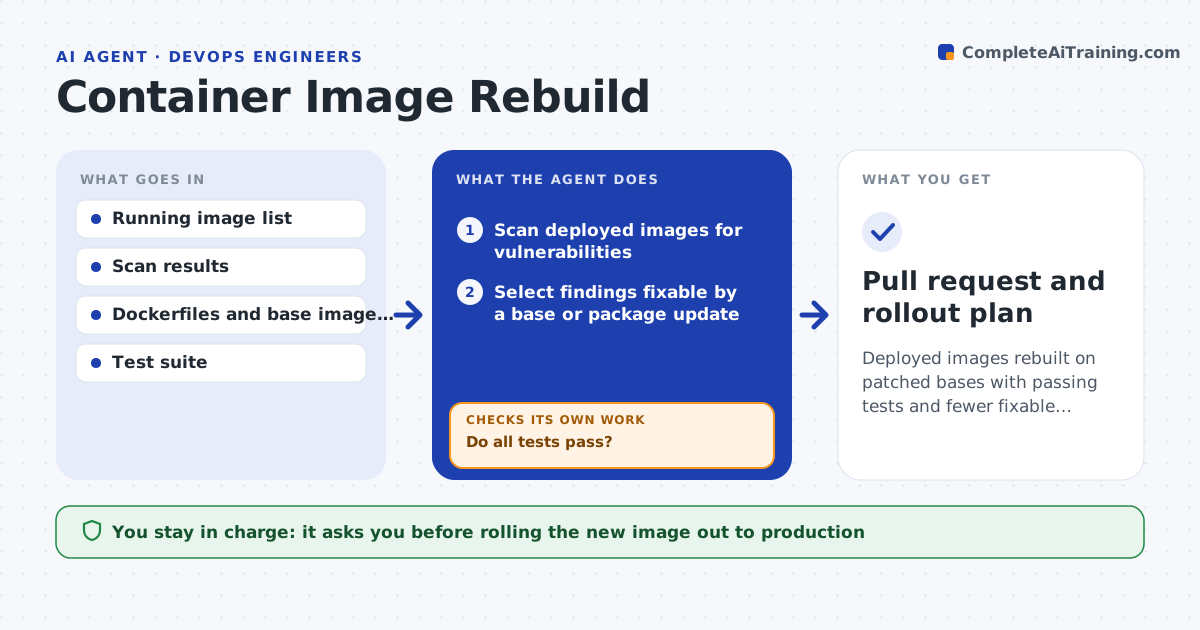
Deployed images rebuilt on patched bases with passing tests and fewer fixable vulnerabilities
What it does
Images built months ago carry old base layers and a growing list of known vulnerabilities. This agent scans the images running in each environment and finds which findings can be fixed by updating the base image or a package. It creates a branch with the version bumps, rebuilds the image and runs the full test suite. If tests fail, it does not give up: it tries a smaller upgrade, such as a patch version instead of a major one, and tests again. After a build passes, it scans the new image to prove the findings are gone. A person approves the rollout. Edge case: a vulnerability with no fix yet is listed with a note on compensating controls, not left silent.
How it works
Follow the arrows from top to bottom. The orange dashed arrow is the loop: when a check fails, the agent goes back and tries again.
Read the steps as a list
- Weekly scan or critical advisory
- Scan deployed images for vulnerabilities
- Select findings fixable by a base or package update
- Create a branch, bump versions and rebuild the image
- Run the test suite on the new image
- Do all tests pass?If not: try a smaller upgrade, such as a patch version, and rebuild. Back to step 3.
- Rescan the new image
- Are the targeted vulnerabilities gone?If not: find the layer that still carries them and update that package. Back to step 3.
- Write a change summary with before and after counts
- Engineer approves the rolloutThe agent waits here for your OK.
- Pull request and rollout plan
How it decides
Fixable critical and high findings come first. An upgrade is accepted only when the tests pass and the rescan shows the finding gone.
- Fix critical and high findings first
- Prefer patch upgrades over major version jumps
- List unfixable findings with a note instead of ignoring them
- Stop after 3 failed upgrade attempts per image
Make it yours
Every agent is a starting point. You choose these settings for your own situation.
- Severity levels to fix (default critical and high)
- Environments and registries in scope
- Attempts per image (default 3)
- Rollout approval path
What keeps you in control
It always asks you first
- Rolling the new image out to production
Hard limits
- Never deploys an image without approval
- Never skips failing tests
It stops when
- Done: images rebuilt with passing tests and a clean rescan
- Stop: tests fail on every upgrade option
Set it up
We guide you through the set-up, step by step
Members get the full set-up guide for this agent. No technical skills needed: you copy, paste and upload.
- One set of instructions to paste into your AI, with the clicks for ChatGPT, Claude, Microsoft 365 Copilot, Gemini and Grok
- The agent then walks you through connecting your own data, one source at a time
- A downloadable copy with the flow chart, the rules and the full guide