AI agent for e-commerce managers
Customer Win-Back Campaign Agent
Bring lapsed customers back to a second or third order without giving away margin.
What it does
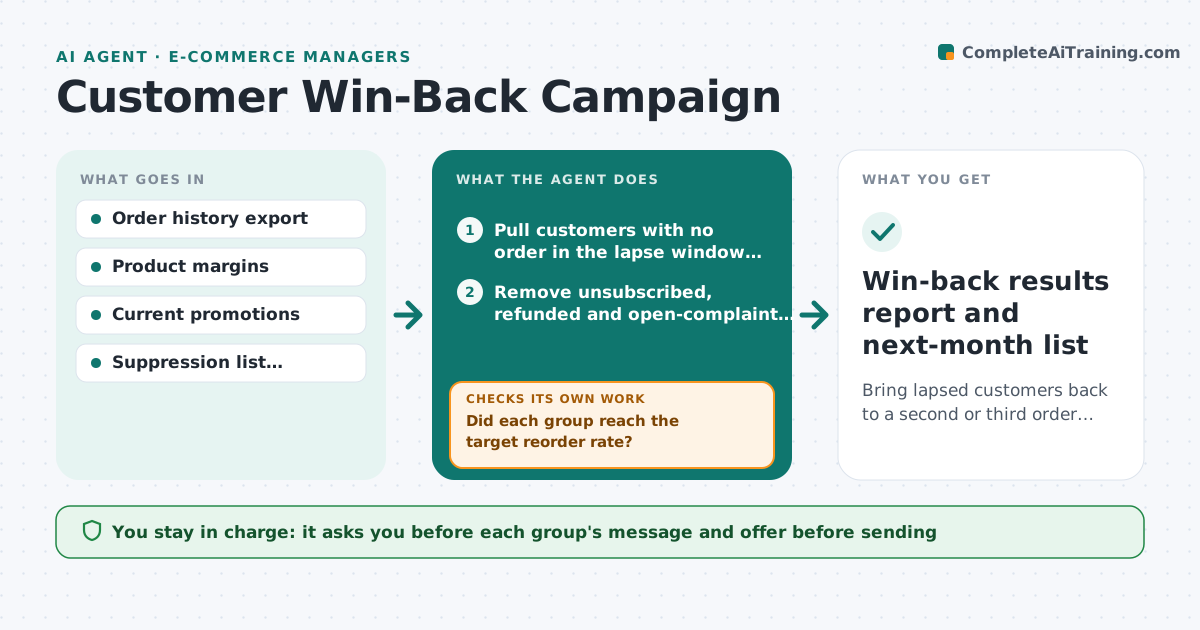
Every month a store has customers who bought once or twice and then went quiet. Nobody has time to look at each one, so they get nothing, or they all get the same blanket discount that cuts into margin. This agent finds customers who have not ordered in a set number of days and groups them by what they last bought. For each group it picks an offer that stays inside your margin limit, such as free shipping or a replenishment reminder instead of a deep discount. It drafts the message, then waits for you. After sending it watches orders and replies. If a group does not respond, it tests a different offer for that group only. It never sends anything itself. Edge case: a customer who returned their last order is moved out of the offer list and into a service follow-up.
How it works
Follow the arrows from top to bottom. The orange dashed arrow is the loop: when a check fails, the agent goes back and tries again.
Read the steps as a list
- Monthly win-back run begins
- Pull customers with no order in the lapse window (default 90 days)
- Remove unsubscribed, refunded and open-complaint customers
- Group the rest by last purchase category and order value
- Pick an offer per group that keeps margin above the floor
- Draft one message per group with the offer and product links
- Manager approves each sendThe agent waits here for your OK.
- Track orders and replies for 14 days
- Did each group reach the target reorder rate?If not: Swap in the next offer in the ladder for the groups below target and redraft their messages. Back to step 5.
- Did any offer push a group's margin below the floor?If not: Withdraw that offer and choose a cheaper one. Back to step 5.
- Win-back results report and next-month list
How it decides
Groups customers by last category bought, matches each group to the offer with the best expected return that still clears the margin floor, and changes the offer only for groups whose response stays below target.
- Never offer a discount that takes order margin below the floor (default 25%)
- Group with under 40 customers gets a reminder only, no discount
- Stop contacting a customer after two messages with no open
- If a group reorder rate is under 2% after 14 days, move to the next offer in the ladder
Make it yours
Every agent is a starting point. You choose these settings for your own situation.
- Days without an order before a customer counts as lapsed (default 90)
- Margin floor for any offer (default 25%)
- Offer ladder in order of cost
- Target reorder rate per group (default 2%)
- Maximum messages per customer (default 2)
What keeps you in control
It always asks you first
- Each group's message and offer before sending
- Any discount above the starting step
Hard limits
- Never send to anyone who requested no contact
- Never exceed the stated discount ladder
It stops when
- Done: all groups sent once, results reported
- Stop: reorder rate hits target
- Stop: customer opts out or complains
Set it up
We guide you through the set-up, step by step
Members get the full set-up guide for this agent. No technical skills needed: you copy, paste and upload.
- One set of instructions to paste into your AI, with the clicks for ChatGPT, Claude, Microsoft 365 Copilot, Gemini and Grok
- The agent then walks you through connecting your own data, one source at a time
- A downloadable copy with the flow chart, the rules and the full guide