AI agent for interior designers
Design Fee Proposal Agent
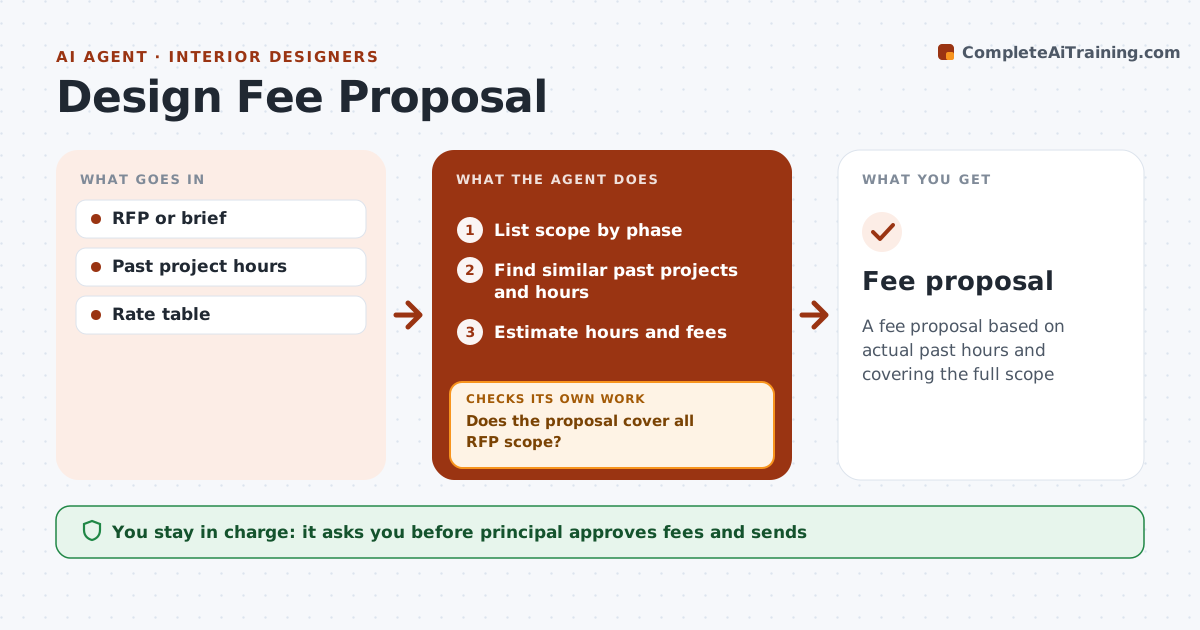
A fee proposal based on actual past hours and covering the full scope
What it does
Design firms must estimate hours and fees for each project phase, and a missed scope item turns into unpaid work. This agent reads the RFP or client brief and lists scope by phase. It finds 3 similar past projects and uses their actual hours to estimate each phase. It checks that the proposal covers every scope item in the RFP; missing items are added or turned into questions for the client before the fee is fixed. Scope outside the firm's services is flagged for subconsultants. It then compares the total fee with past projects of similar size. A principal reviews the hours, adjusts for risk, approves and sends the proposal. Edge case: an RFP that asks for a service the firm does not offer gets a subconsultant line, not a guess.
How it works
Follow the arrows from top to bottom. The orange dashed arrow is the loop: when a check fails, the agent goes back and tries again.
Read the steps as a list
- RFP received
- List scope by phase
- Find similar past projects and hours
- Estimate hours and fees
- Does the proposal cover all RFP scope?If not: add missing scope or list questions. Back to step 2.
- Flag scope needing subconsultants and get their quotes
- Is the total fee within 15% of similar past projects?If not: show the phases that differ and adjust hours. Back to step 4.
- Principal approves and sendsThe agent waits here for your OK.
- Fee proposal
How it decides
Hours come from past projects of similar type and size. All RFP scope must be covered.
- Past hours from 3 similar projects
- Subconsultants flagged
- Questions for unclear scope
Make it yours
Every agent is a starting point. You choose these settings for your own situation.
- Rate table
- Past project filters
- Phases
- Proposal format
What keeps you in control
It always asks you first
- Principal approves fees and sends
Hard limits
- Never sends proposals
- Never commits fees
It stops when
- Done: proposal sent
- Stop: decision not to propose
Set it up
We guide you through the set-up, step by step
Members get the full set-up guide for this agent. No technical skills needed: you copy, paste and upload.
- One set of instructions to paste into your AI, with the clicks for ChatGPT, Claude, Microsoft 365 Copilot, Gemini and Grok
- The agent then walks you through connecting your own data, one source at a time
- A downloadable copy with the flow chart, the rules and the full guide