AI agent for ux researchers
Design Research Participant Pool Agent
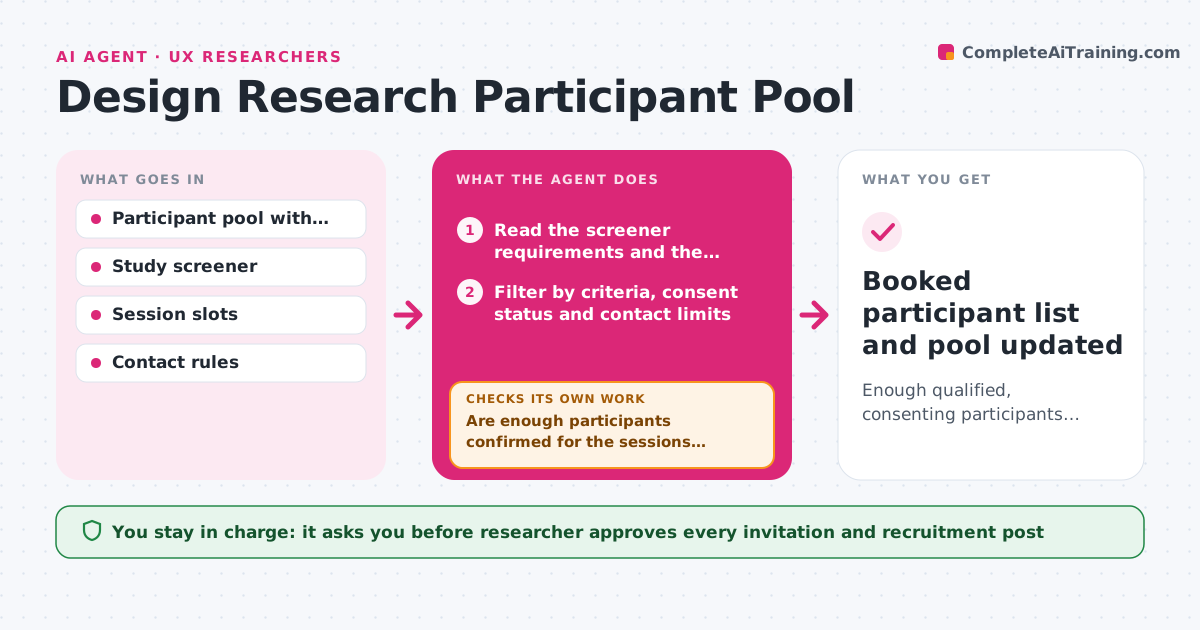
Enough qualified, consenting participants booked for a study, drawn from the existing pool before external recruiting
What it does
Every study starts with a new post asking for volunteers, even though the team has run dozens of studies and spoken to hundreds of people. This agent keeps a participant pool with consent status, past studies, last contact date and attributes. For a new study, it reads the screener requirements, finds the people who fit, and checks consent, contact limits and a cooling-off period. It drafts invitations, tracks replies and bookings, and refills the pool when too few respond by widening the criteria in steps or drafting a recruitment post. It also records incentives paid and flags people who have been contacted too often. The researcher approves invitations. Edge case: someone who withdrew consent is excluded and never appears in a shortlist.
How it works
Follow the arrows from top to bottom. The orange dashed arrow is the loop: when a check fails, the agent goes back and tries again.
Read the steps as a list
- New study planned
- Read the screener requirements and the participant pool
- Filter by criteria, consent status and contact limits
- Draft invitations with the study details and slots
- Researcher approves the invitationsThe agent waits here for your OK.
- Track replies, bookings and declines
- Are enough participants confirmed for the sessions needed?If not: Widen one criterion at a time or draft a recruitment post and filter again. Back to step 2.
- Check each confirmed participant against the screener
- Does every confirmed participant meet the screener and have valid consent?If not: Remove the participant and invite a replacement. Back to step 8.
- Booked participant list and pool updated
How it decides
It selects people who match the screener, have valid consent and are outside the contact limit, and widens criteria stepwise only when too few reply.
- Exclude anyone who withdrew consent
- Do not contact the same person more than twice in 6 months
- Invite 3 times the number needed for the first round
- Widen criteria one step at a time and note which one changed
Make it yours
Every agent is a starting point. You choose these settings for your own situation.
- Screener questions
- Contact limits (default twice in 6 months)
- Invitation ratio
- Incentive amounts
- Pool storage location
What keeps you in control
It always asks you first
- Researcher approves every invitation and recruitment post
Hard limits
- Never contact a participant without approval
- Keep personal data inside the research team's own records
It stops when
- Done: Enough qualified participants are booked
- Stop: The pool and widened criteria cannot reach the number needed, so the agent recommends external recruiting
Set it up
We guide you through the set-up, step by step
Members get the full set-up guide for this agent. No technical skills needed: you copy, paste and upload.
- One set of instructions to paste into your AI, with the clicks for ChatGPT, Claude, Microsoft 365 Copilot, Gemini and Grok
- The agent then walks you through connecting your own data, one source at a time
- A downloadable copy with the flow chart, the rules and the full guide