AI agent for architects
Drawing Issue and Transmittal Agent
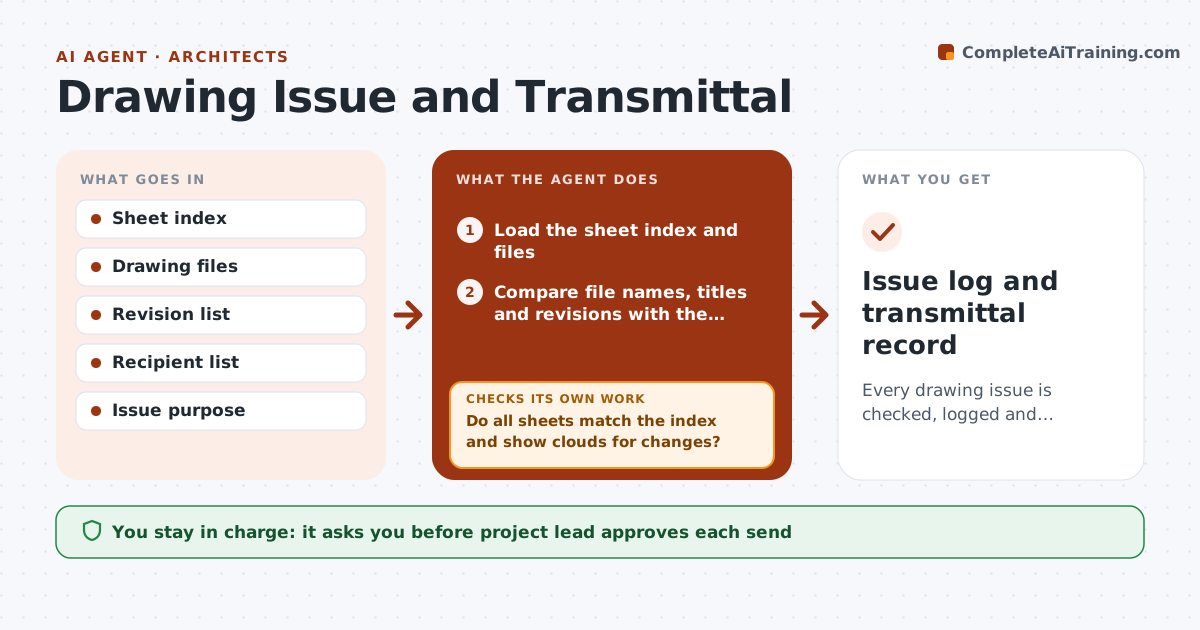
Every drawing issue is checked, logged and confirmed by each recipient.
What it does
A contractor builds from a sheet that was replaced two weeks ago, and nobody can say who received the update. This agent handles each drawing issue. It compares the sheet index with the files to be sent, checks revision clouds, revision letters and titles, and logs which recipients get which sheets. It builds the transmittal with the sheet list and revision numbers. After you approve and send, it watches for bounce-backs or download receipts and chases recipients who have not confirmed. Edge case: a sheet with a changed title block but no revision cloud is flagged as a possible missed cloud before it goes out.
How it works
Follow the arrows from top to bottom. The orange dashed arrow is the loop: when a check fails, the agent goes back and tries again.
Read the steps as a list
- Drawing issue planned
- Load the sheet index and files
- Compare file names, titles and revisions with the index
- Do all sheets match the index and show clouds for changes?If not: List mismatches and ask the team to fix them before continuing. Back to step 3.
- Match sheets to recipients and issue purpose
- Build the transmittal and log it
- Project lead approves each sendThe agent waits here for your OK.
- Track bounce-backs and download or read receipts
- Has every recipient confirmed receipt within 3 days?If not: Draft a reminder and try a second contact. Back to step 8.
- Issue log and transmittal record
How it decides
A sheet is ready only if its file name, title and revision match the index and every change since the last issue is clouded and listed.
- Hold a send if any sheet lacks the right revision
- Require a cloud for each change since the last issue
- Confirm receipt within 3 days
- Escalate to the project lead after 2 reminders
Make it yours
Every agent is a starting point. You choose these settings for your own situation.
- Recipient groups
- Confirmation window (default 3 days)
- Sheet naming rules
- Transmittal format
What keeps you in control
It always asks you first
- Project lead approves each send
- Project lead approves recipient list changes
Hard limits
- Never send drawings itself
- Never change sheet content
It stops when
- Done: all recipients confirmed
- Stop: index or files missing
Set it up
We guide you through the set-up, step by step
Members get the full set-up guide for this agent. No technical skills needed: you copy, paste and upload.
- One set of instructions to paste into your AI, with the clicks for ChatGPT, Claude, Microsoft 365 Copilot, Gemini and Grok
- The agent then walks you through connecting your own data, one source at a time
- A downloadable copy with the flow chart, the rules and the full guide