AI agent for secondary school teachers
Early Warning Grade Intervention Agent
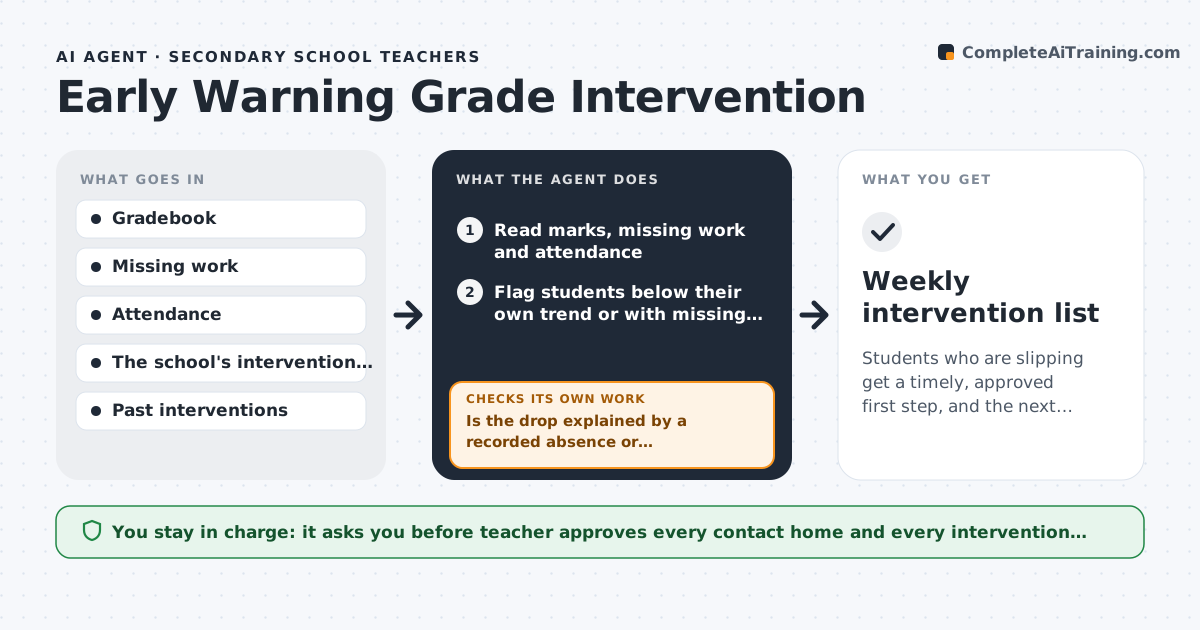
Students who are slipping get a timely, approved first step, and the next result shows whether it worked.
What it does
A student fails a unit before anyone notices the marks falling or the work missing. Each week the agent reads the gradebook, flags students whose marks or submissions fall below the set trend, and suggests a first step from the school's intervention ladder, such as a quick check-in, extra help or a call home. After the next assignment it checks whether the step worked and moves up the ladder if not. The teacher approves every contact home. Edge case: a student whose drop is explained by a recorded absence, so the agent waits one assignment before flagging.
How it works
Follow the arrows from top to bottom. The orange dashed arrow is the loop: when a check fails, the agent goes back and tries again.
Read the steps as a list
- Weekly gradebook check
- Read marks, missing work and attendance
- Flag students below their own trend or with missing work
- Is the drop explained by a recorded absence or accommodation?If not: Remove the student and recheck after the next assignment. Back to step 3.
- Pick the first step from the intervention ladder
- Teacher approves any contact home or interventionThe agent waits here for your OK.
- Send the message or log the step
- Read the next assignment results
- Did the marks or submissions improve?If not: Move up the ladder and draft the next step. Back to step 8.
- Update the intervention record
- Weekly intervention list
How it decides
It compares recent marks and missing work with the student's own trend and the class, and moves up the ladder only after a step has had one assignment to work.
- Flag a drop of 15 points or two missing assignments
- Wait one assignment before moving up the ladder
- Skip students with approved accommodations in effect
- Always include a positive note in the message
Make it yours
Every agent is a starting point. You choose these settings for your own situation.
- Drop threshold (default 15 points)
- Intervention ladder steps
- Day and time of the run
- Contact method for each step
What keeps you in control
It always asks you first
- Teacher approves every contact home and every intervention step
Hard limits
- Never contact families without approval
- Do not share a student's marks with others
It stops when
- Done: student recovered or referred up the ladder
- Stop: the issue is wellbeing or safety and the teacher refers it to staff
Set it up
We guide you through the set-up, step by step
Members get the full set-up guide for this agent. No technical skills needed: you copy, paste and upload.
- One set of instructions to paste into your AI, with the clicks for ChatGPT, Claude, Microsoft 365 Copilot, Gemini and Grok
- The agent then walks you through connecting your own data, one source at a time
- A downloadable copy with the flow chart, the rules and the full guide