AI agent for art directors
Final Artwork Preflight Agent
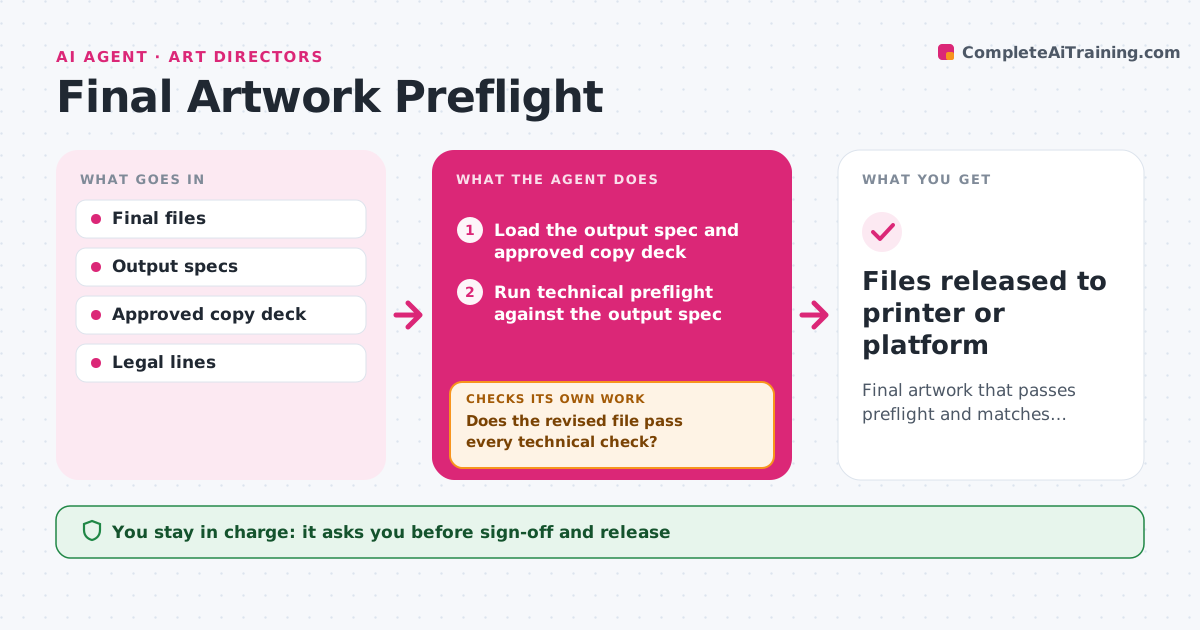
Final artwork that passes preflight and matches approved copy
What it does
A print job with low-resolution images or missing bleed can cost thousands to reprint. Before final approval, this agent opens each file and checks it against the output spec: size, bleed, safe margins, color mode, image resolution, embedded fonts, overprint settings and file format. It also proofreads the copy against the approved copy deck and checks legal lines and barcodes. Each issue is listed with page and location. The designer fixes the issues and the agent runs preflight again. Only clean files go to the art director for sign-off. Edge case: rich black used for small text, which can blur in print, is flagged even though it is technically allowed.
How it works
Follow the arrows from top to bottom. The orange dashed arrow is the loop: when a check fails, the agent goes back and tries again.
Read the steps as a list
- Final files submitted
- Load the output spec and approved copy deck
- Run technical preflight against the output spec
- Compare copy with the approved deck
- List issues with page and location
- Does the revised file pass every technical check?If not: send the remaining issues back to the designer. Back to step 3.
- Do copy, legal lines and barcodes match the approved deck?If not: list the differences for the designer to fix. Back to step 4.
- Art director signs offThe agent waits here for your OK.
- Files released to printer or platform
How it decides
It blocks sign-off until every hard spec passes and copy matches the deck.
- Images under 300 ppi at print size fail
- Copy must match the deck word for word
- Small text in rich black is flagged
Make it yours
Every agent is a starting point. You choose these settings for your own situation.
- Output specs per job
- Resolution minimum
- Checks included
- Release destinations
What keeps you in control
It always asks you first
- Sign-off and release
Hard limits
- Never releases files without sign-off
- Never edits copy
It stops when
- Done: files released
- Stop: output spec missing
Set it up
We guide you through the set-up, step by step
Members get the full set-up guide for this agent. No technical skills needed: you copy, paste and upload.
- One set of instructions to paste into your AI, with the clicks for ChatGPT, Claude, Microsoft 365 Copilot, Gemini and Grok
- The agent then walks you through connecting your own data, one source at a time
- A downloadable copy with the flow chart, the rules and the full guide