AI agent for restaurant managers
Guest Complaint Recovery Agent
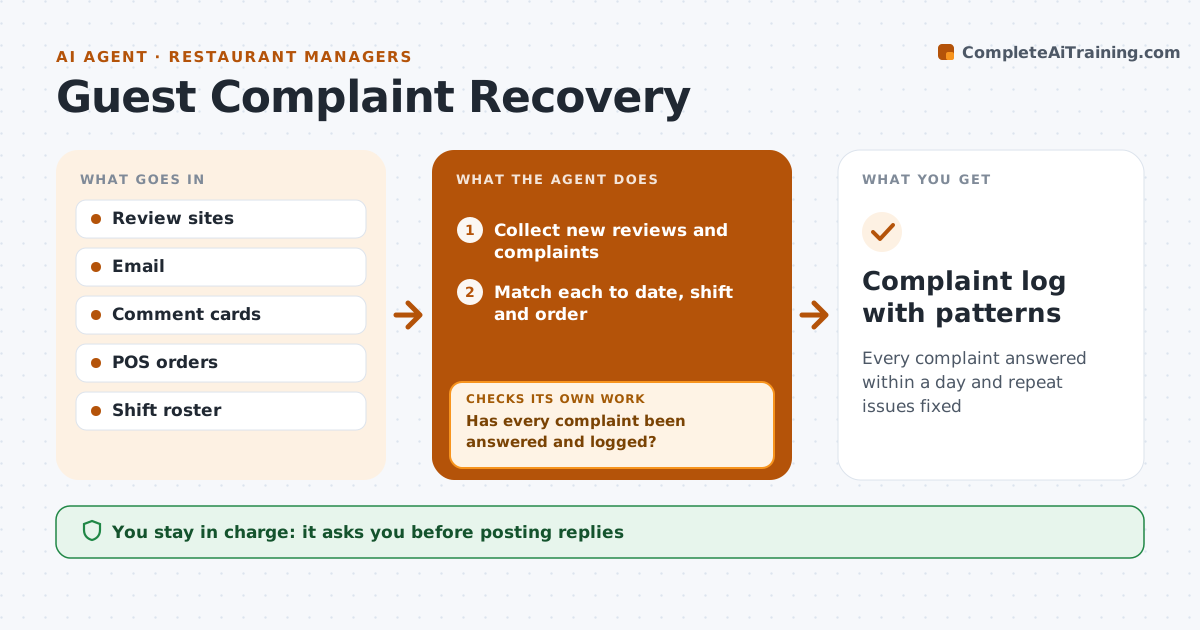
Every complaint answered within a day and repeat issues fixed
What it does
Guests complain on review sites, by email and at the table, and each one needs a reply and a fix. Each day this agent collects new complaints and reviews, matches each to the date, shift and order where possible, and sorts them by issue: wait time, food quality, staff or cleanliness. A review mentioning illness goes straight to the manager and is never answered automatically. For the rest it drafts a reply that fits the issue and suggests a recovery offer within your limits. It checks whether the same issue came up several times that week and raises it as a pattern. Later it confirms each complaint got a reply and a follow-up. The manager approves every reply and offer.
How it works
Follow the arrows from top to bottom. The orange dashed arrow is the loop: when a check fails, the agent goes back and tries again.
Read the steps as a list
- Daily complaint check
- Collect new reviews and complaints
- Match each to date, shift and order
- Sort by issue and draft replies and offers
- Manager approves replies and offersThe agent waits here for your OK.
- Track replies sent and guest responses
- Has every complaint been answered and logged?If not: redraft for the missing ones and send to the manager again. Back to step 4.
- Flag repeat issues for the weekly meeting
- Complaint log with patterns
How it decides
It sorts complaints by issue and flags a pattern when the same issue appears three or more times in a week.
- Illness or safety complaints go straight to the manager
- Three of the same issue in a week is a pattern
- Offers stay within the set limit
Make it yours
Every agent is a starting point. You choose these settings for your own situation.
- Offer limits
- Issue categories
- Reply tone
- Pattern threshold
What keeps you in control
It always asks you first
- Posting replies
- Giving refunds or vouchers
Hard limits
- Never posts without approval
- Never discusses guest health details online
It stops when
- Done: all complaints answered
- Stop: legal threat; hand to owner
Set it up
We guide you through the set-up, step by step
Members get the full set-up guide for this agent. No technical skills needed: you copy, paste and upload.
- One set of instructions to paste into your AI, with the clicks for ChatGPT, Claude, Microsoft 365 Copilot, Gemini and Grok
- The agent then walks you through connecting your own data, one source at a time
- A downloadable copy with the flow chart, the rules and the full guide