AI agent for sales
Hotel Corporate Account Rate Negotiation Agent
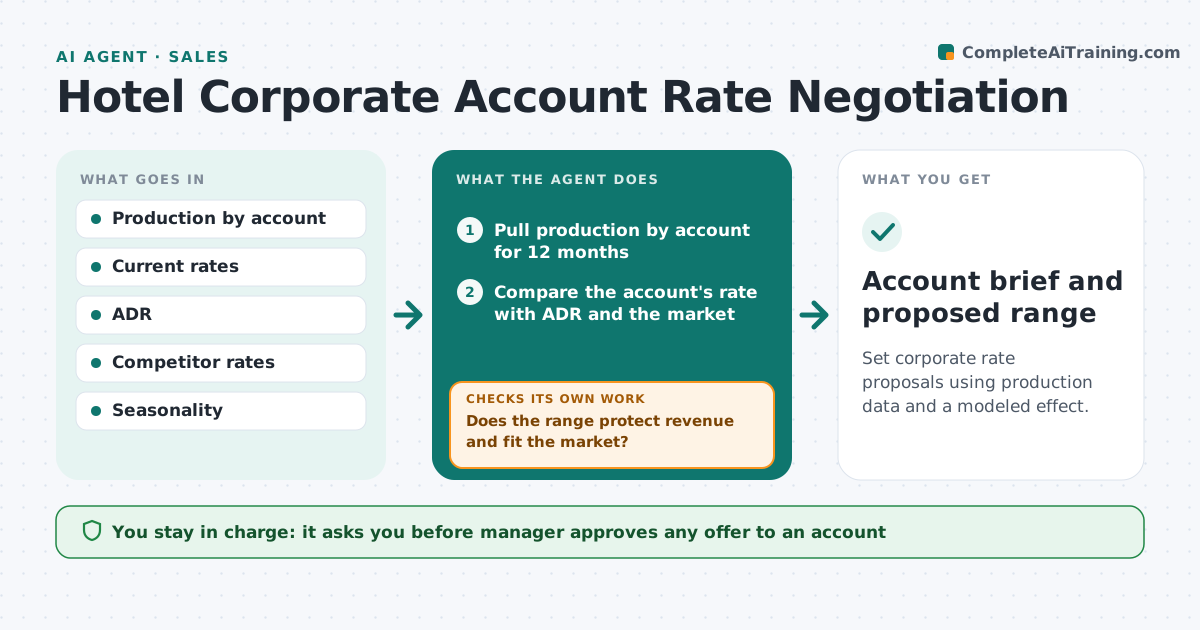
Set corporate rate proposals using production data and a modeled effect.
What it does
Corporate rates are set on gut feeling at renewal time. The agent pulls production by account, compares rates and average daily rate, models what a rate change does to room nights and revenue, and drafts a proposal range. It rechecks the range against competitor rates and the account's value. If the range is out of line, it revises. It builds a one page brief per account. The manager approves any offer. Edge case: an account books 900 nights a year at a rate 15 percent below the average daily rate, so the agent proposes a modest rise with a volume commitment.
How it works
Follow the arrows from top to bottom. The orange dashed arrow is the loop: when a check fails, the agent goes back and tries again.
Read the steps as a list
- Renewal date approaches
- Pull production by account for 12 months
- Compare the account's rate with ADR and the market
- Model revenue at several rates with volume loss
- Does the range protect revenue and fit the market?If not: Adjust the range and model again. Back to step 3.
- Check competitor rates for the same period
- Is the proposal within market rates?If not: Revise the range and retest. Back to step 3.
- Draft the proposal range and the brief
- Manager approves any offerThe agent waits here for your OK.
- Account brief and proposed range
How it decides
It models revenue under several rates using the account's volume and an assumed volume loss. It proposes a range that protects revenue and stays within market rates.
- Floor rate protects the minimum revenue per room night
- Modeled volume loss is stated in the brief
- Compare with at least 3 competitors
- Accounts over 500 nights a year get a manager review
Make it yours
Every agent is a starting point. You choose these settings for your own situation.
- Floor rate
- Volume loss assumption (default 5 percent)
- Competitors compared
- Lead time before renewal (default 90 days)
What keeps you in control
It always asks you first
- Manager approves any offer to an account
Hard limits
- Never sends an offer to an account
- Never goes below the floor rate
It stops when
- Done: offer approved and sent
- Stop: account is not renewed
Set it up
We guide you through the set-up, step by step
Members get the full set-up guide for this agent. No technical skills needed: you copy, paste and upload.
- One set of instructions to paste into your AI, with the clicks for ChatGPT, Claude, Microsoft 365 Copilot, Gemini and Grok
- The agent then walks you through connecting your own data, one source at a time
- A downloadable copy with the flow chart, the rules and the full guide