AI agent for head of operations
HVAC Maintenance Agreement Scheduling Agent
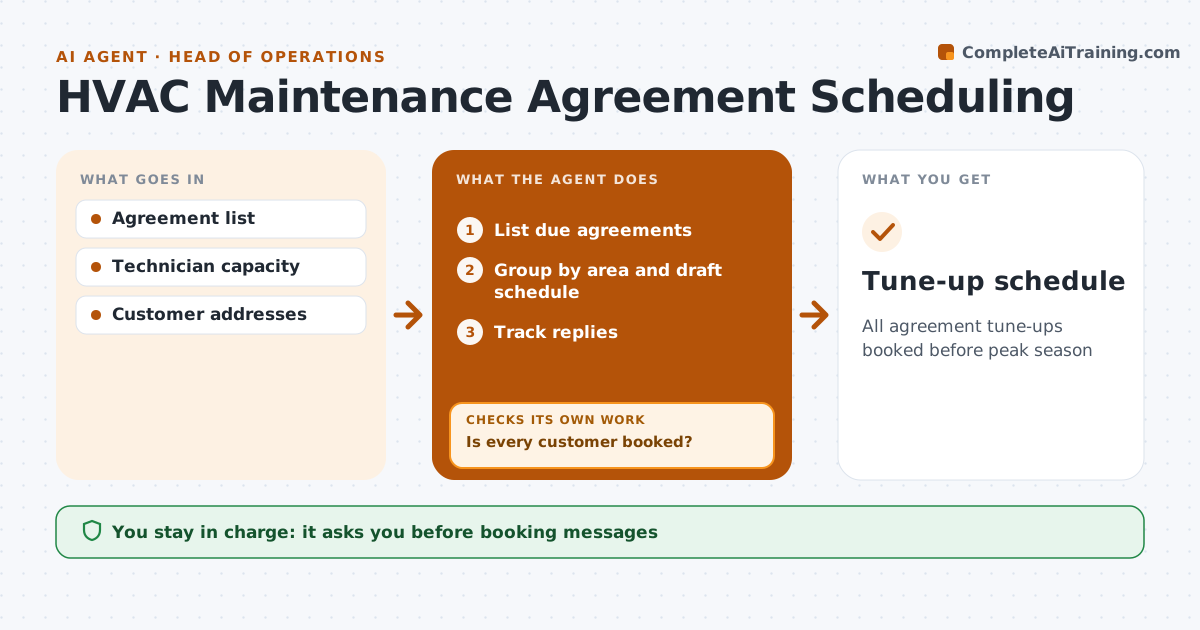
All agreement tune-ups booked before peak season
What it does
Maintenance agreements promise spring and fall tune-ups, and booking them by hand during the rush leaves customers missed and technicians idle or overbooked. Six weeks before each season, this agent lists every agreement due, groups customers by area, and drafts a schedule that fits technician capacity before peak demand starts. It drafts booking messages for each customer, which the office approves before they go out. It then tracks replies. Customers who do not confirm get a second message at a different time slot, and anyone who misses two attempts is flagged for a phone call. It keeps checking until every customer is booked or flagged. It also flags agreements expiring soon so the office can offer renewal. The technician sees the final schedule. Edge case: a customer with an open repair ticket gets the tune-up combined with that visit to save a trip.
How it works
Follow the arrows from top to bottom. The orange dashed arrow is the loop: when a check fails, the agent goes back and tries again.
Read the steps as a list
- Six weeks before season
- List due agreements
- Group by area and draft schedule
- Office approves booking messagesThe agent waits here for your OK.
- Track replies
- Is every customer booked?If not: rebook or flag for a call. Back to step 3.
- Tune-up schedule
How it decides
Customers are grouped by area and booked in order of agreement date.
- Group by area
- Two failed attempts mean a call
- Combine with open repairs
Make it yours
Every agent is a starting point. You choose these settings for your own situation.
- Lead time
- Area groups
- Message channels
- Attempts before call
What keeps you in control
It always asks you first
- Booking messages
Hard limits
- No messages without approval
- Respects opt-outs
It stops when
- Done: all booked
- Stop: customer cancels the agreement
Set it up
We guide you through the set-up, step by step
Members get the full set-up guide for this agent. No technical skills needed: you copy, paste and upload.
- One set of instructions to paste into your AI, with the clicks for ChatGPT, Claude, Microsoft 365 Copilot, Gemini and Grok
- The agent then walks you through connecting your own data, one source at a time
- A downloadable copy with the flow chart, the rules and the full guide