AI agent for devops engineers
Infrastructure as Code Plan Review Agent
Infrastructure changes reviewed for destructive and risky actions before they are applied
What it does
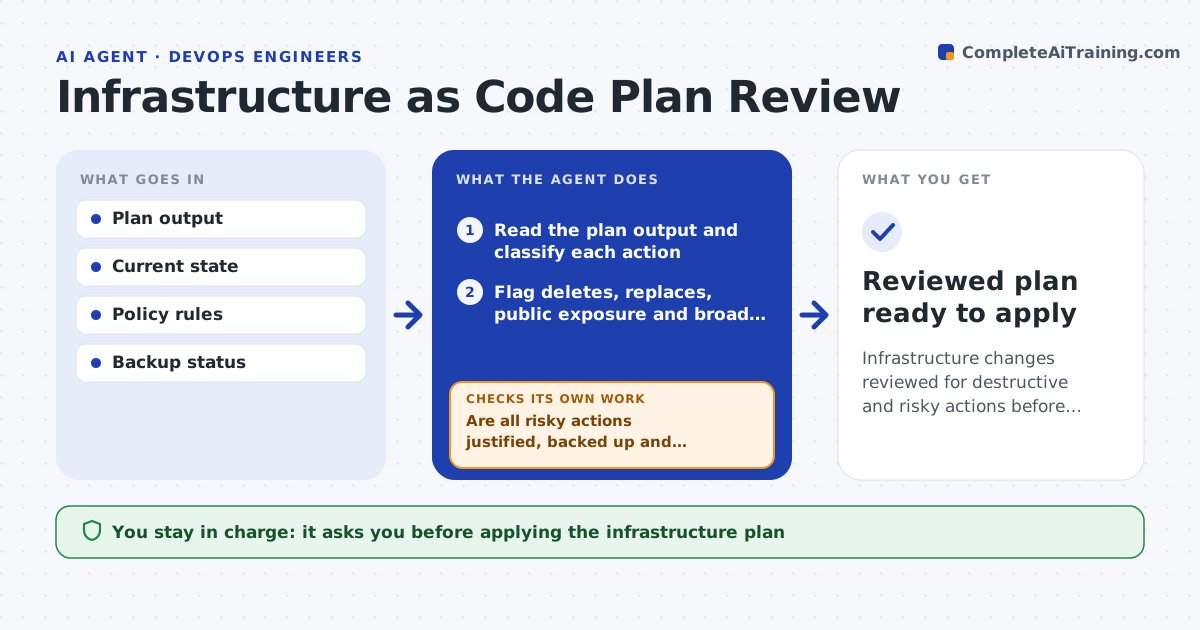
Infrastructure defined as code is changed by applying a plan, and that plan can quietly replace a database or open a security group. Before anything is applied, this agent reads the plan output and classifies each action as create, change, replace or delete. It flags destructive actions on resources that hold data, public exposure and access that is too broad, and checks every change against your policy rules. For risky items it explains what would happen and a safer option, such as an in-place resize or a lifecycle protection. It confirms a recent backup exists for anything that would be replaced. After the engineer revises the code, it reviews the new plan again. You approve applying the plan. Edge case: replacing a production database is blocked until a fresh backup and explicit sign-off exist.
How it works
Follow the arrows from top to bottom. The orange dashed arrow is the loop: when a check fails, the agent goes back and tries again.
Read the steps as a list
- Infrastructure plan generated for a change
- Read the plan output and classify each action
- Flag deletes, replaces, public exposure and broad access
- Check changes against policy rules
- Check backup status for every resource that would be replaced
- Are all risky actions justified, backed up and policy-compliant?If not: explain each risk and the safer option, and wait for a revised plan. Back to step 2.
- Write a review note listing each action and its risk level
- Engineer approves applying the planThe agent waits here for your OK.
- Reviewed plan ready to apply
How it decides
It blocks destructive actions on stateful or production resources unless a backup and sign-off exist, and flags any policy violation.
- Block replace or delete on production data without backup and sign-off
- Flag any resource made public
- Enforce policy rules on every change
Make it yours
Every agent is a starting point. You choose these settings for your own situation.
- Resources treated as stateful or critical
- Policy rules
- Who can approve destructive changes
- Backup check source
What keeps you in control
It always asks you first
- Applying the infrastructure plan
Hard limits
- Never applies the plan itself
- Requires a backup before destructive actions
It stops when
- Done: plan reviewed and safe to apply
- Stop: the plan cannot be read or state is missing
Set it up
We guide you through the set-up, step by step
Members get the full set-up guide for this agent. No technical skills needed: you copy, paste and upload.
- One set of instructions to paste into your AI, with the clicks for ChatGPT, Claude, Microsoft 365 Copilot, Gemini and Grok
- The agent then walks you through connecting your own data, one source at a time
- A downloadable copy with the flow chart, the rules and the full guide