AI agent for ux researchers
Interview Synthesis Agent
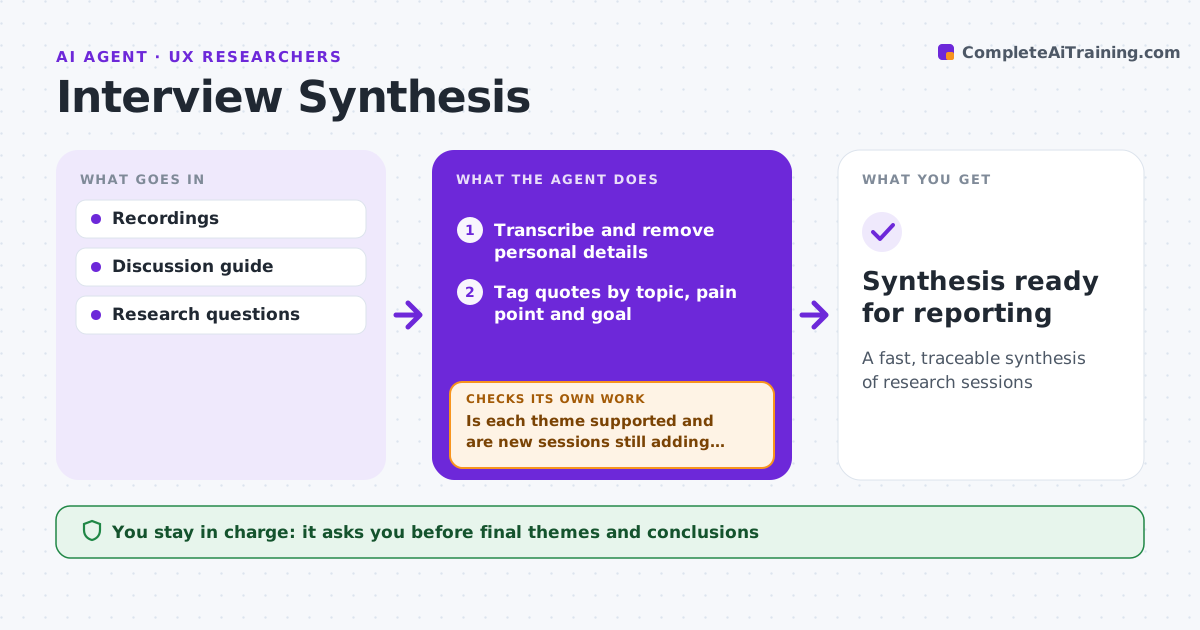
A fast, traceable synthesis of research sessions
What it does
Turning hours of interviews into clear findings is slow, and it is easy to overstate what one vivid participant said. After sessions, this agent transcribes recordings, removes personal details, and tags quotes by topic, task, pain point and goal. It groups tags into themes and counts how many participants mention each. It checks whether each theme appears across enough participants and whether new sessions still bring new themes. If saturation is not reached, it tells the researcher more sessions may be needed, then updates the analysis as new sessions arrive. It drafts a synthesis board with quotes and links to clips. The researcher edits the themes and writes the conclusions. Edge case: a strong theme from only one participant is kept as a single observation, not a finding.
How it works
Follow the arrows from top to bottom. The orange dashed arrow is the loop: when a check fails, the agent goes back and tries again.
Read the steps as a list
- Session recordings available
- Transcribe and remove personal details
- Tag quotes by topic, pain point and goal
- Group tags into themes and count participants
- Is each theme supported and are new sessions still adding themes?If not: retag unclear quotes or advise more sessions. Back to step 3.
- Draft synthesis board with quotes and clips
- Researcher edits and approves the themesThe agent waits here for your OK.
- Synthesis ready for reporting
How it decides
A theme becomes a finding only when several participants support it.
- Findings need at least three participants
- Single strong mentions stay as observations
- Every theme links to its quotes
Make it yours
Every agent is a starting point. You choose these settings for your own situation.
- Tag set
- Minimum participants for a finding
- Personal details to remove
- Board format
What keeps you in control
It always asks you first
- Final themes and conclusions
Hard limits
- Never uses recordings without consent
- Never shares raw recordings outside the team
It stops when
- Done: synthesis approved
- Stop: consent missing for a recording, exclude it
Set it up
We guide you through the set-up, step by step
Members get the full set-up guide for this agent. No technical skills needed: you copy, paste and upload.
- One set of instructions to paste into your AI, with the clicks for ChatGPT, Claude, Microsoft 365 Copilot, Gemini and Grok
- The agent then walks you through connecting your own data, one source at a time
- A downloadable copy with the flow chart, the rules and the full guide