
AI agent for technology managers
IT Project Risk Register Agent
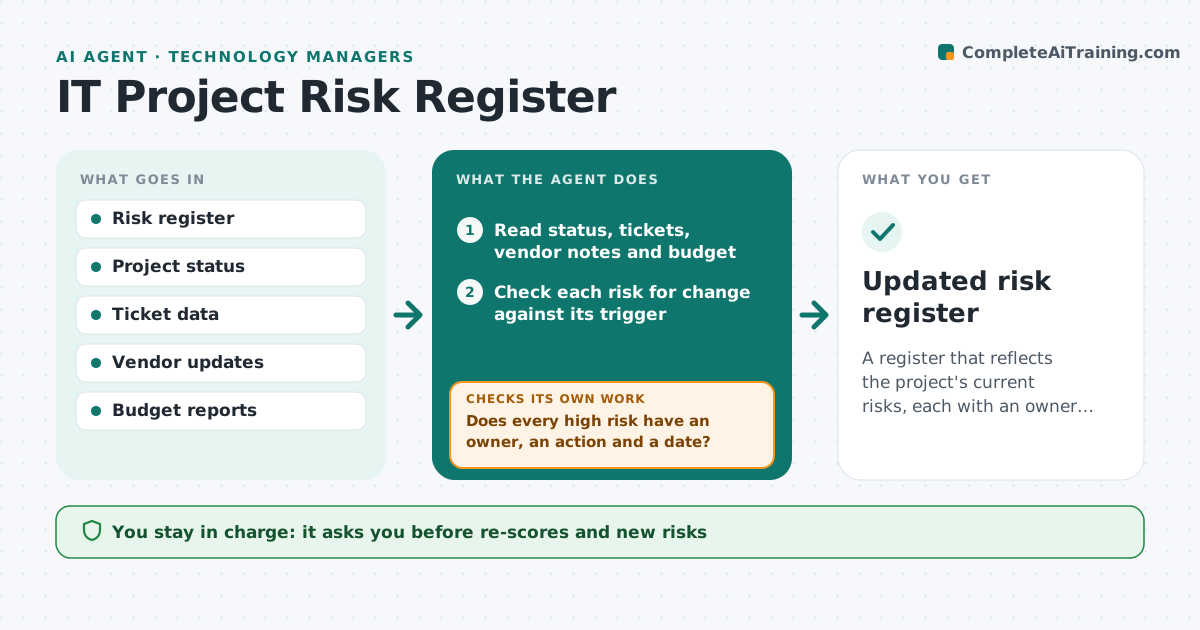
A register that reflects the project's current risks, each with an owner and a dated action
What it does
Many risk registers are filled at kickoff and never opened again, so risks are noticed only when they hit. Every week, this agent reads project status reports, ticket trends, vendor notes and budget data. For each risk in the register it checks whether anything changed: a slipping date, a rising count of blockers, a vendor delay or a spend jump. It re-scores risks that changed and proposes new risks it sees in the data. For risks with owners, it drafts a follow-up question and tracks the reply. If an owner does not answer in the set time, it reminds them and then escalates to the manager. It checks that every high risk has an action, an owner and a date. The manager approves updates. Edge case: a vendor note hints at a delay that nobody has logged.
How it works
Follow the arrows from top to bottom. The orange dashed arrow is the loop: when a check fails, the agent goes back and tries again.
Read the steps as a list
- Weekly review day arrives
- Read status, tickets, vendor notes and budget
- Check each risk for change against its trigger
- Propose new risks seen in two or more sources
- Does every high risk have an owner, an action and a date?If not: draft the missing item and ask the owner. Back to step 3.
- Manager approves re-scores and new risksThe agent waits here for your OK.
- Send follow-up questions to owners and track replies
- Have all owners replied in time?If not: remind once, then escalate to the manager. Back to step 7.
- Update the register and write a short summary
- Manager approves the update and summaryThe agent waits here for your OK.
- Updated risk register
How it decides
A risk is re-scored when linked data moves beyond its threshold, and a new risk is proposed when a pattern appears in two sources.
- Re-score a risk if a linked date slips more than 5 days
- Propose a risk when two sources show the same warning
- Require owner, action and date on every high risk
- Escalate after one missed reminder
Make it yours
Every agent is a starting point. You choose these settings for your own situation.
- Review day
- Score change thresholds
- Reminder timing (default 2 days)
- Data sources
What keeps you in control
It always asks you first
- Re-scores and new risks
- Messages to owners
- Final update
Hard limits
- Never changes the register without approval
- Never contacts vendors
It stops when
- Done: register reviewed and updated for the week
- Stop: status data is missing for two weeks
Set it up
We guide you through the set-up, step by step
Members get the full set-up guide for this agent. No technical skills needed: you copy, paste and upload.
- One set of instructions to paste into your AI, with the clicks for ChatGPT, Claude, Microsoft 365 Copilot, Gemini and Grok
- The agent then walks you through connecting your own data, one source at a time
- A downloadable copy with the flow chart, the rules and the full guide



