AI agent for cybersecurity analysts
Leaked Credential Exposure Response Agent
Every leaked credential is matched to an owner, neutralized and verified within the response target
What it does
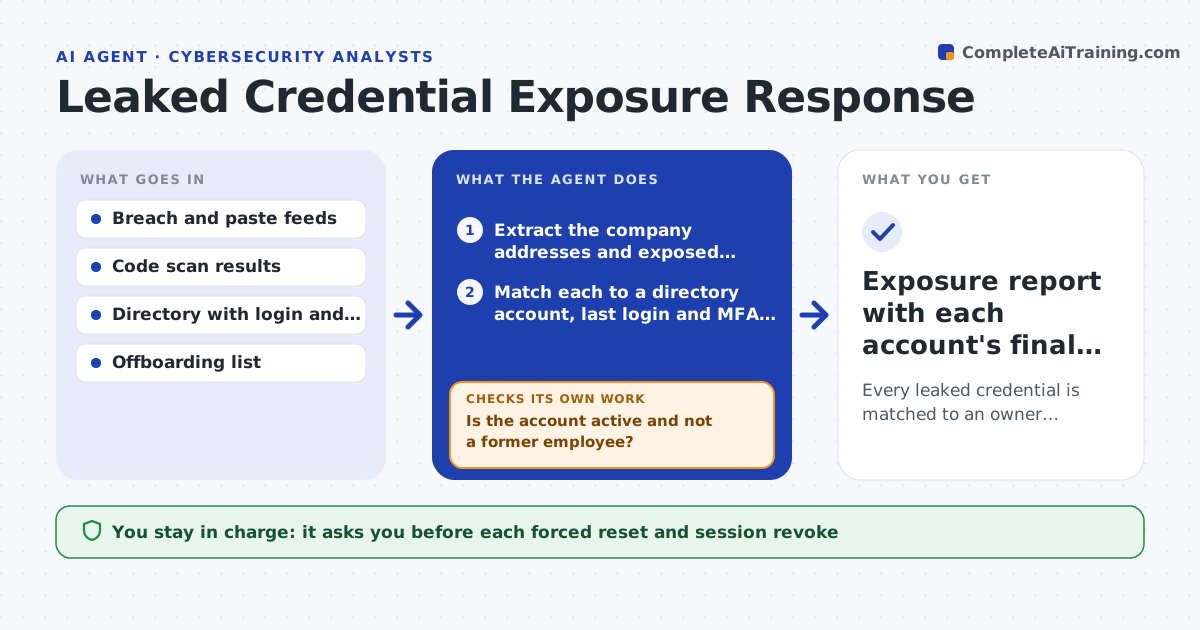
A leaked email and password pair is a ticking clock, but most teams only see a vague alert. This agent checks breach feeds and code scanning results for the company's domains, then matches each hit to a live account in the directory. It reads the last login, whether multi-factor authentication is on, and whether the account holds privileged access. Accounts with fresh logins and no second factor rise to the top. For each hit it drafts a forced reset and session revoke. After the analyst approves and the action runs, the agent checks that old sessions closed and tokens stopped working. If any remain, it repeats the revoke and escalates. Edge case: a hit for a former employee is checked against offboarding records, not reset.
How it works
Follow the arrows from top to bottom. The orange dashed arrow is the loop: when a check fails, the agent goes back and tries again.
Read the steps as a list
- New breach or code scan hit arrives
- Extract the company addresses and exposed secrets
- Match each to a directory account, last login and MFA status
- Is the account active and not a former employee?If not: check offboarding records and route former accounts to a closure list. Back to step 3.
- Rank accounts by privilege, MFA status and last login
- Draft a forced reset and session revoke for each
- Analyst approves each reset and revokeThe agent waits here for your OK.
- Run the approved actions
- Are old sessions and tokens closed?If not: repeat the revoke, list the remaining sessions and alert the analyst. Back to step 8.
- Exposure report with each account's final status
How it decides
Priority combines privilege level, MFA status and last login. Hits for accounts with no recent activity are lower priority but still checked against offboarding.
- Treat privileged accounts without MFA as urgent
- Check any hit older than 90 days against rotation records
- Route former employee hits to offboarding, not reset
- Escalate if a leaked secret grants production access
Make it yours
Every agent is a starting point. You choose these settings for your own situation.
- Response target in hours (default 4 for privileged)
- Domains and feeds to monitor
- Which account types count as privileged
- Who is notified for each hit
What keeps you in control
It always asks you first
- Each forced reset and session revoke
- Any notice to the account owner
Hard limits
- Never resets without analyst approval
- Never stores leaked passwords in its report
It stops when
- Done: every hit is neutralized and verified
- Stop: the directory cannot be reached
Set it up
We guide you through the set-up, step by step
Members get the full set-up guide for this agent. No technical skills needed: you copy, paste and upload.
- One set of instructions to paste into your AI, with the clicks for ChatGPT, Claude, Microsoft 365 Copilot, Gemini and Grok
- The agent then walks you through connecting your own data, one source at a time
- A downloadable copy with the flow chart, the rules and the full guide