AI agent for audio engineers
Loudness Compliance Multi-Platform Agent
A set of masters, one per platform, each verified against its loudness and peak target
What it does
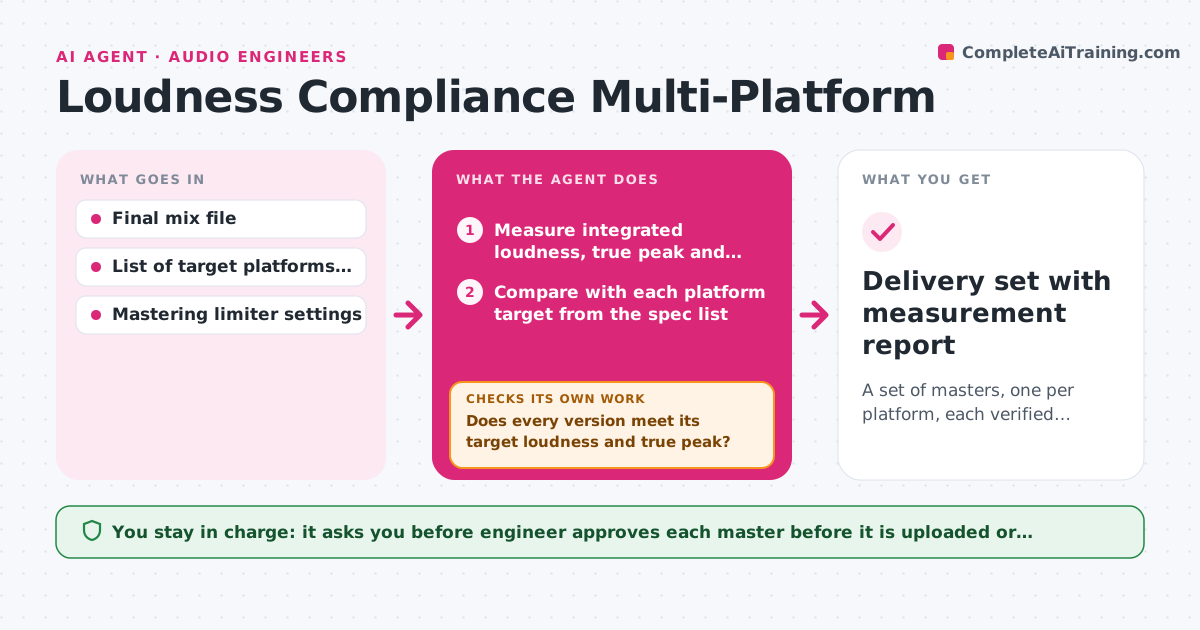
One master rarely suits every destination. A streaming service wants one integrated loudness, a podcast host another, and a broadcast client a strict range with a true peak ceiling. This agent measures the master's integrated loudness, true peak and loudness range, then compares them with each target platform's published spec that the producer has entered. It suggests limiter and gain settings for each platform, renders a version, measures again and loops until every target passes or a target cannot be met without hurting the mix. It reports which versions pass and which trade-offs it had to make. The engineer approves each master before upload. Edge case: a track that needs 4 dB more loudness for one platform would be crushed, so the agent flags the conflict instead of forcing it.
How it works
Follow the arrows from top to bottom. The orange dashed arrow is the loop: when a check fails, the agent goes back and tries again.
Read the steps as a list
- Final mix is ready for delivery
- Measure integrated loudness, true peak and loudness range
- Compare with each platform target from the spec list
- Propose gain and limiter settings per platform
- Render a version for each platform
- Measure each rendered version
- Does every version meet its target loudness and true peak?If not: Adjust the settings for the failing version and render it again. Back to step 3.
- Is the loudness range still within 2 dB of the original on every version?If not: Flag the conflict and propose a gentler setting or an exception for that platform. Back to step 3.
- Engineer approves each master before uploadThe agent waits here for your OK.
- Delivery set with measurement report
How it decides
It compares each measurement with its platform target, makes the smallest gain or limiter change that fixes the miss, and flags a conflict when the change would cost more than 2 dB of dynamic range.
- Keep true peak at or below the platform ceiling, default minus 1 dBTP
- Prefer gain change before limiting
- Flag any version that loses more than 2 dB of loudness range
- Never change the mix itself, only the delivery master
Make it yours
Every agent is a starting point. You choose these settings for your own situation.
- List of target platforms and their specs
- True peak ceiling
- Loudness tolerance (default plus or minus 0.5 LU)
- Dynamic range loss that triggers a warning
- File formats for each master
What keeps you in control
It always asks you first
- Engineer approves each master before it is uploaded or delivered
Hard limits
- Never upload or deliver files itself
- Never overwrite the original mix
It stops when
- Done: All platform versions pass and are approved
- Stop: A target cannot be met without damaging the mix, so the agent presents the options
Set it up
We guide you through the set-up, step by step
Members get the full set-up guide for this agent. No technical skills needed: you copy, paste and upload.
- One set of instructions to paste into your AI, with the clicks for ChatGPT, Claude, Microsoft 365 Copilot, Gemini and Grok
- The agent then walks you through connecting your own data, one source at a time
- A downloadable copy with the flow chart, the rules and the full guide