AI agent for administrative assistants
Meeting Action Item Follow-Through Agent
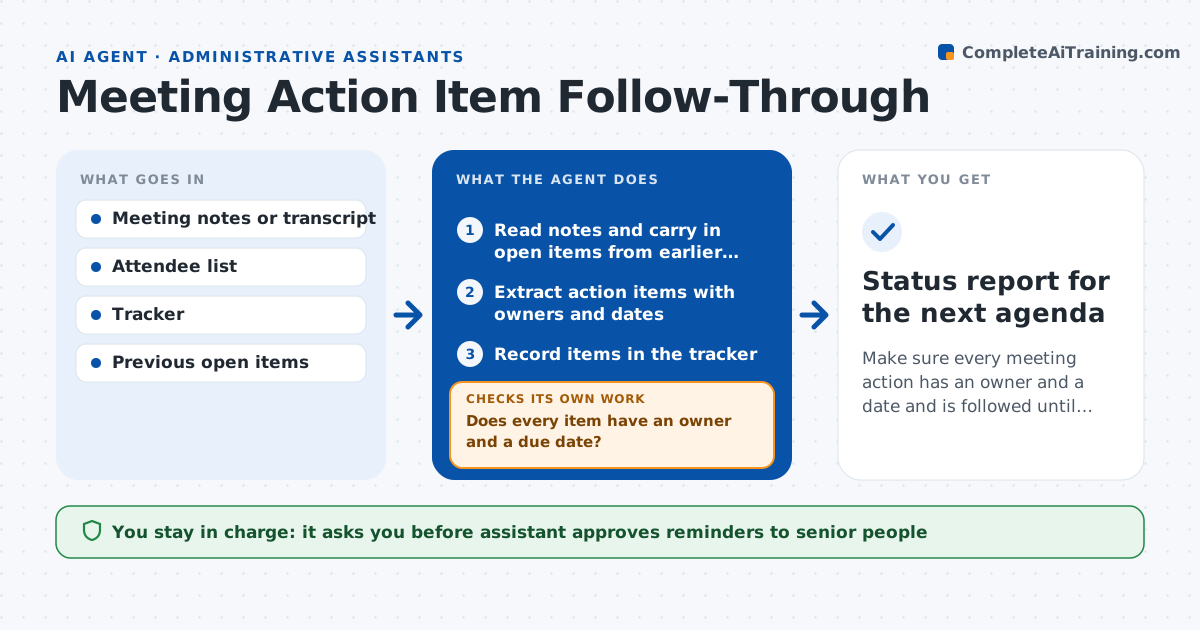
Make sure every meeting action has an owner and a date and is followed until it is closed.
What it does
Meetings end with agreements, and a week later few people remember who was meant to do what. This agent reads meeting notes or transcripts and extracts action items with an owner and a due date. If an owner or date is unclear, it drafts a question to confirm. It records every item in a tracker and watches for progress, sending reminders before the due date. Before the next meeting it builds a status list of open, late and done items. After a reminder, it checks whether the status changed, and if not, escalates the reminder. Edge case: items assigned to senior leaders go to the assistant for approval before any reminder. The assistant approves those reminders.
How it works
Follow the arrows from top to bottom. The orange dashed arrow is the loop: when a check fails, the agent goes back and tries again.
Read the steps as a list
- Meeting notes are saved
- Read notes and carry in open items from earlier meetings
- Extract action items with owners and dates
- Does every item have an owner and a due date?If not: draft a question to the attendee and fill in the answer. Back to step 3.
- Record items in the tracker
- Schedule reminders ahead of each due date
- Assistant approves reminders to senior peopleThe agent waits here for your OK.
- Check status changes each day
- Did the item move after the reminder?If not: send a second reminder and add it to the escalation list. Back to step 6.
- Build the open item list before the next meeting
- Status report for the next agenda
How it decides
It treats a sentence as an action item when it names a task and an owner, and asks for any missing owner or date.
- Remind owners 2 days before the due date
- Ask for a date if none is given, defaulting to the next meeting
- Mark an item late the day after its due date
- Escalate after two reminders without change
Make it yours
Every agent is a starting point. You choose these settings for your own situation.
- Reminder lead time (default 2 days)
- Default due date rule
- Which attendees count as senior
- Tracker or tool used
- Escalation contact
What keeps you in control
It always asks you first
- Assistant approves reminders to senior people
- Assistant approves the escalation list before the meeting
Hard limits
- Never reassigns an action item itself
- Does not message senior leaders without approval
It stops when
- Done: all items tracked and the status list delivered
- Stop: notes are too unclear to find any owners, ask the assistant
Set it up
We guide you through the set-up, step by step
Members get the full set-up guide for this agent. No technical skills needed: you copy, paste and upload.
- One set of instructions to paste into your AI, with the clicks for ChatGPT, Claude, Microsoft 365 Copilot, Gemini and Grok
- The agent then walks you through connecting your own data, one source at a time
- A downloadable copy with the flow chart, the rules and the full guide