AI agent for biochemists
Metabolomics Peak Annotation Review Agent
Produce an annotation table where each name has stated evidence and confidence
What it does
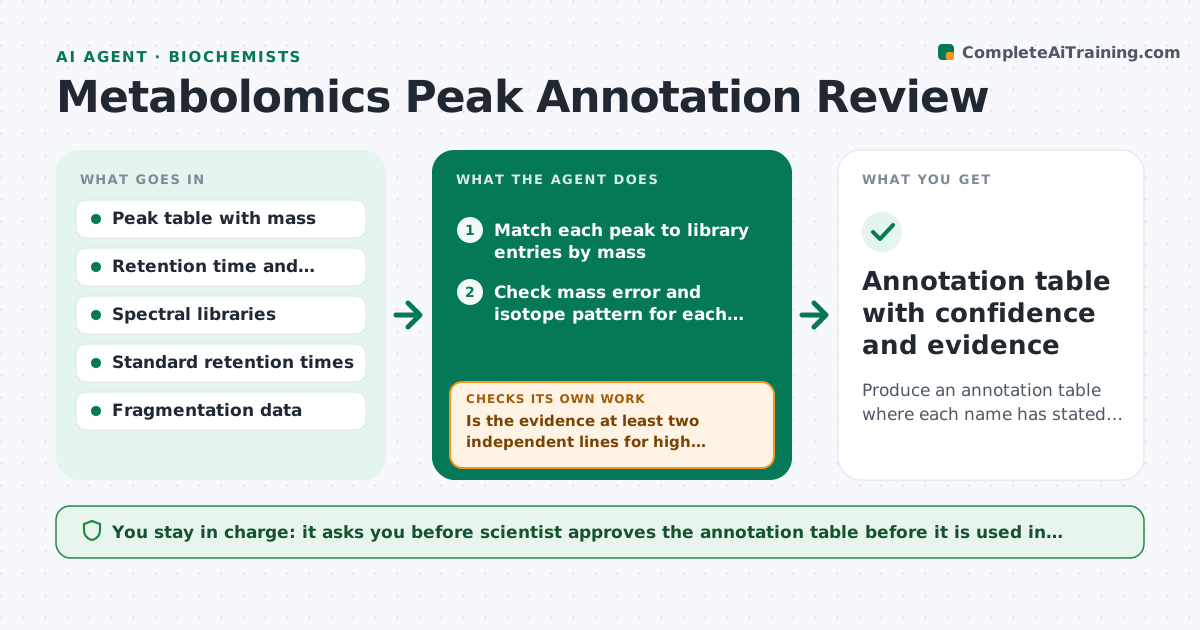
A metabolomics run yields thousands of peaks, and the software labels many with compound names based on a mass match alone. Weak labels end up in the paper. This agent reviews the annotation evidence. It matches peaks to library entries, checks mass error, isotope pattern and retention time, assigns a confidence level by the community scale, and flags weak matches. For uncertain peaks, it requests standards or fragmentation data and rechecks after they arrive. It builds an annotation table with the evidence for each. The scientist approves the table. Edge case: two isomers share the same mass. The agent labels the peak as ambiguous and lists both.
How it works
Follow the arrows from top to bottom. The orange dashed arrow is the loop: when a check fails, the agent goes back and tries again.
Read the steps as a list
- Peak table produced
- Match each peak to library entries by mass
- Check mass error and isotope pattern for each candidate
- Compare retention time with standards or predicted values
- Assign a confidence level to each annotation
- Is the evidence at least two independent lines for high confidence?If not: Lower the level and mark the peak as uncertain. Back to step 3.
- Request standards or fragmentation scans for uncertain peaks of interest
- Re-evaluate the peaks with the new data
- Does the new evidence raise confidence or resolve the isomer ambiguity?If not: Keep the peak as unresolved and list the candidates. Back to step 7.
- Scientist approves the annotation tableThe agent waits here for your OK.
- Annotation table with confidence and evidence
How it decides
It scores matches on mass error, isotope pattern, retention time against standards and fragmentation similarity. Only matches with at least two independent lines of evidence get high confidence.
- Mass error must be under 5 ppm
- Retention time must be within 0.2 minutes of the standard for high confidence
- Isomers with the same mass are labeled ambiguous
- Only peaks of interest get follow-up requests
Make it yours
Every agent is a starting point. You choose these settings for your own situation.
- Mass error limit (default 5 ppm)
- Confidence scale
- Libraries to use
- Peaks of interest criteria
- Table format
What keeps you in control
It always asks you first
- Scientist approves the annotation table before it is used in reports
Hard limits
- Never raises confidence without evidence
- Lists alternative candidates for ambiguous peaks
It stops when
- Done: table approved with confidence levels
- Stop: library or data missing for most peaks, report the limits
Set it up
We guide you through the set-up, step by step
Members get the full set-up guide for this agent. No technical skills needed: you copy, paste and upload.
- One set of instructions to paste into your AI, with the clicks for ChatGPT, Claude, Microsoft 365 Copilot, Gemini and Grok
- The agent then walks you through connecting your own data, one source at a time
- A downloadable copy with the flow chart, the rules and the full guide