AI agent for website developers
Page Performance Regression Agent
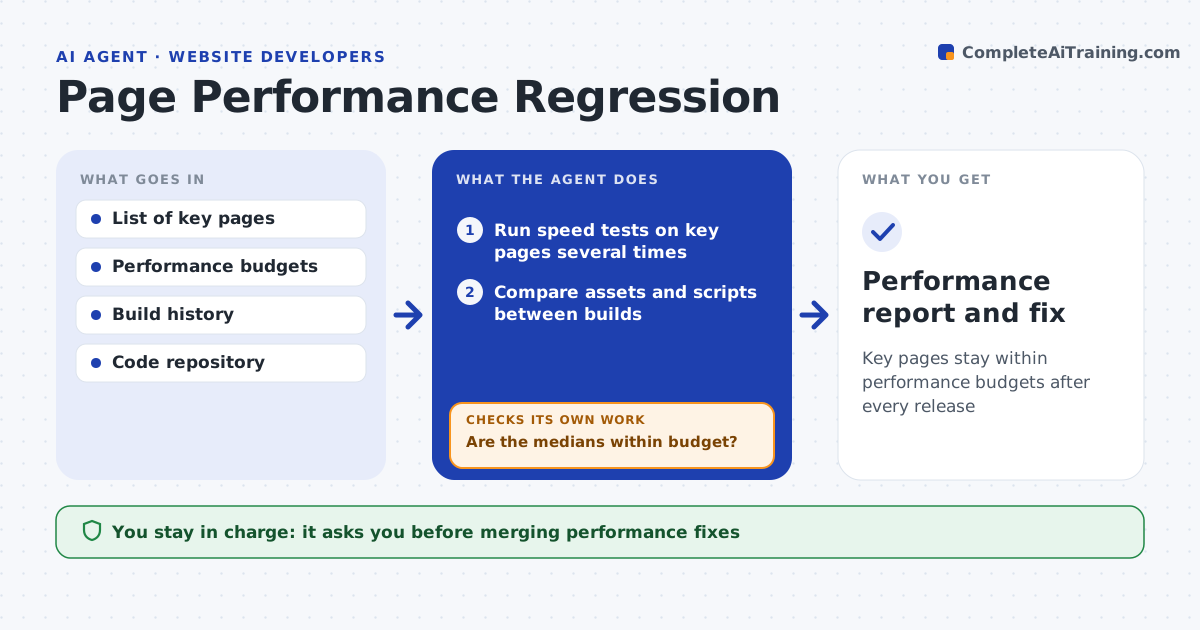
Key pages stay within performance budgets after every release
What it does
Websites get slower one release at a time, and no one notices until visitors leave. After each deploy and every night, this agent runs speed tests on key pages several times, measuring load time, layout shift and response speed on mobile and desktop. It uses the median of at least three runs so a slow test server does not trigger false alarms. When a page goes over its budget, it compares assets and scripts between the old and new builds to find the cause, such as a large image or a new script. It drafts a fix and tests it on staging. Then it checks the fix actually brings the page back under budget. If not, it looks for the next cause. A developer approves every change. Edge case: results that swing because of a slow test server are rerun before anything is flagged.
How it works
Follow the arrows from top to bottom. The orange dashed arrow is the loop: when a check fails, the agent goes back and tries again.
Read the steps as a list
- Deploy finishes
- Run speed tests on key pages several times
- Are the medians within budget?If not: rerun to rule out noise, then continue to diagnose. Back to step 2.
- Compare assets and scripts between builds
- Draft a fix and test it on staging
- Does the fix bring the page back under budget?If not: look for the next cause and draft another fix. Back to step 4.
- Developer approves the changeThe agent waits here for your OK.
- Performance report and fix
How it decides
It flags a page only when the median of several runs breaks the budget or worsens past the threshold.
- Use the median of at least three runs
- Flag new scripts above the size limit
- Prioritize pages with the most traffic
Make it yours
Every agent is a starting point. You choose these settings for your own situation.
- Performance budgets per page
- Pages to watch
- Runs per test (default 3)
- Alert channel
What keeps you in control
It always asks you first
- Merging performance fixes
- Removing third-party scripts
Hard limits
- Never removes features without approval
- Tests on staging first
It stops when
- Done: pages back in budget
- Stop: cause is a third-party script the team does not control; report
Set it up
We guide you through the set-up, step by step
Members get the full set-up guide for this agent. No technical skills needed: you copy, paste and upload.
- One set of instructions to paste into your AI, with the clicks for ChatGPT, Claude, Microsoft 365 Copilot, Gemini and Grok
- The agent then walks you through connecting your own data, one source at a time
- A downloadable copy with the flow chart, the rules and the full guide