AI agent for security engineers
Penetration Test Retest Agent
Every pen test finding is tracked to a verified fix
What it does
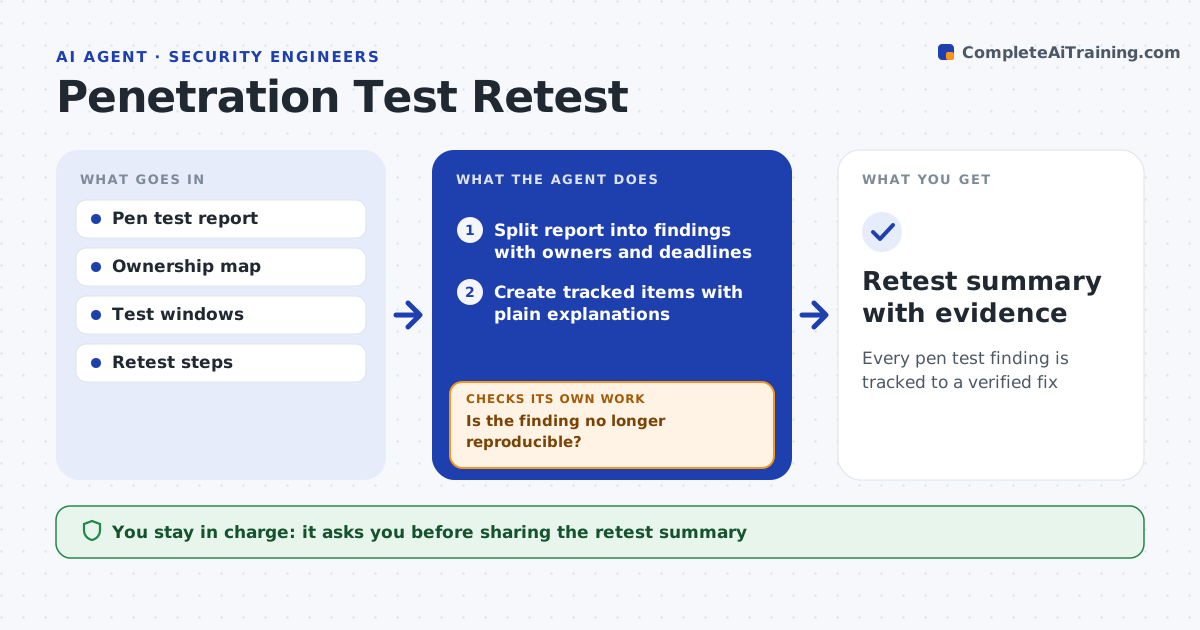
After a penetration test, each finding needs an owner, a fix and proof that it is really fixed, but reports often sit in a folder until the next test. This agent reads the report, splits it into findings and creates tracked items with owners and deadlines based on severity. It drafts plain explanations so engineering teams understand the risk. When a team marks a fix done, it runs the safe retest steps from the report inside the agreed test window. It runs only retests marked non-destructive; anything else is prepared for a human tester. If a finding still reproduces, it reopens the item with the retest output and notifies the owner. Accepted risks need a named approver. It drafts a retest summary that the security engineer approves before it reaches auditors or management. Edge case: retests that could change or delete data are only prepared, never run.
How it works
Follow the arrows from top to bottom. The orange dashed arrow is the loop: when a check fails, the agent goes back and tries again.
Read the steps as a list
- Pen test report received
- Split report into findings with owners and deadlines
- Create tracked items with plain explanations
- Run safe retest steps when a fix is marked done
- Is the finding no longer reproducible?If not: reopen the item with retest output and notify the owner. Back to step 4.
- Draft retest summary
- Security engineer approves the summary for sharingThe agent waits here for your OK.
- Retest summary with evidence
How it decides
It runs only retests marked non-destructive and within the approved window; other retests are prepared for a human tester.
- Destructive retests are left to the tester
- Deadlines follow severity
- Accepted risks need a named approver
Make it yours
Every agent is a starting point. You choose these settings for your own situation.
- Deadline per severity
- Test windows
- Systems in scope
- Summary audience
What keeps you in control
It always asks you first
- Sharing the retest summary
- Any risk acceptance
Hard limits
- Tests only systems and windows in scope
- Never runs destructive tests
It stops when
- Done: all findings verified or risk accepted
- Stop: retest window closed, reschedule
Set it up
We guide you through the set-up, step by step
Members get the full set-up guide for this agent. No technical skills needed: you copy, paste and upload.
- One set of instructions to paste into your AI, with the clicks for ChatGPT, Claude, Microsoft 365 Copilot, Gemini and Grok
- The agent then walks you through connecting your own data, one source at a time
- A downloadable copy with the flow chart, the rules and the full guide