AI agent for dentists
Post-Operative Check-in Agent
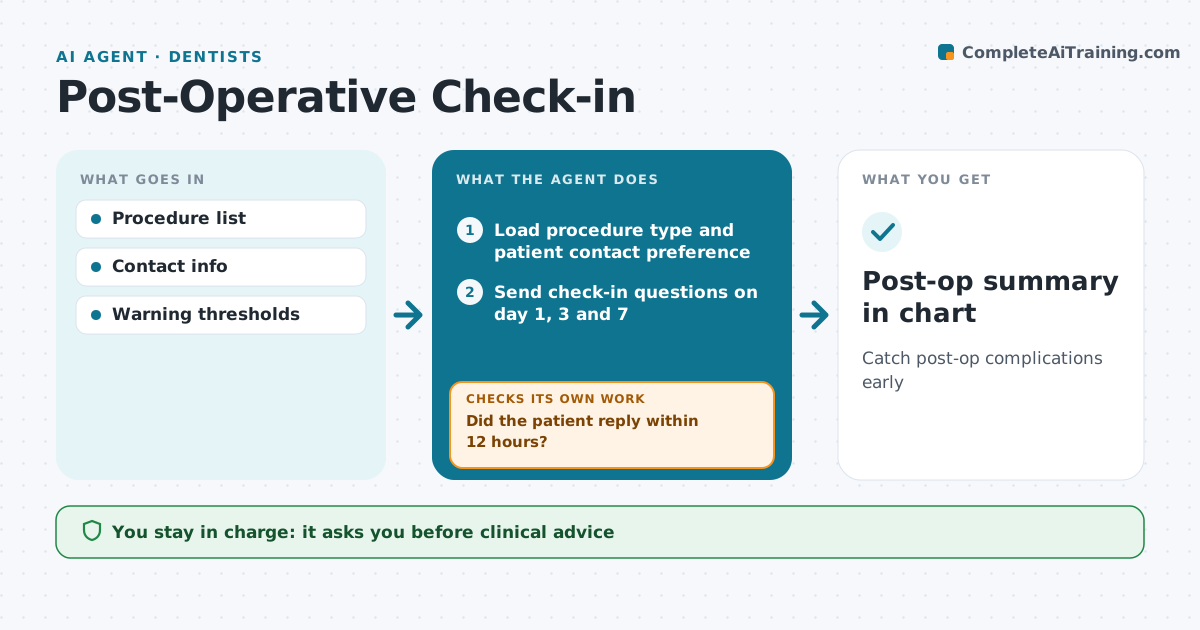
Catch post-op complications early
What it does
After extractions, implants or surgery, patients should be checked on at set times, but busy staff often skip the calls. This agent sends short check-in questions on day 1, day 3 and day 7 about pain, bleeding, swelling, fever and wound concerns. It scores answers against warning thresholds. Normal answers are logged. Warning answers go to a nurse or assistant to call the patient the same day. If a patient does not reply within 12 hours, it resends by another channel and adds the patient to the call list. It drafts a summary for the surgeon or dentist and checks that every flagged patient was called. Clinical advice and prescriptions stay with staff. Edge case: any answer suggesting heavy bleeding or breathing trouble shows emergency instructions and alerts staff at once.
How it works
Follow the arrows from top to bottom. The orange dashed arrow is the loop: when a check fails, the agent goes back and tries again.
Read the steps as a list
- Procedure completed
- Load procedure type and patient contact preference
- Send check-in questions on day 1, 3 and 7
- Did the patient reply within 12 hours?If not: resend by another channel and add the patient to the call list. Back to step 3.
- Score answers against warning thresholds
- Are answers normal?If not: send the patient to a nurse or assistant for a call the same day. Back to step 5.
- Clinician reviews flagged patientsThe agent waits here for your OK.
- Post-op summary in chart
How it decides
Answers above thresholds trigger calls. Red-flag answers trigger emergency instructions and alerts.
- Fever above 38.3 C flags
- Pain rising after day 3 flags
- Non-response calls
Make it yours
Every agent is a starting point. You choose these settings for your own situation.
- Check-in days
- Thresholds
- Channels
- Who receives alerts
What keeps you in control
It always asks you first
- Clinical advice
- Prescriptions
Hard limits
- No advice from the agent
- Emergency answers alert at once
It stops when
- Done: day 7 normal
- Stop: complication managed in clinic
Set it up
We guide you through the set-up, step by step
Members get the full set-up guide for this agent. No technical skills needed: you copy, paste and upload.
- One set of instructions to paste into your AI, with the clicks for ChatGPT, Claude, Microsoft 365 Copilot, Gemini and Grok
- The agent then walks you through connecting your own data, one source at a time
- A downloadable copy with the flow chart, the rules and the full guide