AI agent for business analysts
Process Bottleneck Analysis Agent
The real process bottleneck identified with evidence and a targeted fix
What it does
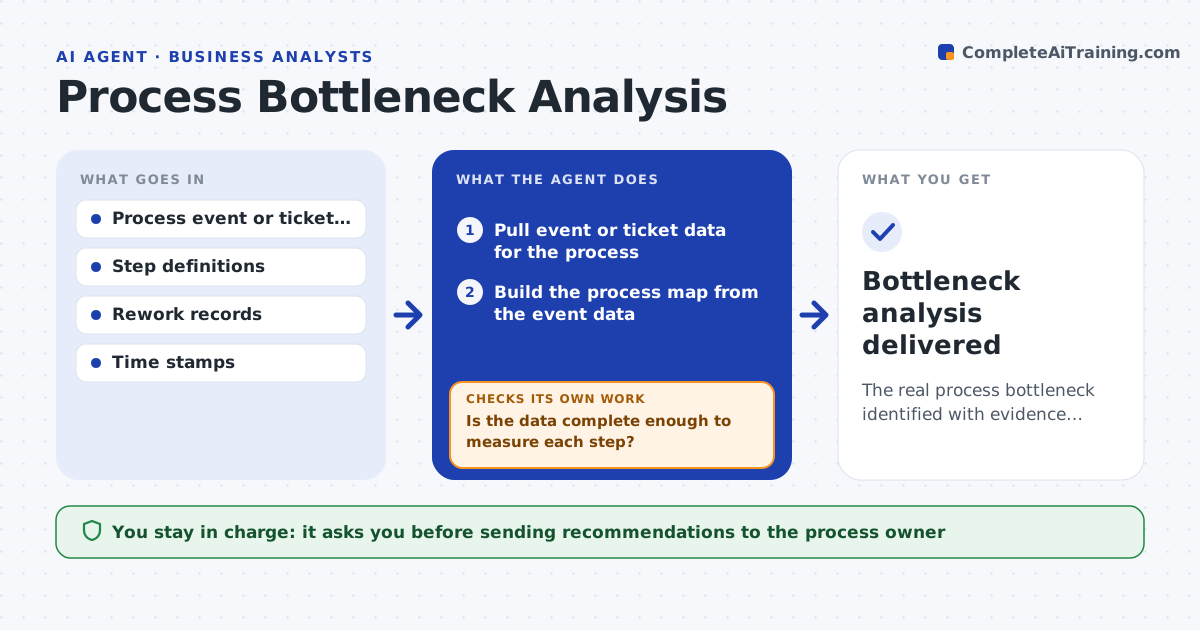
Teams often fix the visible step of a process instead of the one actually slowing it. This agent builds a process map from event or ticket data and measures how long each step takes, how long work waits between steps and where rework loops back. It picks the likely bottleneck and then tests it: would relieving this step speed the whole process, or just move the queue? If not, it gathers more data or looks at the next candidate. It checks whether the slow step waits on an outside party. It proposes changes, such as reordering steps, adding an earlier check or removing an approval, with the expected effect. Where data is incomplete, it says so. You approve recommendations before they go to the process owner. Edge case: external waits are flagged as outside the team's control.
How it works
Follow the arrows from top to bottom. The orange dashed arrow is the loop: when a check fails, the agent goes back and tries again.
Read the steps as a list
- Process review requested
- Pull event or ticket data for the process
- Build the process map from the event data
- Measure step times, waits and rework loops
- Is the data complete enough to measure each step?If not: request the missing data or note the gap in the report. Back to step 2.
- Would relieving this step speed the whole process?If not: test the next candidate step. Back to step 4.
- Propose targeted changes with expected effect
- Analyst approves recommendations for the ownerThe agent waits here for your OK.
- Bottleneck analysis delivered
How it decides
It identifies the bottleneck from measured step and wait times and confirms a fix would speed the whole process before recommending it.
- Confirm a bottleneck improves the whole flow before recommending
- Separate internal delays from external waits
- State when data is too incomplete to conclude
Make it yours
Every agent is a starting point. You choose these settings for your own situation.
- Processes in scope
- Data sources and timestamps
- What counts as rework
- Recommendation format
What keeps you in control
It always asks you first
- Sending recommendations to the process owner
Hard limits
- Does not change the process itself
- States data limitations honestly
It stops when
- Done: bottleneck found and fix proposed
- Stop: event data lacks timestamps
Set it up
We guide you through the set-up, step by step
Members get the full set-up guide for this agent. No technical skills needed: you copy, paste and upload.
- One set of instructions to paste into your AI, with the clicks for ChatGPT, Claude, Microsoft 365 Copilot, Gemini and Grok
- The agent then walks you through connecting your own data, one source at a time
- A downloadable copy with the flow chart, the rules and the full guide