AI agent for web developers
Production Error Triage Agent
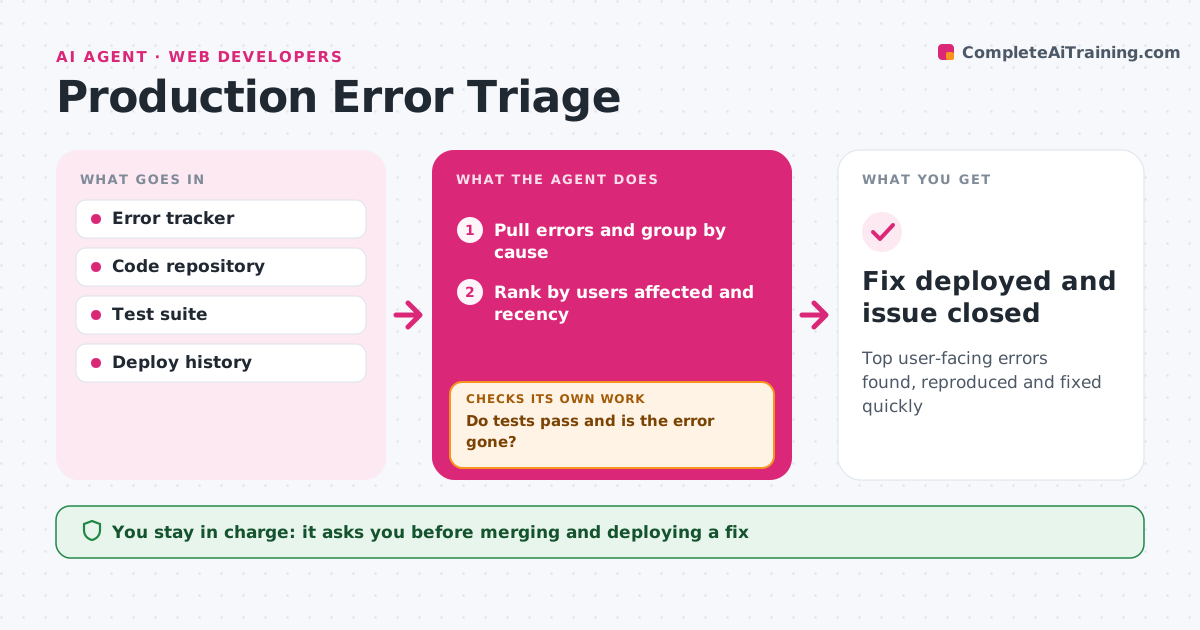
Top user-facing errors found, reproduced and fixed quickly
What it does
Live sites throw many errors every day, most harmless, and the real problems get buried. Each morning, or when errors spike, this agent reads the error tracker and groups errors by cause. It ranks them by users affected and how new they are, raising priority for anything that started after the last deploy. Errors from browser extensions or bots are grouped and muted. For the top issues it tries to reproduce the error on a test copy of the site. If it can, it drafts a fix in a separate branch and runs the tests. If tests fail or the error still appears, it revises the fix using the test output. If it cannot reproduce the error, it escalates with its findings instead of guessing. A developer reviews and merges every fix. Edge case: noise from a bot hitting old URLs is muted, not treated as a bug.
How it works
Follow the arrows from top to bottom. The orange dashed arrow is the loop: when a check fails, the agent goes back and tries again.
Read the steps as a list
- Morning run or spike alert
- Pull errors and group by cause
- Rank by users affected and recency
- Reproduce top issues on a test copy
- Draft a fix in a branch and run tests
- Do tests pass and is the error gone?If not: revise the fix using test output. Back to step 5.
- Developer reviews and mergesThe agent waits here for your OK.
- Fix deployed and issue closed
How it decides
It ranks issues by users affected and recency, and treats new errors after a deploy as higher priority.
- Raise priority for errors that started after the last deploy
- Mute errors from extensions and bots
- Escalate without a fix if it cannot reproduce
Make it yours
Every agent is a starting point. You choose these settings for your own situation.
- Users-affected threshold (default 50)
- Muted error sources
- Max fix attempts (default 3)
- Run schedule
What keeps you in control
It always asks you first
- Merging and deploying a fix
Hard limits
- Never deploys to production
- Works only in branches
It stops when
- Done: fix merged
- Stop: three failed fix attempts; hand over with notes
Set it up
We guide you through the set-up, step by step
Members get the full set-up guide for this agent. No technical skills needed: you copy, paste and upload.
- One set of instructions to paste into your AI, with the clicks for ChatGPT, Claude, Microsoft 365 Copilot, Gemini and Grok
- The agent then walks you through connecting your own data, one source at a time
- A downloadable copy with the flow chart, the rules and the full guide