AI agent for elementary school teachers
Reading Level Progress Monitor Agent
Stuck readers are found early and matched to an intervention, with progress checked.
What it does
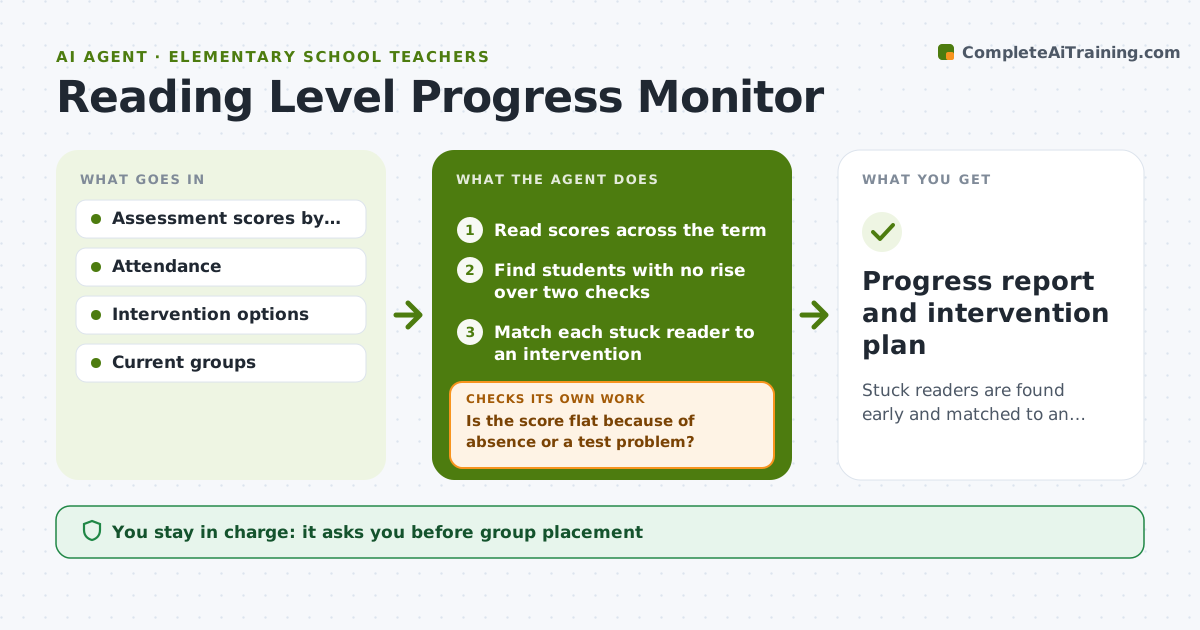
A school tests reading levels three times a year, but nobody checks who is stuck between tests. This agent reads assessment scores across the term and finds students whose levels did not rise. It matches each stuck reader to an intervention, such as a decoding group or extra fluency practice. After the next score, it checks for change and, if there is none, proposes a different approach. Edge case: a student who moved up two levels but fell back is flagged for a closer look rather than treated as stuck. The teacher approves groups and plans.
How it works
Follow the arrows from top to bottom. The orange dashed arrow is the loop: when a check fails, the agent goes back and tries again.
Read the steps as a list
- New reading scores arrive
- Read scores across the term
- Find students with no rise over two checks
- Is the score flat because of absence or a test problem?If not: set the student aside and recheck later. Back to step 3.
- Match each stuck reader to an intervention
- Teacher approves groups and plansThe agent waits here for your OK.
- Read the next score for these students
- Did the level rise?If not: propose a different intervention and note the change. Back to step 5.
- Update the group list
- Progress report and intervention plan
How it decides
It marks a reader as stuck when the level has not risen over two checks, and picks the intervention matching the skill gap.
- Stuck means no level rise over two checks.
- Match to the skill gap, such as decoding or fluency.
- Change an intervention after 6 weeks without gain.
- Review regressions separately.
Make it yours
Every agent is a starting point. You choose these settings for your own situation.
- Stuck rule
- Interventions
- Check interval
- Group size
- Data source
What keeps you in control
It always asks you first
- Group placement
- Any message to parents
Hard limits
- Do not diagnose reading disorders.
- Do not share levels with other students.
It stops when
- Done: stuck readers placed and progress rechecked
- Stop: assessments are missing, so the agent asks the teacher
Set it up
We guide you through the set-up, step by step
Members get the full set-up guide for this agent. No technical skills needed: you copy, paste and upload.
- One set of instructions to paste into your AI, with the clicks for ChatGPT, Claude, Microsoft 365 Copilot, Gemini and Grok
- The agent then walks you through connecting your own data, one source at a time
- A downloadable copy with the flow chart, the rules and the full guide