AI agent for illustrators
Reference Board Gathering Agent
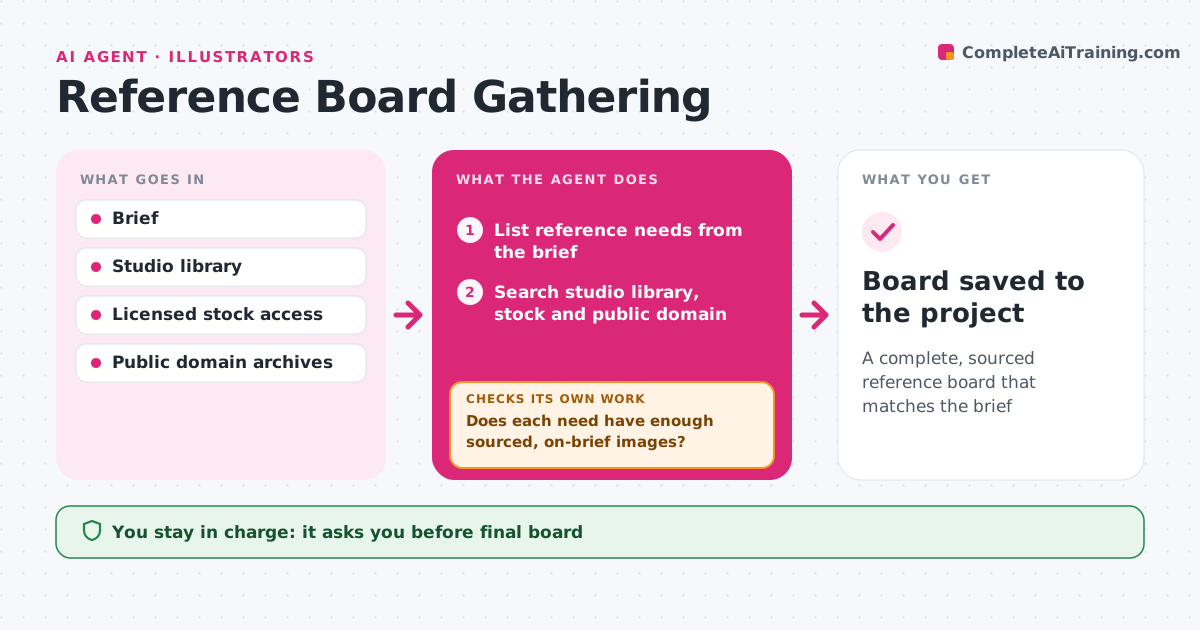
A complete, sourced reference board that matches the brief
What it does
Artists lose hours hunting for references, and a board with the wrong era or unlicensed images can mislead the work. From a brief, this agent lists what references are needed: shapes, materials, colors, lighting, period details and scale. It searches the studio library, licensed stock and public domain sources, and groups images by need. Then it checks coverage: each need has enough good images, sources are recorded, and nothing contradicts the brief, like the wrong era. Gaps trigger another search with different terms. It drafts the board with notes on what each image is for. The artist curates the board and the art lead approves it. Edge case: images of real branded products are marked for reference only, never to copy.
How it works
Follow the arrows from top to bottom. The orange dashed arrow is the loop: when a check fails, the agent goes back and tries again.
Read the steps as a list
- New brief received
- List reference needs from the brief
- Search studio library, stock and public domain
- Group images by need and note the purpose
- Does each need have enough sourced, on-brief images?If not: search again with different terms for the gaps. Back to step 3.
- Mark branded product images as reference only
- Is a source and license recorded for every image?If not: find the source or drop the image. Back to step 6.
- Artist curates and lead approves the boardThe agent waits here for your OK.
- Board saved to the project
How it decides
It fills each reference need with the best images that fit the brief and records the source of each.
- Every image has a recorded source
- Branded products are reference only
- Wrong period or style images are removed
Make it yours
Every agent is a starting point. You choose these settings for your own situation.
- Images per need
- Sources allowed
- Board tool
- Notes format
What keeps you in control
It always asks you first
- Final board
Hard limits
- Never uses images against license terms
- Never traces references into final work
It stops when
- Done: board approved
- Stop: brief unclear, ask for details
Set it up
We guide you through the set-up, step by step
Members get the full set-up guide for this agent. No technical skills needed: you copy, paste and upload.
- One set of instructions to paste into your AI, with the clicks for ChatGPT, Claude, Microsoft 365 Copilot, Gemini and Grok
- The agent then walks you through connecting your own data, one source at a time
- A downloadable copy with the flow chart, the rules and the full guide