AI agent for primary school teachers
Report Card Comment Builder Agent
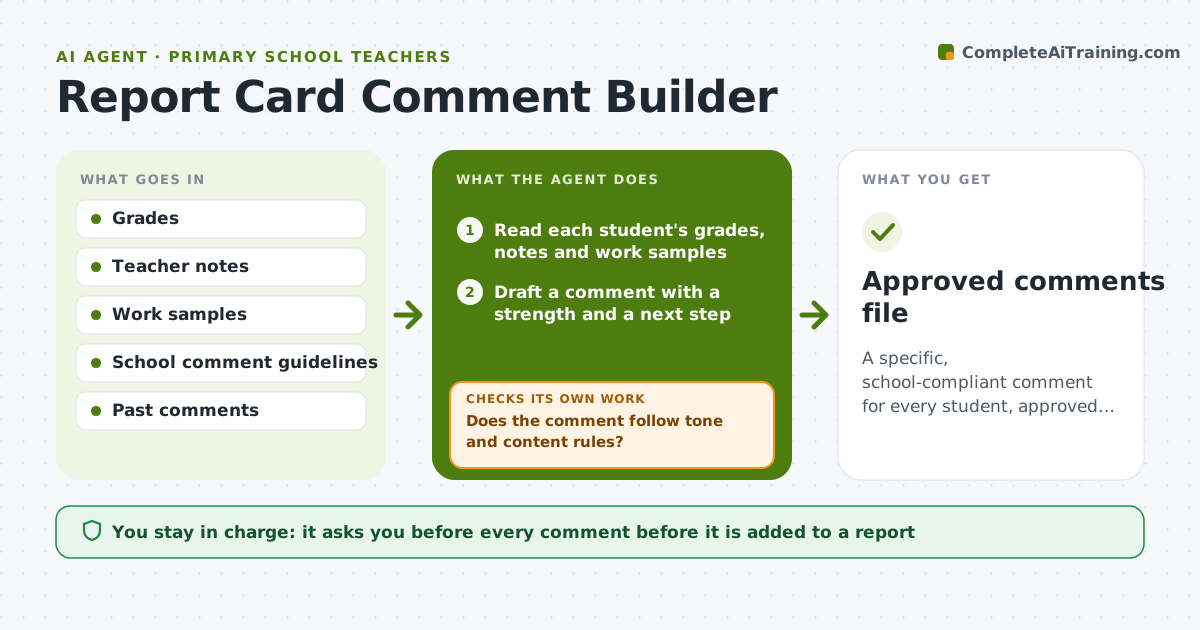
A specific, school-compliant comment for every student, approved by the teacher.
What it does
A class of 28 means 28 comments, and by comment 15 they start sounding the same. This agent reads each student's grades, notes and work samples and drafts a specific comment, with one strength and one next step. It checks tone and consistency against your school's guidelines and flags comments that sound generic, such as works hard and is a pleasure. It rewrites flagged ones with a detail from the work. It also scans the whole set for repeated phrases so that neighboring students do not read like copies of each other. Edge case: a comment that mentions a behavior note is checked against what the school allows in comments. The teacher approves every comment.
How it works
Follow the arrows from top to bottom. The orange dashed arrow is the loop: when a check fails, the agent goes back and tries again.
Read the steps as a list
- Report card period opens
- Read each student's grades, notes and work samples
- Draft a comment with a strength and a next step
- Check each comment against the school guidelines
- Does the comment follow tone and content rules?If not: rewrite to fit the guidelines. Back to step 3.
- Is the comment specific to this student?If not: add a detail from the student's work and rewrite. Back to step 3.
- Check consistency of wording across the class
- Teacher approves every commentThe agent waits here for your OK.
- Approved comments file
How it decides
It drafts from evidence in the student's record and rejects any comment that could fit any child in the class.
- A comment must include one detail from the student's work.
- Keep a strength before the next step.
- No comparison with other students.
- Follow the school's word limit.
Make it yours
Every agent is a starting point. You choose these settings for your own situation.
- Word limit
- Comment structure
- Tone
- Data included
- Banned phrases
What keeps you in control
It always asks you first
- Every comment before it is added to a report
Hard limits
- Do not add comments to the report system itself.
- Do not mention other students.
It stops when
- Done: all comments checked and approved
- Stop: a student has too little evidence, so the agent asks the teacher for notes
Set it up
We guide you through the set-up, step by step
Members get the full set-up guide for this agent. No technical skills needed: you copy, paste and upload.
- One set of instructions to paste into your AI, with the clicks for ChatGPT, Claude, Microsoft 365 Copilot, Gemini and Grok
- The agent then walks you through connecting your own data, one source at a time
- A downloadable copy with the flow chart, the rules and the full guide