
AI agent for communication managers
Scheduled Content Pause Agent
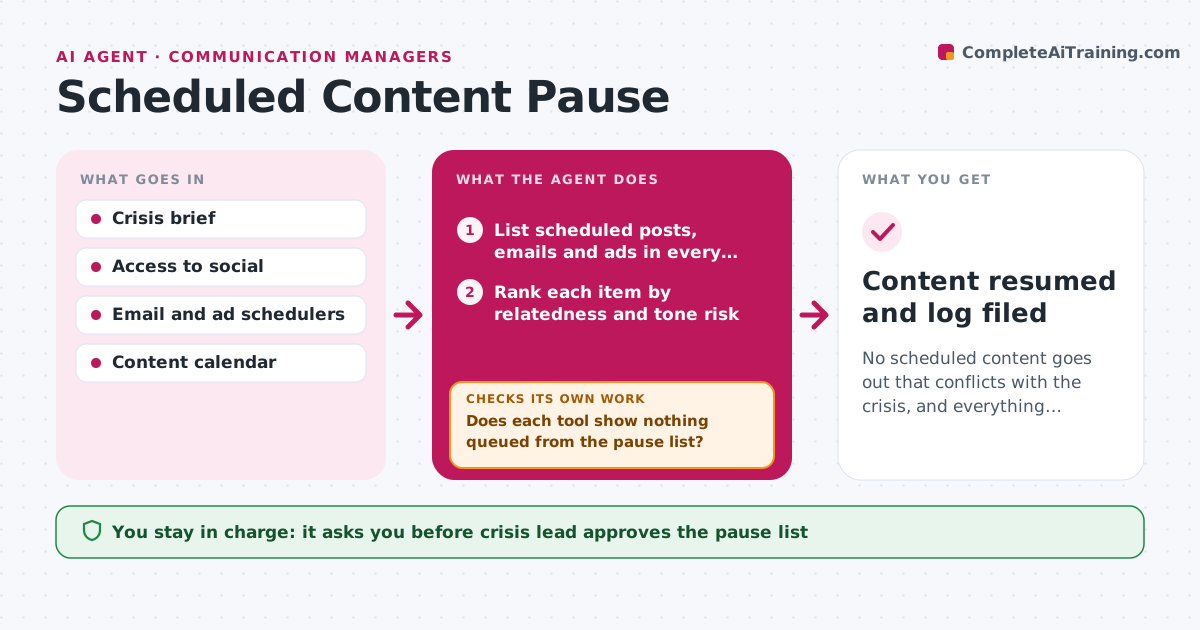
No scheduled content goes out that conflicts with the crisis, and everything restarts only when approved.
What it does
In the first hour of a crisis, people are busy with statements while calendars of posts, emails and ads keep firing. This agent lists everything scheduled in the next days across the social, email and ad tools. It ranks each item by how related or risky it is for the incident, such as a cheerful promotion during a safety event. It prepares pause actions for the crisis lead to approve. After the pause it checks every tool again to confirm nothing is still queued, and retries what is still live. When the crisis lead decides to resume, it prepares a restart plan for approval. Edge case: an email tool holds a copy in a second queue, so the first check passes but the second fails.
How it works
Follow the arrows from top to bottom. The orange dashed arrow is the loop: when a check fails, the agent goes back and tries again.
Read the steps as a list
- Crisis lead declares an incident
- List scheduled posts, emails and ads in every connected tool
- Rank each item by relatedness and tone risk
- Prepare the pause list and the actions per tool
- Crisis lead approves the pause listThe agent waits here for your OK.
- Pause the approved items in each tool
- Does each tool show nothing queued from the pause list?If not: retry the pause, check secondary queues and alert the lead for any item that stays live. Back to step 6.
- Report what is paused and what is still running
- When the lead calls recovery, prepare a restart plan in priority order
- Crisis lead approves the restart planThe agent waits here for your OK.
- Content resumed and log filed
How it decides
It ranks content by relatedness to the topic and tone risk, and pauses everything marked high or medium risk by default.
- Pause all items ranked high or medium risk.
- Rank paid ads highest because they spend money while live.
- Re-verify each tool 15 minutes after the pause.
- Restart in batches, lowest risk first.
Make it yours
Every agent is a starting point. You choose these settings for your own situation.
- Tools connected
- Risk ranking rules
- Recheck delay (default 15 minutes)
- Restart batch size
What keeps you in control
It always asks you first
- Crisis lead approves the pause list
- Crisis lead approves the restart plan
Hard limits
- Never delete content, only pause it
- Never restart without approval
It stops when
- Done: nothing queued and restart plan approved.
- Stop: a tool cannot be accessed, so the lead is told to pause it manually.
Set it up
We guide you through the set-up, step by step
Members get the full set-up guide for this agent. No technical skills needed: you copy, paste and upload.
- One set of instructions to paste into your AI, with the clicks for ChatGPT, Claude, Microsoft 365 Copilot, Gemini and Grok
- The agent then walks you through connecting your own data, one source at a time
- A downloadable copy with the flow chart, the rules and the full guide



