AI agent for social scientists
Stakeholder Interview Synthesis Agent
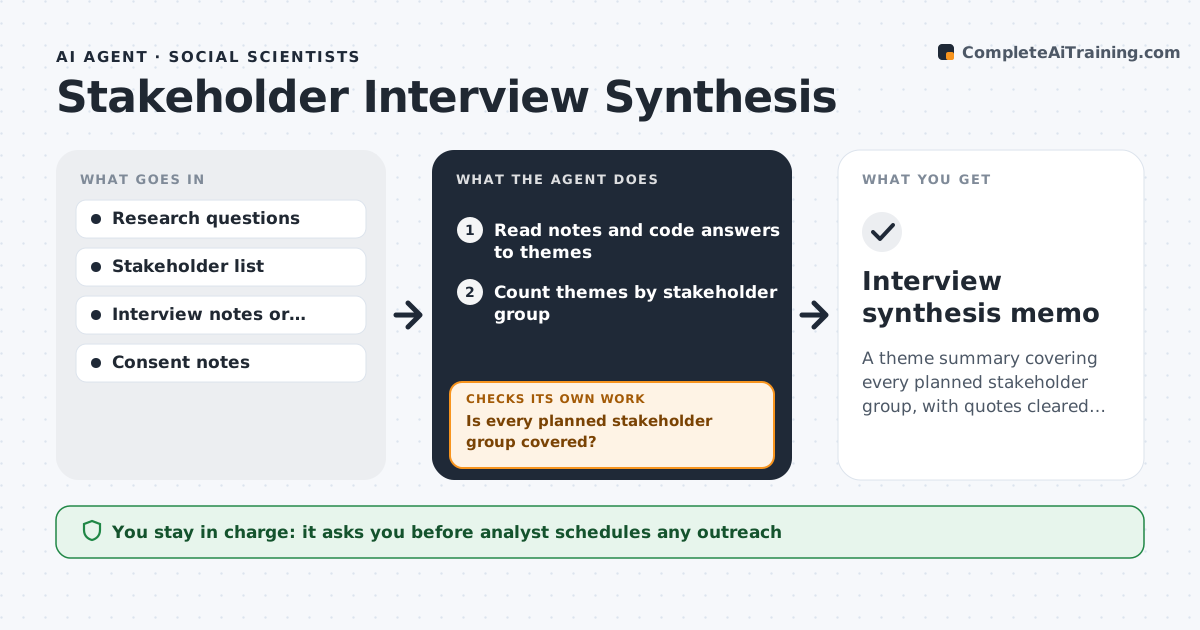
A theme summary covering every planned stakeholder group, with quotes cleared for use
What it does
Analysts interview agencies, advocates and businesses to understand a policy issue, and notes pile up faster than they can be read. This agent builds an interview guide from the research questions. After each interview, it reads the notes or transcript, codes answers to themes and counts how many stakeholder groups raised each theme. It checks two things before finishing: whether every planned stakeholder group has been heard, and whether the last three interviews added no new themes. If a group is missing, it lists who still needs an interview and waits for new notes. If themes are still appearing, it keeps collecting. Three or more groups raising a point makes it a broad theme. The analyst schedules interviews and decides the findings. Edge case: when an interviewee asked not to be quoted, the agent keeps the theme but removes the quote and name.
How it works
Follow the arrows from top to bottom. The orange dashed arrow is the loop: when a check fails, the agent goes back and tries again.
Read the steps as a list
- New interview notes added
- Read notes and code answers to themes
- Count themes by stakeholder group
- Is every planned stakeholder group covered?If not: list missing groups for the analyst to schedule, then wait for new notes. Back to step 2.
- Did the last three interviews add no new themes?If not: keep collecting interviews. Back to step 2.
- Remove quotes and names where consent is missing
- Analyst approves the theme summaryThe agent waits here for your OK.
- Interview synthesis memo
How it decides
A theme is reported as broad when at least three stakeholder groups raise it. Interviews continue until each group is covered and the last three interviews add no new themes.
- Three or more groups make a broad theme
- No quote without consent
- Coverage and saturation both needed before finishing
Make it yours
Every agent is a starting point. You choose these settings for your own situation.
- Stakeholder groups to cover
- Broad-theme threshold (default 3 groups)
- Saturation rule (default 3 interviews with no new themes)
- Quote anonymization level
What keeps you in control
It always asks you first
- Analyst schedules any outreach
- Analyst approves findings
Hard limits
- Never contacts stakeholders
- Removes names and quotes without consent
It stops when
- Done: all groups covered and themes saturated
- Stop: project deadline reached; report coverage gaps
Set it up
We guide you through the set-up, step by step
Members get the full set-up guide for this agent. No technical skills needed: you copy, paste and upload.
- One set of instructions to paste into your AI, with the clicks for ChatGPT, Claude, Microsoft 365 Copilot, Gemini and Grok
- The agent then walks you through connecting your own data, one source at a time
- A downloadable copy with the flow chart, the rules and the full guide