AI agent for video editors
Storyboard Revision Change Impact Agent
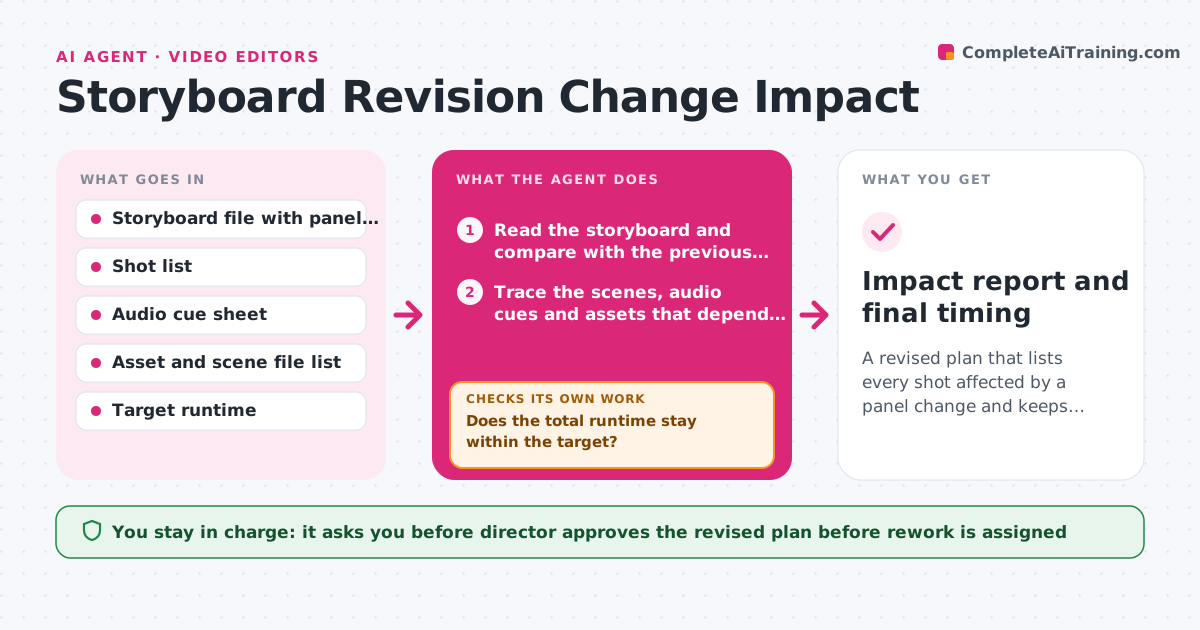
A revised plan that lists every shot affected by a panel change and keeps total runtime within target
What it does
Change one panel and a voiceover cue is cut, a transition no longer lines up and the total running time creeps over the target. This agent sits between the storyboard and the production files. When a panel changes, it traces which scenes, audio cues, assets and animation files depend on that panel, using the shot list and file names. It recalculates the running time from the panel durations and flags downstream shots that need rework, with the reason for each. After the owner updates those shots, it re-reads the storyboard and re-checks the running time against the target, looping back if it goes over or if a dependent shot was missed. The director approves the revised plan. Edge case: a panel extended by 2 seconds pushes the final scene past the broadcast slot, so the agent flags where the trim could happen.
How it works
Follow the arrows from top to bottom. The orange dashed arrow is the loop: when a check fails, the agent goes back and tries again.
Read the steps as a list
- Storyboard panel changes
- Read the storyboard and compare with the previous version
- Trace the scenes, audio cues and assets that depend on the changed panel
- Recalculate the running time from panel durations
- Does the total runtime stay within the target?If not: Suggest where to trim, such as a hold or transition, and recalculate from the revised panels. Back to step 2.
- List downstream shots that need rework with the reason for each
- Director approves the revised plan and rework listThe agent waits here for your OK.
- Re-read the updated storyboard and shot files after the owners finish
- Is every dependent shot updated and the runtime still on target?If not: Retrace dependencies for the missed shots and update the rework list. Back to step 3.
- Impact report and final timing
How it decides
It follows dependencies from the changed panel to scenes, audio and assets, and judges success by whether the new total runtime is within the target and no dependent shot is left un-updated.
- Count a shot as dependent if it shares the panel's scene number, audio cue or asset
- Flag any total over the target runtime by more than 1 second
- Suggest trims in holds and transitions before cutting content
- Reopen a shot if its audio length no longer matches its panel duration
Make it yours
Every agent is a starting point. You choose these settings for your own situation.
- Target runtime and tolerance
- Naming used for scenes, cues and assets
- Where trims are suggested first
- Who receives the rework list
- How often the storyboard is checked for changes
What keeps you in control
It always asks you first
- Director approves the revised plan before rework is assigned
Hard limits
- Never edit storyboard or production files directly
- Never remove a panel without approval
It stops when
- Done: Runtime is within target and every dependent shot is updated
- Stop: The runtime cannot be met without cutting content, so the agent hands the choice to the director
Set it up
We guide you through the set-up, step by step
Members get the full set-up guide for this agent. No technical skills needed: you copy, paste and upload.
- One set of instructions to paste into your AI, with the clicks for ChatGPT, Claude, Microsoft 365 Copilot, Gemini and Grok
- The agent then walks you through connecting your own data, one source at a time
- A downloadable copy with the flow chart, the rules and the full guide