AI agent for information security analysts
Third-Party Security Review Agent
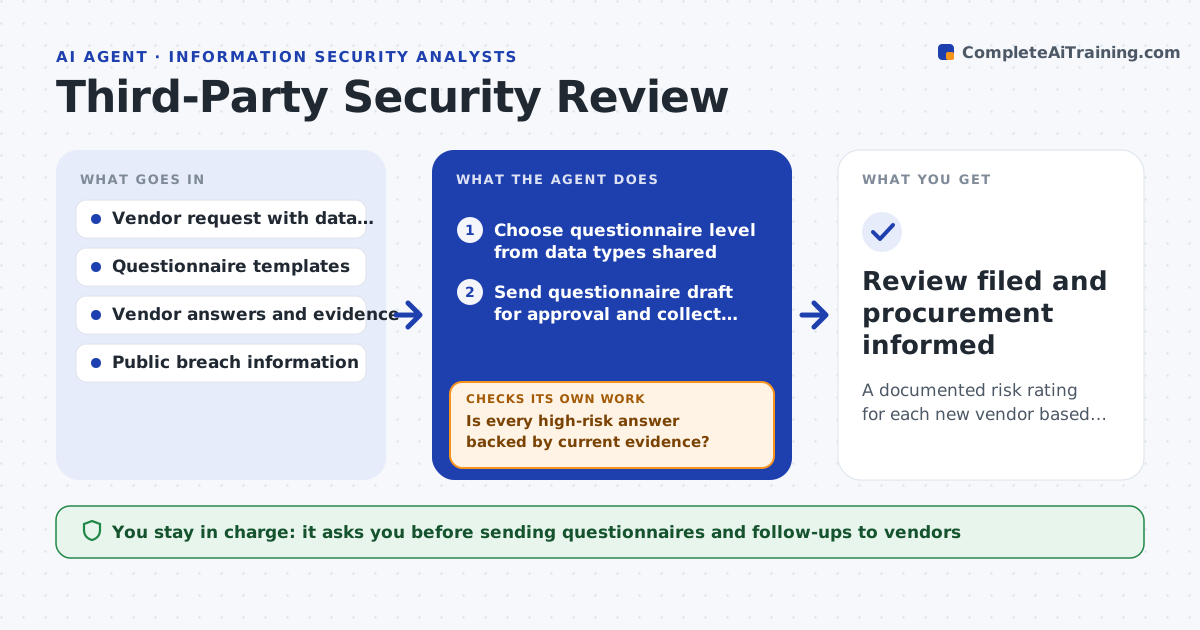
A documented risk rating for each new vendor based on checked evidence
What it does
Before a new supplier gets your data, security must review it, but questionnaires take weeks and answers are often accepted without checking evidence. This agent sends the right questionnaire based on the data the vendor will handle. It reads the answers and attached evidence such as certifications and test reports, and checks that the evidence supports each answer and is current. It also checks public sources for past breaches. Gaps produce specific follow-up questions to the vendor contact. After follow-up it checks again. If answers are still weak, it rates the risk and suggests contract terms to cover the gap. You approve the final risk rating and any exception. Edge case: an expired certificate is treated as no certificate until the vendor provides the new one.
How it works
Follow the arrows from top to bottom. The orange dashed arrow is the loop: when a check fails, the agent goes back and tries again.
Read the steps as a list
- Procurement requests a vendor review
- Choose questionnaire level from data types shared
- Send questionnaire draft for approval and collect answers
- Check evidence, dates and public breach history
- Is every high-risk answer backed by current evidence?If not: send follow-up questions for the gaps. Back to step 3.
- Rate risk and suggest contract terms
- Security lead approves rating and exceptionsThe agent waits here for your OK.
- Review filed and procurement informed
How it decides
The questionnaire level depends on the data shared. Answers count only when evidence supports them and is in date.
- Full questionnaire when personal or payment data is shared
- Treat expired certifications as missing
- Stop after two follow-up rounds and rate on what is known
Make it yours
Every agent is a starting point. You choose these settings for your own situation.
- Questionnaire levels and triggers
- Follow-up rounds allowed (default 2)
- Contract clauses to suggest
- Review deadline
What keeps you in control
It always asks you first
- Sending questionnaires and follow-ups to vendors
- Final risk rating and exceptions
Hard limits
- Never approves a vendor on its own
- Does not share internal risk ratings with vendors
It stops when
- Done: rating approved
- Stop: vendor does not respond within the deadline
Set it up
We guide you through the set-up, step by step
Members get the full set-up guide for this agent. No technical skills needed: you copy, paste and upload.
- One set of instructions to paste into your AI, with the clicks for ChatGPT, Claude, Microsoft 365 Copilot, Gemini and Grok
- The agent then walks you through connecting your own data, one source at a time
- A downloadable copy with the flow chart, the rules and the full guide