AI agent for instructional designers
Training Assessment Alignment Agent
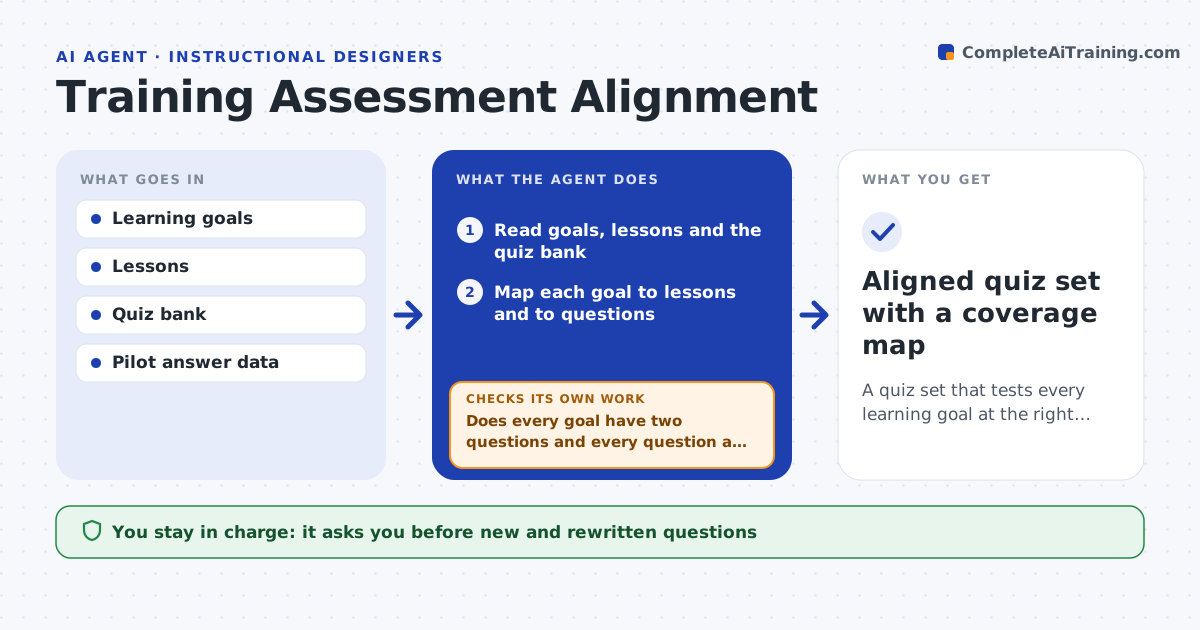
A quiz set that tests every learning goal at the right difficulty, confirmed by pilot results
What it does
A course may teach one thing and quiz another. This agent reads the learning goals, the lessons and the quiz bank and maps each goal to the lessons that teach it and the questions that test it. It lists goals with no question, questions with no goal, and goals tested only by easy recall. It drafts new questions for the gaps and aligns or retires orphan questions. After a pilot with learners, it reads the answer data. Questions almost everyone gets right or wrong, or where strong learners miss and weak ones pass, are flagged and rewritten. It then reruns the map and checks coverage again. It repeats after the next pilot until the set is balanced. The instructional designer approves the final set. Edge case: a question is missed by everyone because the lesson never taught the point.
How it works
Follow the arrows from top to bottom. The orange dashed arrow is the loop: when a check fails, the agent goes back and tries again.
Read the steps as a list
- Course draft or pilot results arrive
- Read goals, lessons and the quiz bank
- Map each goal to lessons and to questions
- Does every goal have two questions and every question a goal?If not: list the gaps and orphans. Back to step 3.
- Draft new questions for gaps and align or retire orphans
- Designer approves the draft question set for the pilotThe agent waits here for your OK.
- Read pilot answers by question and by learner group
- Are all questions between 20 and 90 percent correct?If not: flag the questions and check whether the lesson taught the point. Back to step 5.
- Rewrite flagged questions or fix the lesson gap
- Designer approves the final setThe agent waits here for your OK.
- Aligned quiz set with a coverage map
How it decides
A goal is covered when at least two questions test it, at least one above recall level. A question is revised when over 90 percent or under 20 percent of learners get it right.
- Require two questions per goal, one above recall
- Flag a question above 90 percent or below 20 percent correct
- Check the lesson first when everyone misses a question
- Retire a question with no goal
Make it yours
Every agent is a starting point. You choose these settings for your own situation.
- Questions per goal (default 2)
- Difficulty band (default 20 to 90 percent)
- Pilot size
- Question types
What keeps you in control
It always asks you first
- New and rewritten questions
- Final set
Hard limits
- Never publishes quizzes
- Never removes a question without approval
It stops when
- Done: coverage complete and difficulty balanced
- Stop: no pilot data exists and the designer must run one
Set it up
We guide you through the set-up, step by step
Members get the full set-up guide for this agent. No technical skills needed: you copy, paste and upload.
- One set of instructions to paste into your AI, with the clicks for ChatGPT, Claude, Microsoft 365 Copilot, Gemini and Grok
- The agent then walks you through connecting your own data, one source at a time
- A downloadable copy with the flow chart, the rules and the full guide