AI agent for primary school teachers
Unit Plan Builder Agent
A coherent unit aligned to assessment
What it does
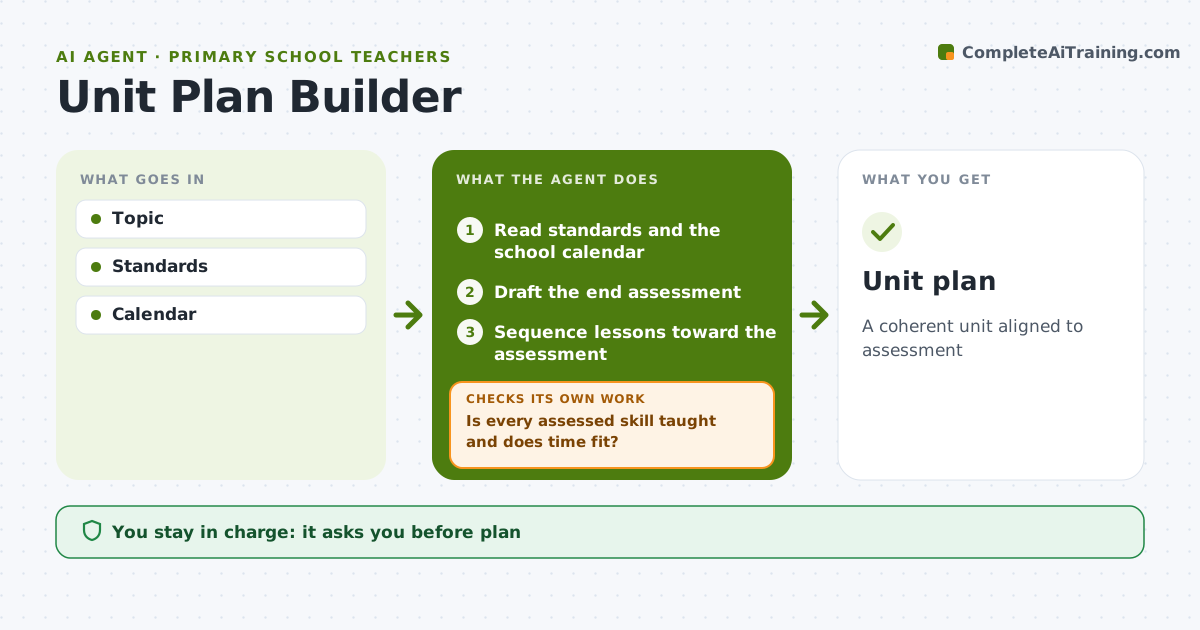
A good unit is a sequence of lessons that builds toward a clear end assessment, but planning one from scratch takes a weekend. This agent takes the topic, the standards to cover and the weeks available. It drafts the end assessment first, then plans a lesson sequence that builds each skill the assessment needs. It adds materials and hands-on activities such as science experiments, storytelling or math games, with safety notes. It then checks two things: is every assessed skill taught before it is tested, and do the lessons fit the school calendar? When a skill is missing or time runs short, it adds or merges lessons and checks again. The teacher approves the plan before anything is shared with students. Edge case: when holidays or school events shorten the unit, it re-sequences and tells the teacher exactly which lessons were merged.
How it works
Follow the arrows from top to bottom. The orange dashed arrow is the loop: when a check fails, the agent goes back and tries again.
Read the steps as a list
- Unit topic chosen
- Read standards and the school calendar
- Draft the end assessment
- Sequence lessons toward the assessment
- Is every assessed skill taught and does time fit?If not: add or merge lessons and re-check. Back to step 4.
- Add checks for understanding to each lesson
- Teacher approvesThe agent waits here for your OK.
- Unit plan
How it decides
Backward design.
- Assessment first
- Holidays checked
- Hands-on activities included
Make it yours
Every agent is a starting point. You choose these settings for your own situation.
- Length
- Format
- Subjects
- Activity types
What keeps you in control
It always asks you first
- Plan
Hard limits
- Safety checks for experiments
It stops when
- Done: plan
- Stop: none
Set it up
We guide you through the set-up, step by step
Members get the full set-up guide for this agent. No technical skills needed: you copy, paste and upload.
- One set of instructions to paste into your AI, with the clicks for ChatGPT, Claude, Microsoft 365 Copilot, Gemini and Grok
- The agent then walks you through connecting your own data, one source at a time
- A downloadable copy with the flow chart, the rules and the full guide