AI agent for ai consultants
Vendor and Tool Selection Agent
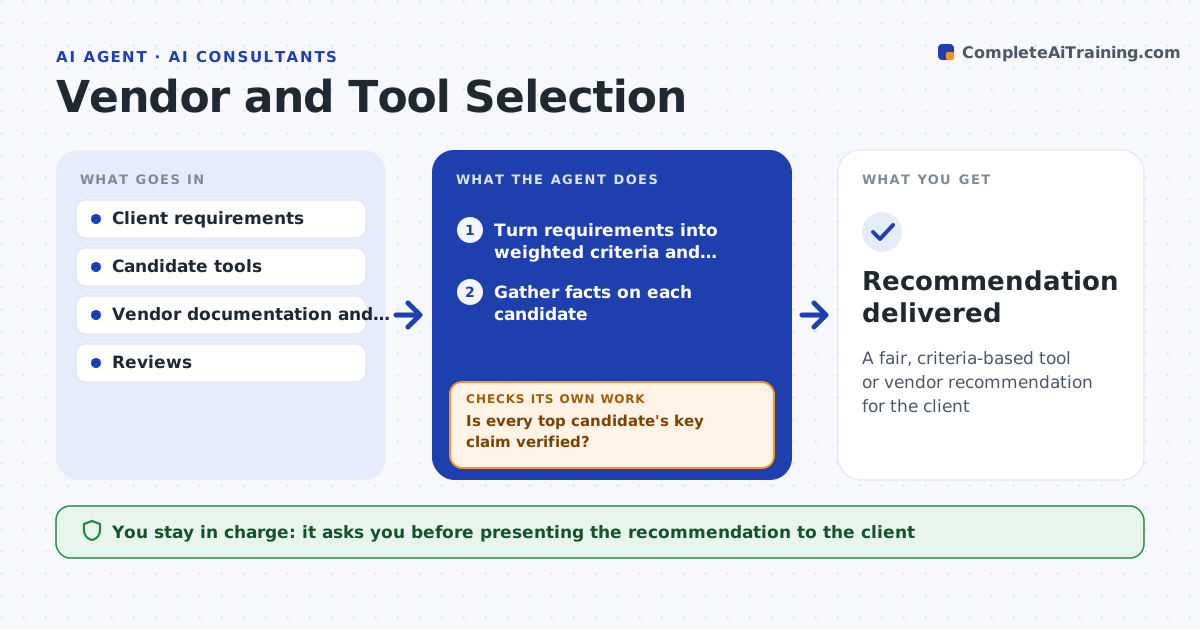
A fair, criteria-based tool or vendor recommendation for the client
What it does
Tool recommendations are often based on what the consultant already knows, not a fair comparison against the client's needs. This agent turns the client's requirements into weighted criteria and separates must-haves, which are pass or fail. It builds a shortlist of candidate tools or vendors and gathers facts on each from documentation, pricing pages and public reviews. It scores each against the criteria and notes where information is missing instead of assuming. Before finalizing, it checks whether the top candidates' key claims are verified. If a claim is unverified, it drafts a question for the vendor and waits. It produces a comparison with a recommendation and the trade-offs. You approve what goes to the client. Edge case: the highest-scoring tool that fails a must-have is excluded.
How it works
Follow the arrows from top to bottom. The orange dashed arrow is the loop: when a check fails, the agent goes back and tries again.
Read the steps as a list
- Client needs a tool decision
- Turn requirements into weighted criteria and must-haves
- Gather facts on each candidate
- Score candidates and exclude must-have failures
- Is every top candidate's key claim verified?If not: draft a question to the vendor and update after the answer. Back to step 3.
- Draft the comparison and recommendation
- Consultant approves what goes to the clientThe agent waits here for your OK.
- Recommendation delivered
How it decides
It treats must-have requirements as pass or fail and ranks the rest by weighted score, flagging unverified claims.
- Exclude any candidate failing a must-have
- Weight criteria by client priority
- Flag unverified vendor claims
Make it yours
Every agent is a starting point. You choose these settings for your own situation.
- Criteria and weights
- Must-have requirements
- Candidate sources
- Comparison format
What keeps you in control
It always asks you first
- Presenting the recommendation to the client
Hard limits
- Does not accept vendor incentives
- Nothing to the client without approval
It stops when
- Done: recommendation with trade-offs ready
- Stop: requirements are not agreed
Set it up
We guide you through the set-up, step by step
Members get the full set-up guide for this agent. No technical skills needed: you copy, paste and upload.
- One set of instructions to paste into your AI, with the clicks for ChatGPT, Claude, Microsoft 365 Copilot, Gemini and Grok
- The agent then walks you through connecting your own data, one source at a time
- A downloadable copy with the flow chart, the rules and the full guide