AI tool
Claude Code Voice Mode
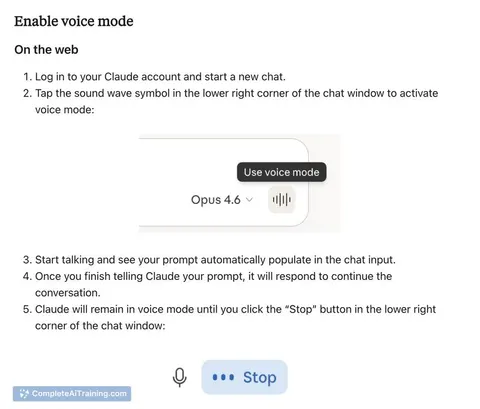
Claude Code Voice Mode is a two-way spoken interface for web and mobile, offering hands-free continuous listening with optional push-to-talk, natural voice replies, seamless text-voice switching, and auto-saved transcripts to capture ideas faster.
About Claude Code Voice Mode
Claude Code Voice Mode adds a two-way spoken interface to Claude Code, letting users speak prompts and hear responses on web and mobile. It supports continuous listening or push-to-talk, and preserves chat context when switching between voice and text.
Review
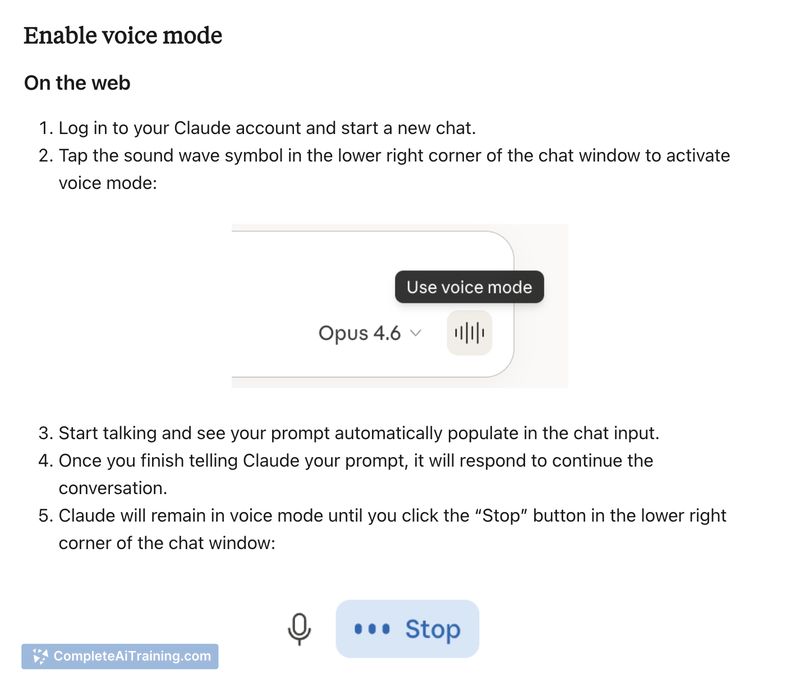
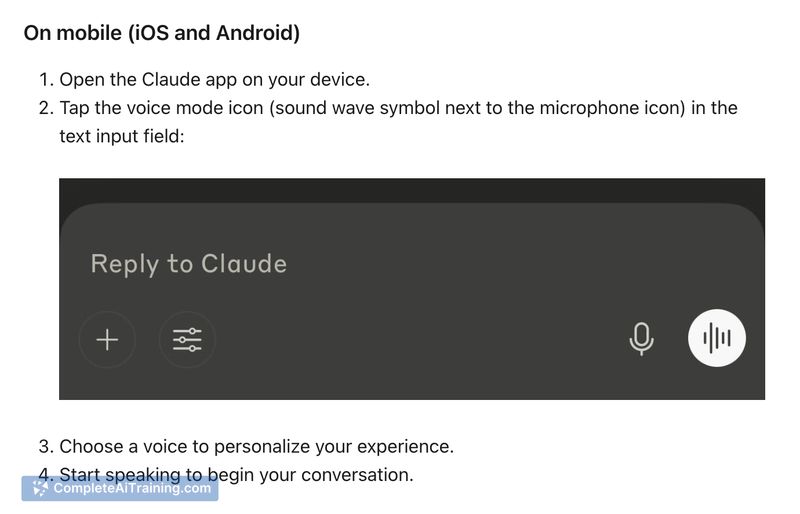
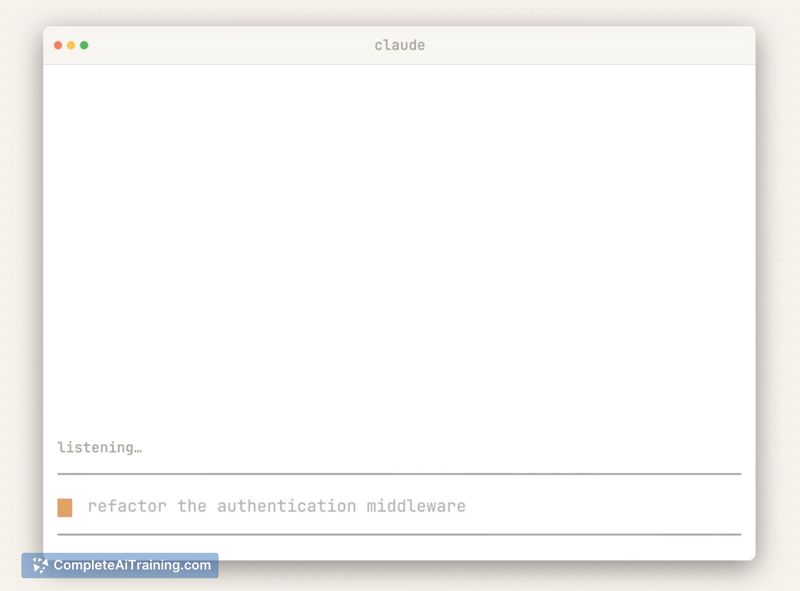
Claude Code Voice Mode is a practical extension for people who want hands-free interaction with their coding assistant. It speeds up brainstorming, planning, and idea capture, though a few users report occasional reliability issues that can interrupt flow.
Key Features
- Continuous hands-free listening that reacts to natural pauses for ongoing conversations.
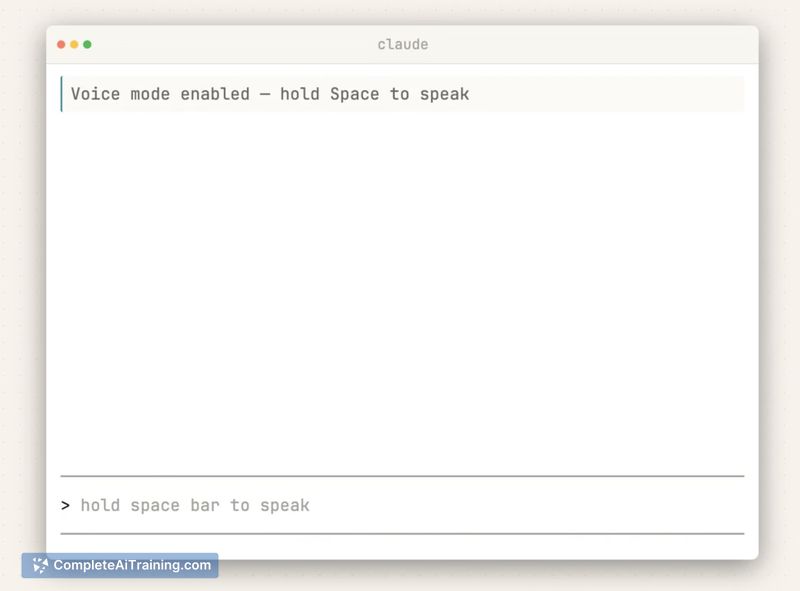
- Optional push-to-talk mode for use in noisy environments or when precise control is needed.
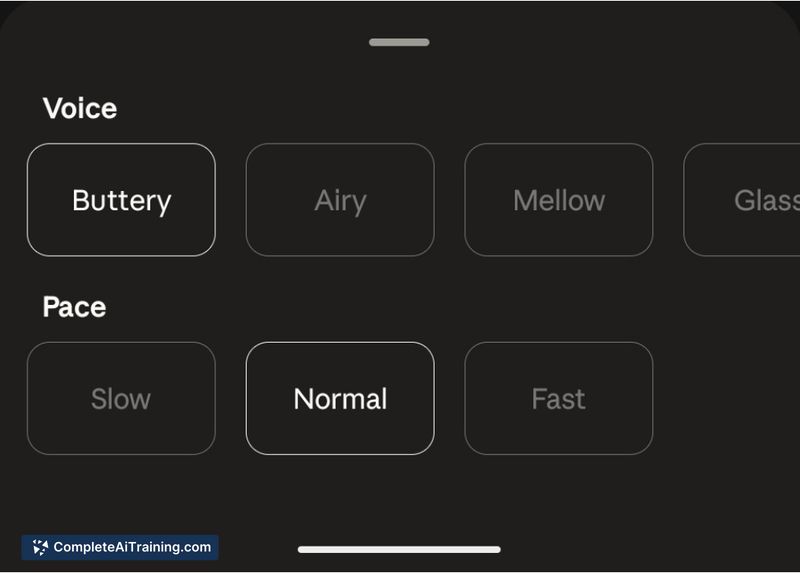
- Preset voices with adjustable speaking pace for audible replies.
- Voice chats are automatically saved as text transcripts in chat history.
- Counts against regular plan usage limits, integrating with existing subscription or free-tier policies.
Pricing and Value
Voice Mode is offered as part of the existing Claude Code offering and uses the same usage allowances as other interactions, so heavy use may increase plan consumption. There are free options available for basic access, but the feature's value depends on how frequently you rely on spoken interactions-frequent voice-heavy workflows will be more cost-sensitive than occasional use.
Pros
- Makes multitasking easier by allowing hands-free prompts and audible replies.
- Flexible input modes: switch quickly between voice and typed text while keeping context.
- Automatic transcript saving helps review and search past voice interactions.
- Push-to-talk option improves usability in louder settings.
Cons
- Some users report intermittent recording or recognition failures, which can be disruptive.
- Uses the same plan limits as other interactions, so heavy use can affect costs or quotas.
- Preset voice choices are limited, which may not suit users seeking more customization.
Overall, Claude Code Voice Mode is best for knowledge workers, developers, and learners who benefit from speaking their ideas aloud-especially when typing is inconvenient. It offers clear productivity benefits for planning, brainstorming, rehearsals, and quick idea capture, but those who require flawless transcription or extensive voice customization should weigh the current limitations before committing to heavy use.
Jobs Claude Code Voice Mode suits
Useful in almost any job. We checked Claude Code Voice Mode against 500+ jobs; these get the most out of it.
Alternatives to Claude Code Voice Mode
Other tools that do the same main job. Our AI compared Claude Code Voice Mode with similar tools and kept the ones you could use instead.