AI tool
Drawsy
Drawsy turns sketches and text prompts into digital images for artists and designers. The tool helps creators quickly build visual concepts for their projects.
About Drawsy
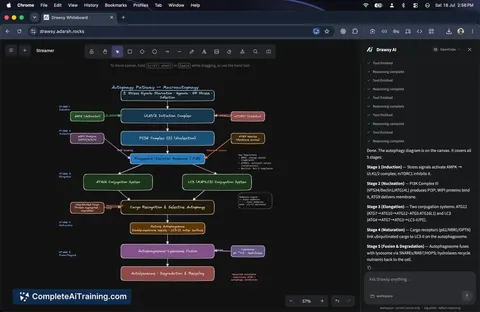
Drawsy is a virtual collaborative whiteboard that combines hand-drawn sketching with AI-assisted code generation. Built on the Excalidraw canvas and integrated with OpenAI's Codex, it lets users create diagrams with an informal, sketch-like appearance directly from code prompts. The tool is positioned as a workspace where the canvas and code editor sit side by side.
Review
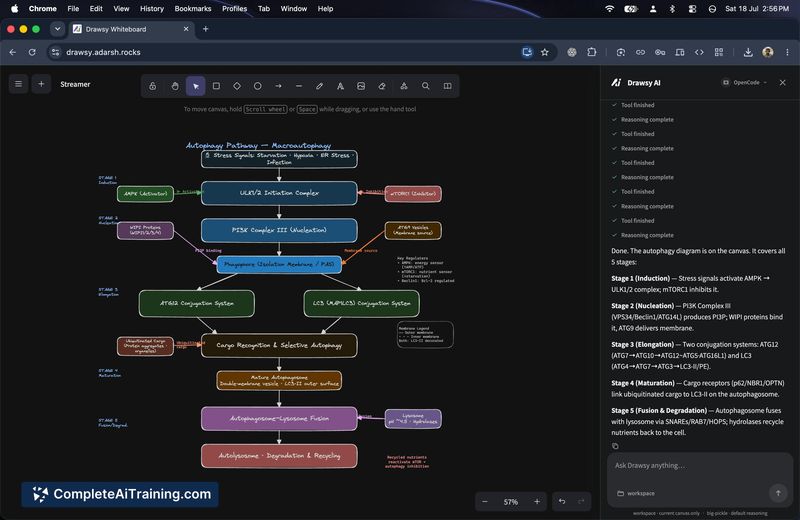

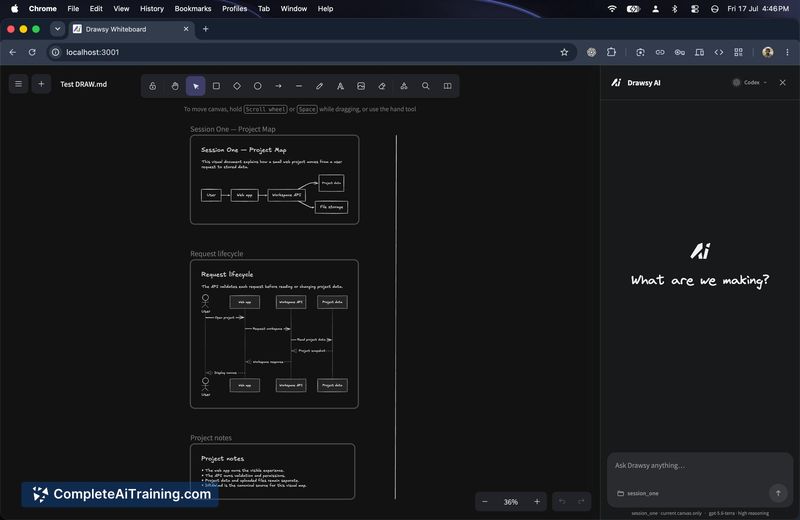
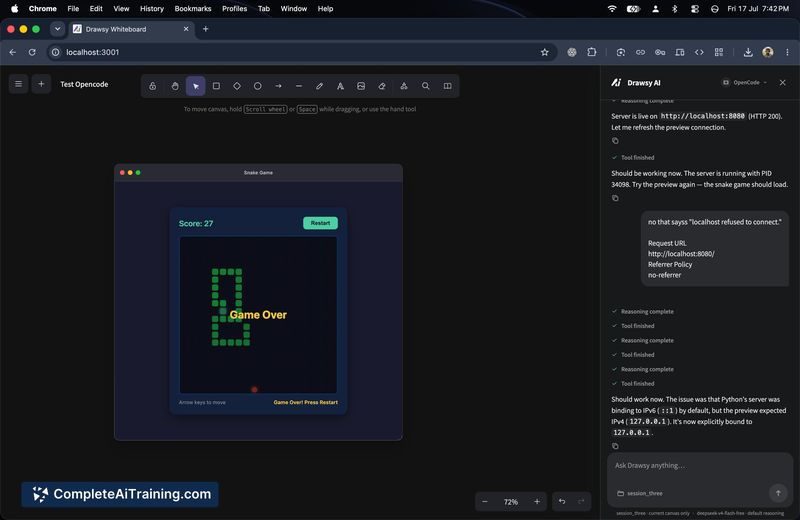
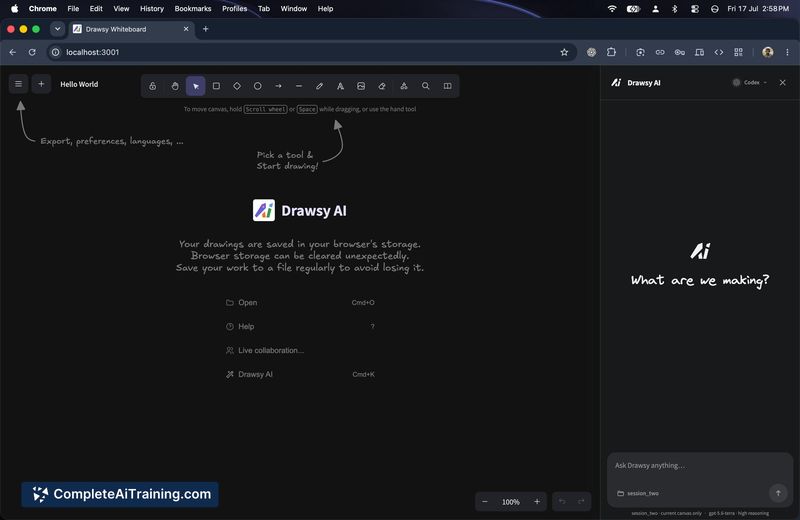
Drawsy launches as a free AI workspace with a narrow but practical focus: linking a code editor to a sketch-style canvas. The tool generates diagrams from code using Codex, and the underlying Excalidraw foundation gives every shape a hand-drawn feel. Round-tripping-where manual canvas edits sync back to code-is not yet live, though the maker has a prototype in progress.
Key Features
- Hand-drawn diagramming via Excalidraw's infinite canvas
- Collaborative whiteboard with real-time multi-user sketching
- Code-to-diagram generation powered by OpenAI Codex
- Side-by-side layout for writing code and viewing the resulting canvas
- Free access with no paid tiers at launch
Pricing and Value
Drawsy is currently free. Long-term pricing has not been defined yet.
Pros
- The hand-drawn style fits early-stage brainstorming and informal design discussions
- Real-time collaboration works without requiring viewer accounts
- Free access removes cost as a barrier to trying the tool
- Codex integration lets developers turn code structures into visual diagrams quickly
- Excalidraw's familiar interface means little learning curve for diagram editing
Cons
- Bidirectional sync between canvas and code is not yet available-the tool generates diagrams from code but manual canvas changes don't update the code
- Not well suited for teams that need live, two-way synchronization between architecture diagrams and their codebases
- The hand-drawn aesthetic may not fit contexts that require precise, formal technical diagrams
Drawsy works for developers and teams that want to turn code snippets into informal architecture sketches during planning or documentation. It's also a lightweight option for collaborative whiteboarding with an AI assist for generating initial diagram drafts. Those who need automatic code updates from diagram changes will need to wait for the sync feature that is still in development.
Jobs Drawsy suits
We checked Drawsy against 500+ jobs; these get the most out of it.
Alternatives to Drawsy
Other tools that do the same main job. Our AI compared Drawsy with similar tools and kept the ones you could use instead.