AI tool
Kerlig AI
Kerlig AI helps you write and edit messages in your tone on Slack and email, corrects spelling, summarizes articles, chats with PDFs, improves Figma copy, and translates text—streamlining communication and content tasks efficiently.
About Kerlig AI
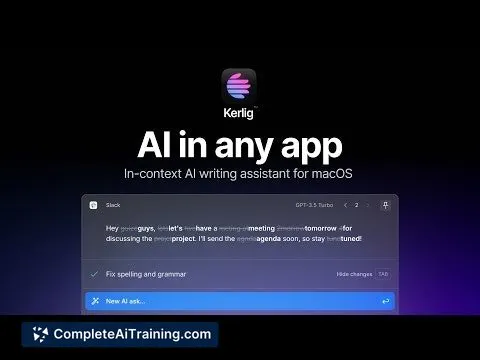
Kerlig AI is an AI-powered writing assistant that integrates seamlessly with various applications on your Mac. It enables users to improve their writing, fix spelling errors, summarize content, translate languages, and interact with documents directly within the apps they use every day.
Review
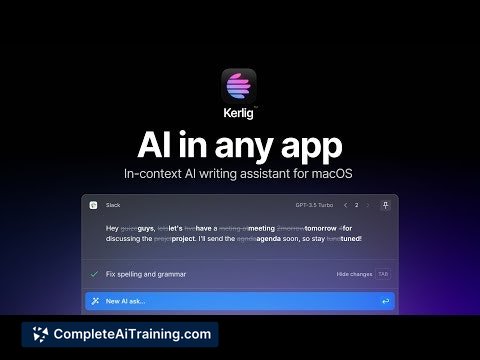
Kerlig AI offers a convenient solution for those who frequently need AI assistance without switching between multiple platforms. By allowing users to select text and invoke AI actions via customizable hotkeys, it streamlines tasks like rewriting, summarizing, and translating in a natural and efficient way. This tool is especially useful for professionals looking to enhance their productivity with minimal disruption to their workflow.
Key Features
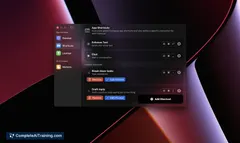
- Text editing and spelling correction within any app using a simple hotkey.
- Customizable tone adjustments to match your personal writing style.
- Summarization of websites, articles, and documents including PDFs.
- Integration with popular tools such as Slack, Mail, and Figma for improved copy and communication.
- Support for multiple AI models including OpenAI, Anthropic Claude, Google Gemini, LLaMA3, and Mixtral.
Pricing and Value
Kerlig AI does not require a subscription; instead, it operates on a pay-as-you-go model where users utilize their own API keys and pay only for what they consume. This approach offers flexibility and cost control, especially appealing to users who prefer to avoid fixed monthly fees. Overall, the pricing model provides good value for those who want targeted AI assistance integrated directly into their daily applications.
Pros
- Seamless integration with virtually any application on Mac via hotkeys.
- Highly customizable with the ability to select preferred AI models per task.
- Supports a broad range of use cases including writing, summarizing, translating, and tone adjustment.
- Eliminates the need to switch between apps or copy-paste text repeatedly.
- Flexible pricing with no subscriptions, reducing upfront costs.
Cons
- Requires users to have their own API keys, which may be a barrier for some.
- Currently focused on Mac users, limiting availability for other operating systems.
- Some features may have a learning curve to fully customize hotkeys and model selections.
Kerlig AI is an excellent fit for professionals and creatives who want to streamline their writing and communication tasks without leaving their preferred apps. It is particularly useful for those who value efficiency and customization in AI tools and are comfortable managing their own API access. Users seeking a more plug-and-play solution might find the initial setup less straightforward, but the overall experience is rewarding for those willing to invest the time.
Jobs Kerlig AI suits
Useful in almost any job. We checked Kerlig AI against 500+ jobs; these get the most out of it.
Alternatives to Kerlig AI
Other tools that do the same main job. Our AI compared Kerlig AI with similar tools and kept the ones you could use instead.