AI tool
Lisen
Lisen is a free Chrome extension that reads web articles aloud using your existing Cartesia voices. It is for anyone who wants to listen to text on a page without paying extra or creating a new account.
About Lisen
Lisen is a free Chrome extension that reads web page text aloud using voices from a user's existing Cartesia account. It works on articles, blog posts, newsletters, documentation, and other text-heavy pages. The extension streams audio directly from Cartesia's API when the user presses play, with no intermediate Lisen server processing the data.
Review
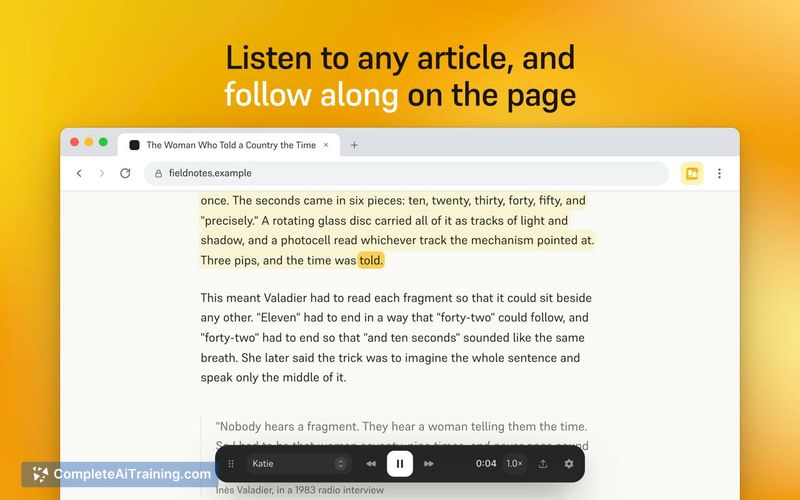

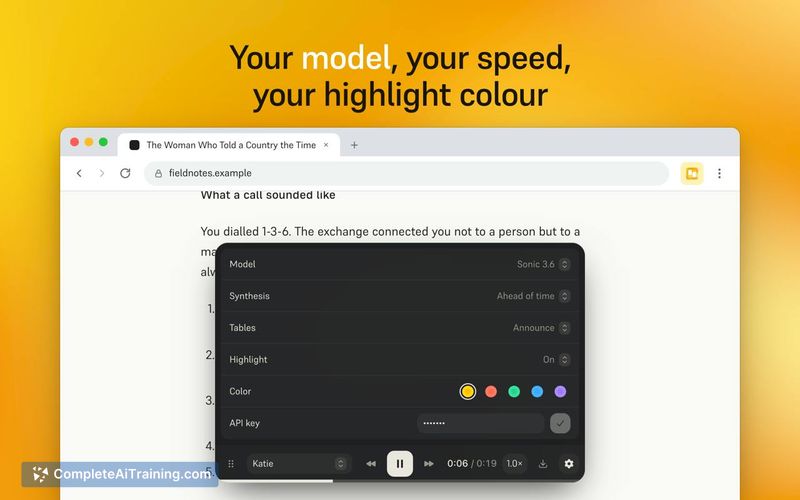
Lisen takes a straightforward approach: it connects a browser extension to a voice API you already pay for, without adding another subscription layer. The extension's scope is narrow by design - it converts text on a page to speech and offers basic playback controls. For Cartesia users who want a direct way to listen to web content, it fills a specific gap without unnecessary complexity.
Key Features
- Reads the main body text from articles, blog posts, newsletters, Substack, Medium, documentation, and long threads
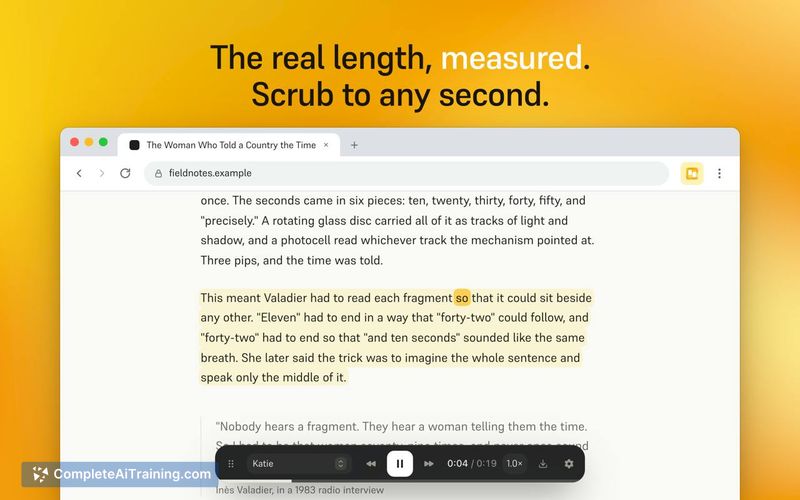
- Highlights the current passage and marks the spoken word on the page as audio plays, so you can follow along visually
- Streams audio immediately on play, or generates the full article ahead of time with an exact-length scrub bar derived from the audio file
- Exports any article as a WAV file with embedded word timings that preserve the read-along feature on re-open
- Stores the API key and settings locally in Chrome; sends page text to Cartesia only after the user presses play on pages where the player is active
Pricing and Value
Lisen itself is free - there is no subscription, no account creation, and no payment to the extension's developers. Users pay Cartesia directly for the speech they generate, based on whatever Cartesia plan they hold, which includes a free tier. The extension does not add any markup or additional usage fees on top of Cartesia's own pricing.
Pros
- No extra subscription - the extension costs nothing and uses the Cartesia plan you already have
- Local key storage and direct-to-API architecture means no third-party server sees your content or API credentials
- WAV export with embedded word timings makes offline listening and read-along possible outside the browser
- Dual playback modes let you stream instantly or pre-generate audio with a scrub bar for precise navigation
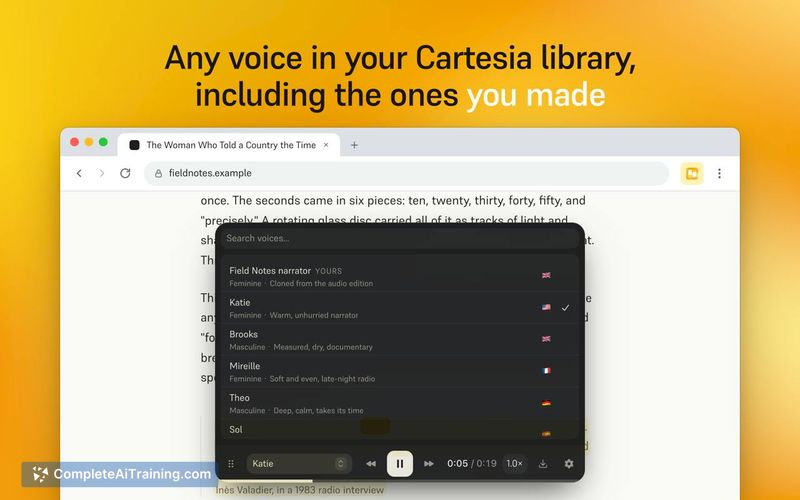
- Works with any voice in your Cartesia library, including cloned and custom-designed voices
Cons
- Requires a Cartesia account and API key, so it's unusable for people who don't already subscribe to that specific TTS service
- No offline or local processing - all speech generation depends on Cartesia's cloud API and an active internet connection
- Limited to Chrome; users on Firefox, Safari, or other browsers cannot install the extension
Lisen suits Cartesia subscribers who read long-form web content and want to switch between reading and listening without switching tools. It's not a fit for anyone outside the Cartesia ecosystem or for users who need cross-browser support. The extension does one thing - connect your Cartesia voices to your browser's readable pages - and doesn't try to expand beyond that scope.
Jobs Lisen suits
We checked Lisen against 500+ jobs; these get the most out of it.
Alternatives to Lisen
Other tools that do the same main job. Our AI compared Lisen with similar tools and kept the ones you could use instead.