AI tool
Novi Notes
Novi Notes centralizes code snippets, project docs and meeting notes and connects them to Claude via MCP so AI can read, create and organize your notes. One-time purchase, no subscription.
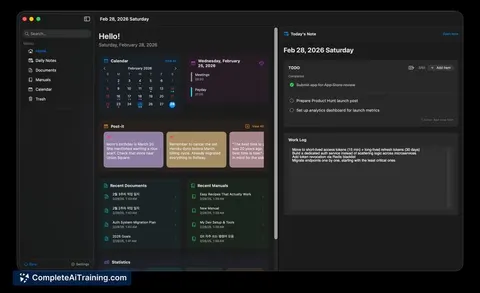
About Novi Notes
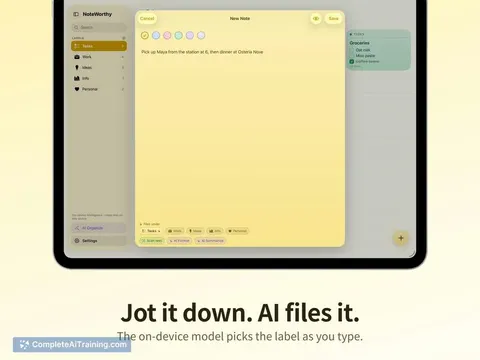
Novi Notes is a local-first note app for macOS that includes built-in AI integration with a zero-config connector. It focuses on offline storage, a block-style editor, and a concise set of note types such as daily notes, manuals, post-its, and a calendar.
Review
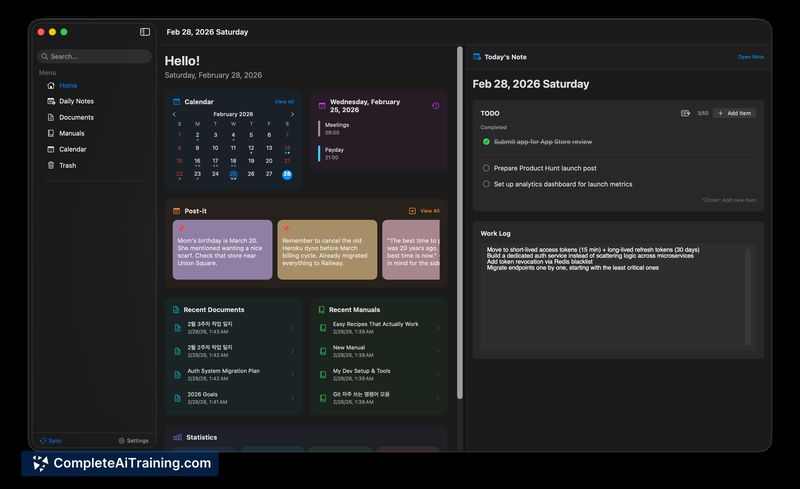
Novi Notes aims to combine private, offline note-taking with direct AI-powered assistance without requiring API keys or complex setup. The app is positioned for users who want a compact, Mac-native workspace with simple AI access and a one-time purchase model.
Key Features
- Local-first storage and offline access - all notes are stored on the Mac by default.
- Zero-config AI integration that can read, create, and edit notes directly from the app.
- Block-style editor with support for daily notes, manuals, post-its and an integrated calendar view.
- Single-purchase license: no subscription required.
- Native macOS performance and UI, built with an emphasis on lightweight, focused workflows.
Pricing and Value
Novi Notes is offered as a one-time purchase rather than a subscription, which makes it attractive for users who prefer predictable, upfront costs. For people prioritizing privacy and offline capability, the single-payment model delivers clear value compared with recurring fees. Prospective buyers should weigh the cost against the lack of built-in cross-device cloud sync and any platform limitations.
Pros
- Strong privacy model - notes remain local and usable offline.
- Very simple AI setup: minimal friction to start interacting with notes via the app.
- One-time purchase removes subscription overhead for long-term use.
- Focused feature set for work-related note types and a compact workflow.
Cons
- macOS-only: no native support for other operating systems or mobile devices.
- No built-in cloud sync by default, so multi-device workflows require manual solutions.
- Smaller development team means fewer immediate integrations and slower feature additions compared with larger apps.
Overall, Novi Notes fits best for macOS users who value local privacy, want simple AI-assisted note editing without configuration, and prefer a single purchase over subscriptions. It is especially well suited to professionals who keep most of their work on a single Mac and who want a lightweight, focused note app rather than a full workspace platform.
Jobs Novi Notes suits
Useful in almost any job. We checked Novi Notes against 500+ jobs; these get the most out of it.
Alternatives to Novi Notes
Other tools that do the same main job. Our AI compared Novi Notes with similar tools and kept the ones you could use instead.