AI tool
Snyk Studio
Snyk Studio scans AI-generated code in real time inside VS Code, Cursor and other assistants, flags risky patterns, injects Snyk security context, and guides fixes so vulnerabilities are found and remediated without leaving the editor or terminal.

About Snyk Studio
Snyk Studio is a security layer that scans AI-generated code suggestions in real time and flags risky patterns before those suggestions are accepted. It runs inside code editors and AI coding assistants, and provides context-aware guidance to help developers apply safer fixes without leaving their editor or terminal.
Review








Snyk Studio focuses on preventing insecure code introduced by AI code assistants by intercepting suggestions as they appear and applying security checks and guidance. The tool emphasizes in-editor feedback and automated fix suggestions, which can reduce the need for separate scanning steps and limit context switching during development.
Key Features
- Real-time scanning of AI-generated code suggestions to detect risky patterns before they are accepted.
- Context-aware fix suggestions that use security insights to propose safer alternatives and remediation steps.
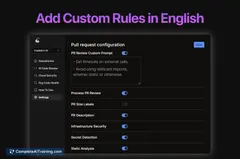
- Configurable security rules and controls so teams can set when and how scans run.
- Local integration with editors and coding assistants to keep feedback available in the editor and terminal.
Pricing and Value
At launch, Snyk Studio is offered as a free product, allowing individuals and teams to evaluate its in-editor security checks without upfront cost. The value proposition centers on reducing manual review time, catching vulnerabilities earlier in the coding flow, and helping teams maintain consistent security practices. Organizations with broader needs or existing platform usage should evaluate how the tool fits their policies and whether additional paid services are required for enterprise workflows.
Pros
- Catches insecure suggestions before they become committed code, lowering early-stage risk.
- Provides in-editor guidance and remediation, which can shorten the feedback loop for developers.
- Offers configurable controls so teams can decide scan frequency and strictness.
- Integrates security insights into the suggestion flow, reducing the need to switch to separate scanners or documentation.
Cons
- Support is limited to the editors and assistants it integrates with; teams outside those environments may not benefit immediately.
- As a recent launch, some rule coverage and integration refinements may still be evolving and require tuning for specific codebases.
- Automated suggestions can produce false positives or require human review for complex security decisions.
Overall, Snyk Studio is best suited for development teams that use AI code assistants and want security feedback directly in their editor. It fits organizations aiming to shift security checks earlier in the development flow and those that prefer fast, in-context remediation suggestions to reduce downstream defect and vulnerability costs.
Jobs Snyk Studio suits
We checked Snyk Studio against 500+ jobs; these get the most out of it.
Alternatives to Snyk Studio
Other tools that do the same main job. Our AI compared Snyk Studio with similar tools and kept the ones you could use instead.