AI tool
Tablextract
Tablextract lets you effortlessly extract tables from PDFs, images, and screenshots in under 3 clicks. Save hours on manual data entry by exporting tables directly to Excel, CSV, or copying them to your clipboard with ease and accuracy.
About Tablextract
Tablextract is an AI-powered tool designed to extract tables effortlessly from a variety of sources including PDFs, images, screenshots, and even live photos. It streamlines the tedious task of manual data entry by allowing users to convert complex table data into editable formats quickly and accurately.
Review
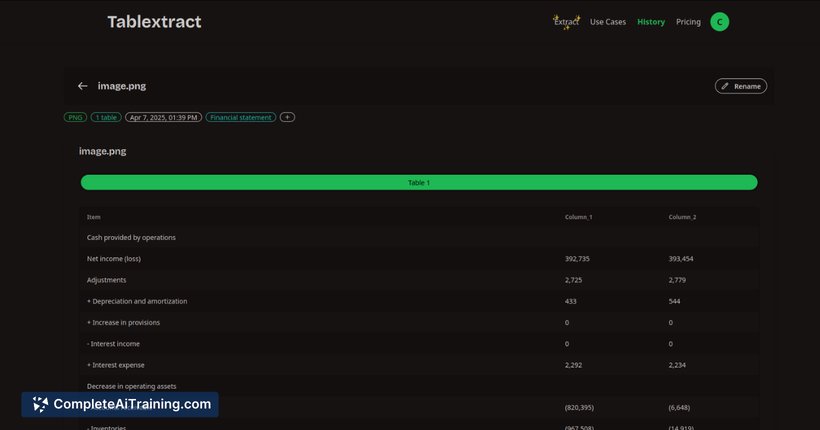
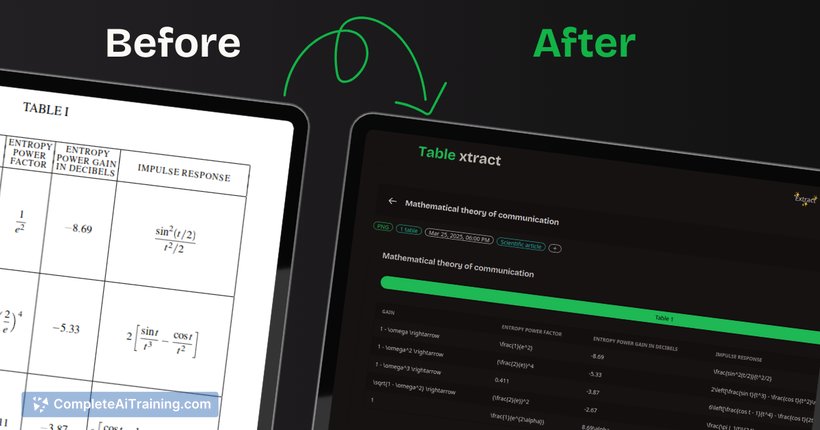
Tablextract offers a straightforward and efficient solution for anyone who regularly deals with data extraction from tables embedded in documents or images. Its combination of AI-driven OCR technology and user-friendly interface makes it an attractive option for professionals seeking to save time and reduce errors in data transcription.
Key Features
- Multi-format Extraction: Extract tables from PDFs, JPGs, PNGs, screenshots, and live mobile photos with ease.
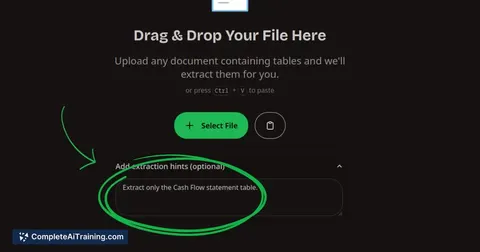
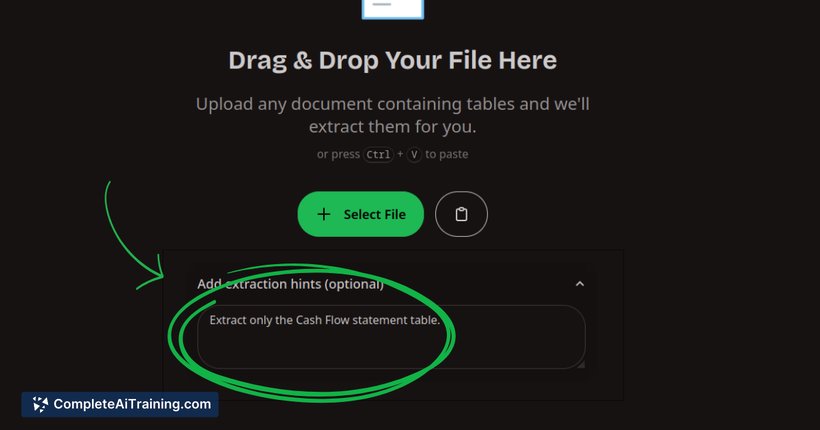
- Smart Extraction Hints: Users can provide specific instructions to target particular pages, tables, or even perform calculations like merging invoices and creating total rows.
- OCR Capabilities: Converts handwritten or sketched tables into digital formats accurately.
- Quick Workflow: Extract tables in under three clicks—upload, extract, and export.
- Flexible Export Options: Export extracted tables to Excel, CSV, JSON, or copy directly to the clipboard for immediate use.
Pricing and Value
Tablextract offers free options that allow users to experience its core functionalities without upfront costs, making it accessible for individuals and small businesses. While detailed pricing tiers are not explicitly outlined, the tool’s value lies in its ability to save hours of manual data entry, which can translate into significant time and cost savings. Its SaaS model likely includes scalable plans suitable for varying levels of usage and business needs.
Pros
- Intuitive and fast extraction process suitable for users of all skill levels.
- Supports a wide range of input types including images and live photos.
- Advanced AI features allow for precise extraction with customizable hints.
- Multiple export formats increase flexibility for different workflows.
- Free tier available to test the service before committing financially.
Cons
- As a relatively new product, it may still have occasional bugs or limitations in handling extremely complex table layouts.
- Pricing details beyond the free tier are not transparent, which could make it harder to assess long-term costs upfront.
- Currently dependent on cloud-based processing, which might raise concerns for users with sensitive data requiring offline solutions.
Overall, Tablextract is ideal for professionals, researchers, and small to medium businesses that frequently work with tables embedded in various document formats and images. Its ease of use and powerful AI features make it a valuable tool for anyone looking to automate and accelerate the tedious task of table data extraction without requiring extensive technical expertise.
Jobs Tablextract suits
We checked Tablextract against 500+ jobs; these get the most out of it.
Alternatives to Tablextract
Other tools that do the same main job. Our AI compared Tablextract with similar tools and kept the ones you could use instead.