MCP server · Analytics
Metabase MCP server
by 1luvc0d3
Ask your AI to explore Metabase dashboards, run safe SQL queries, and explain your data in plain words.

This is a small helper program that connects your AI assistant to Metabase, the tool many teams use to look at their company data. Once it is set up, you can ask your AI questions in normal language and it will look things up in Metabase for you. It is handy for anyone who uses Metabase at work but does not want to click through menus or write SQL by hand.
What is an MCP server? The 30-second version
On its own, your AI can only chat with you. An MCP server is a small helper program that gives your AI a new skill or a connection to another app. This one connects your AI to your Metabase account, so when you ask a question about your dashboards or data, the AI can actually go and look it up. You set it up once, and after that your AI can reach Metabase whenever you ask it to.
What this MCP server does
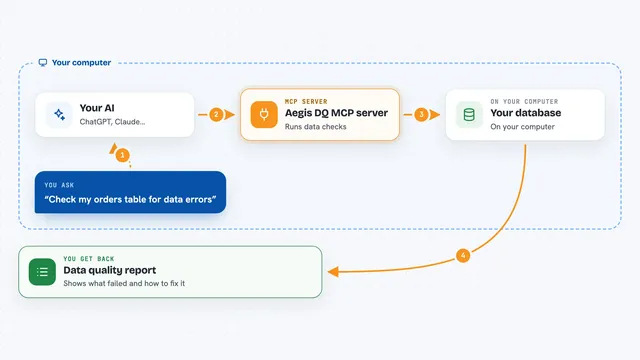
You ask your AI something like what dashboards we have about sales. The AI passes that request to this helper program. The helper talks to your Metabase account using a special key, finds the dashboards or runs the query, and sends the results back. Your AI then turns that into a clear answer in the chat, often as a table or a short summary. It can also save queries as cards, add them to dashboards, and even explain or improve SQL for you.
 Click to zoom
What you can do with it
- List and open your Metabase dashboards and cards
- Run a saved question and show you the results as a table
- Run a safe read-only SQL query against your databases
- Search your Metabase content for dashboards or cards about a topic
- Save a query as a reusable card in a collection
- Add a card to a dashboard or move it between collections
- Generate plain-English insights and trends from query results
Try asking your AI
- “What dashboards do we have related to customer retention?”
- “Run the Monthly Active Users card for the last 90 days and tell me the biggest dip.”
- “Show me the top 10 products by revenue last quarter from the sales database.”
- “Save this query as a card called MAU Last 90 Days in the Growth collection.”
What it gives back to you
You get answers in the chat, usually as a table, a short summary, or a list of matching dashboards and cards. For queries, you see the rows that came back and can ask follow-up questions about them. When it changes something, like creating a card or adding it to a dashboard, it tells you what it did. Everything it runs is also written to a log with a risk level.
Before you start
What you need
- A Metabase account with access to your data
- A Metabase API key (a kind of password for apps; you create one in Metabase under Admin, Settings, API Keys)
- Node.js 18 or newer if you install it with npx or npm
- An Anthropic API key if you want the natural-language-to-SQL and insight features
Good to know
In write or full mode it can create, change, and delete cards and dashboards in your Metabase, so start with read mode until you trust it.
Install it with your AI
Add Metabase MCP server to your AI, no technical skills needed
You don't install anything by hand. You copy one prompt, paste it into an AI that can work on your computer, and it checks, installs and connects the server for you, asking you when it needs something.
Sign in to get the install prompt
Members get a ready-made prompt that lets the Claude desktop app check Metabase MCP server, install it and connect it for them, step by step. You don't need any technical skills: you copy, paste and answer a few questions. Your connected AI can also find and install any of the 4,609 MCP servers here for you.
Who it's for
Analysts, managers, and office workers who already use Metabase and want to ask questions in plain language instead of clicking through menus.