MCP server · Research · official
Octocrawl MCP server
by 77777R7 · official
Let your AI read web pages and turn them into clean text or tables you can use.
Octocrawl is a helper that lets your AI read web pages for you. You give it a link, and it brings back the page content in a clean, readable form instead of messy web code. It is handy if you often copy information from websites into your notes, reports, or research.
What is an MCP server? The 30-second version
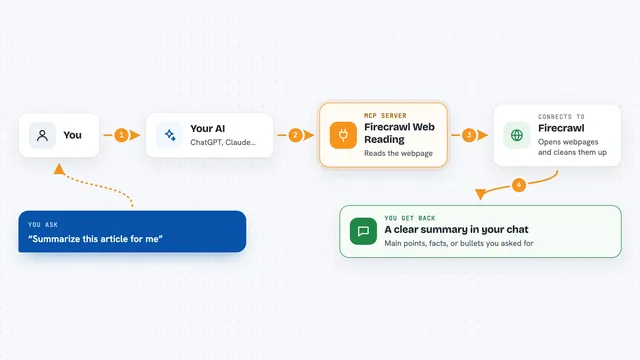
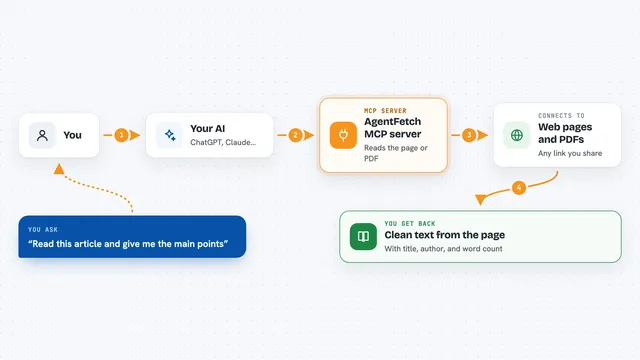
On its own, your AI can only chat with you using what it already knows. An MCP server is a small helper program that gives your AI a new skill. This one connects your AI to Octocrawl, a service that reads web pages. So when you ask your AI to look something up online, it can actually go and fetch that page for you.
What this MCP server does
You ask your AI to read a web page or a list of pages. Your AI passes that request to Octocrawl. Octocrawl visits the page, strips out the clutter, and turns it into clean text or a table. Then your AI shows you the result in the chat, along with a note about where it came from. If a page cannot be read, Octocrawl tells you why instead of pretending it worked.
What you can do with it
- Read a single web page and get its main text
- Turn a web page with a table into a spreadsheet-friendly list
- Find all the links on a website so you can see what pages exist
- Crawl a section of a website and collect the content from many pages
- Read a list of URLs and get the content from each one
- Extract specific details like product names or prices from a page
- Read the text from a PDF file that is available online
Try asking your AI
- “Read this page and give me the main points: https://example.com/article”
- “Turn the table on this page into a list I can paste into Excel: https://example.com/prices”
- “Find all the pages on this website that mention 'shipping': https://example.com”
- “Scrape these five URLs and tell me what each one is about: [list of URLs]”
What it gives back to you
You get back clean text, a summary, or a table, depending on what you asked for. For example, if you asked for a table, you might see a neat list of rows and columns in the chat. If you asked for a page's content, you get the main article text without ads or menus. Octocrawl also includes a small note about where the information came from, like the final web address and whether the page was read successfully.
Before you start
What you need
- An AI app that supports MCP, like Claude Desktop or Cursor
- For the hosted service: no key needed to start, but an account gives you more pages per day
- For local use: Node.js version 22.13 or newer
Good to know
Octocrawl reads public web pages, so be careful not to use it on private or sensitive pages without permission.
Install it with your AI
Add Octocrawl MCP server to your AI, no technical skills needed
You don't install anything by hand. You copy one prompt, paste it into an AI that can work on your computer, and it checks, installs and connects the server for you, asking you when it needs something.
Sign in to get the install prompt
Members get a ready-made prompt that lets the Claude desktop app check Octocrawl MCP server, install it and connect it for them, step by step. You don't need any technical skills: you copy, paste and answer a few questions. Your connected AI can also find and install any of the 4,609 MCP servers here for you.
Who it's for
Anyone who needs to gather information from websites for research, reports, or data entry, without technical skills.