MCP server · Developer tools
Serial MCP server
by adancurusul
Lets your AI talk to devices plugged into a serial port, like Arduino or STM32 boards.

This is a small helper that lets your AI chat with hardware connected through a serial port, the old-style cable connection that boards like Arduino and STM32 use. It is handy if you work with embedded devices and want your AI to send commands and read replies for you. You do not need to be a programmer to follow what it does, but you do need a device plugged in and the right cable.
What is an MCP server? The 30-second version
On its own, your AI can only chat. An MCP server is a small helper program that gives your AI a new skill or a connection to something outside the chat. This one connects your AI to a serial port, so when you ask it to send a command to a board or read what the board is saying, it can actually do that. Think of it as giving your AI a hand that can reach the cable.
What this MCP server does
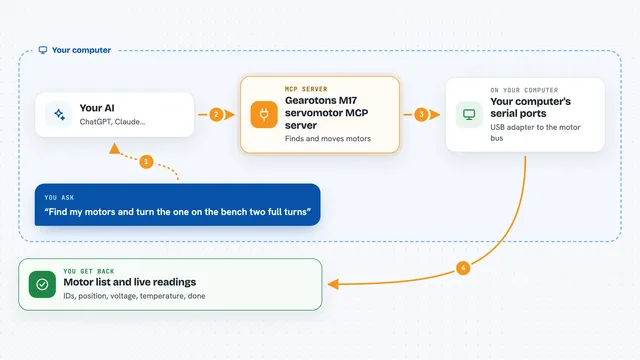
You ask your AI something like "list the serial ports on my computer" or "send H to the board and tell me what comes back". The AI passes that request to this helper program. The helper opens the serial port, sends the bytes, waits for a reply, and reads whatever the device sends back. Then it hands the result to your AI, which shows it to you in the chat. It can also run a small saved list of steps, like send, wait, then check for a reply, which is useful when a device needs a specific order of commands.
 Click to zoom
What you can do with it
- List the serial ports your computer can see
- Open a connection to a board at a chosen speed
- Send text, hex, or base64 data to the device
- Read what the device sends back, with a time limit
- Run a saved sequence of send, wait, and expect steps
- Toggle the RTS and DTR control lines on the port
- Close the connection when you are done
Try asking your AI
- “List the serial ports on my computer”
- “Open port COM3 at 115200 baud and send the letter H, then show me what comes back”
- “Read from the port for five seconds and tell me everything the board said”
- “Run the ping macro against the board and tell me if it got PONG back”
What it gives back to you
You get back plain text in the chat: a list of ports, the bytes the device sent, or a short summary of what happened. For longer reads, it can also tell you how long it waited and why it stopped. When you run a macro, you get a step-by-step result showing which commands were sent and what replies arrived. If something fails, you get an error message instead.
Before you start
What you need
- A serial device or USB-to-serial adapter plugged into your computer
- The right driver and permission for that port on your operating system
- Rust 1.74 or newer if you build it from source
Good to know
This tool sends real commands to real hardware, so a wrong port, wrong speed, or wrong RTS/DTR setting can reset a board or put it into boot mode; always check the port and settings before writing.
Install it with your AI
Add Serial MCP server to your AI, no technical skills needed
You don't install anything by hand. You copy one prompt, paste it into an AI that can work on your computer, and it checks, installs and connects the server for you, asking you when it needs something.
Sign in to get the install prompt
Members get a ready-made prompt that lets the Claude desktop app check Serial MCP server, install it and connect it for them, step by step. You don't need any technical skills: you copy, paste and answer a few questions. Your connected AI can also find and install any of the 4,361 MCP servers here for you.
Who it's for
People who work with embedded boards, Arduino, STM32, or other devices that talk over a serial cable, and want their AI to help send commands and read replies.