MCP server · GitHub
GitHub Repo Reader MCP server
by adhikasp
Let your AI look inside a GitHub repository and explain how the code works.
This is a small helper that lets your AI open a public GitHub repository and look around inside it. You give it a link, and it can show you the folder layout and read the files for you. It is handy if you keep bumping into code projects and want a plain explanation without downloading anything yourself.
What is an MCP server? The 30-second version
On its own, your AI can only chat with you using what it already knows. An MCP server is a small helper program you connect to it that gives it one new skill. This helper gives your AI the skill of reading GitHub repositories. So when you paste a repo link and ask a question, the AI can actually go and look at that project instead of guessing.
What this MCP server does
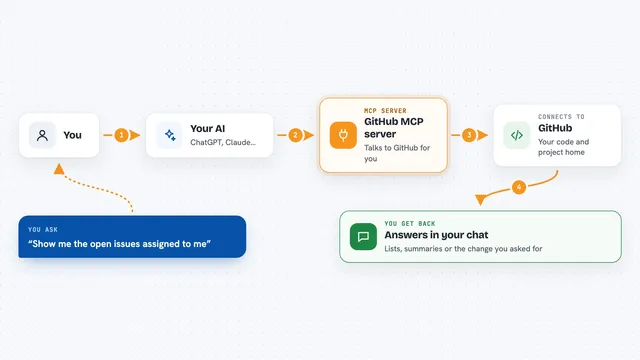
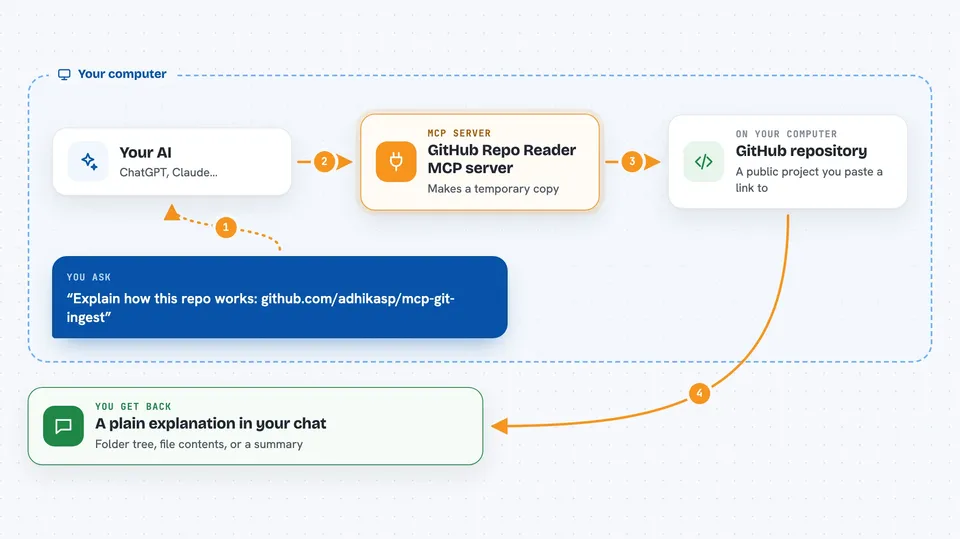
You paste a GitHub repository link into your chat and ask something about it. Your AI passes that link to this helper. The helper quietly makes a temporary copy of the repository on your computer, then either draws a tree of all the folders and files, or reads the specific files you care about. It hands that back to your AI, which then explains it to you in normal words. When it is done, it cleans up the temporary copy.
 Click to zoom
What you can do with it
- See the folder and file layout of any public GitHub repository
- Read the contents of specific files inside a repository
- Ask your AI to explain how a project is put together
- Find where a certain feature lives in the code
- Summarize what a repository does without cloning it yourself
- Check a project's setup files to see what it depends on
Try asking your AI
- “Read https://github.com/adhikasp/mcp-git-ingest and explain how the code works”
- “Show me the folder structure of this repository: https://github.com/someuser/someproject”
- “Open the README and the main file in this repo and tell me what it does”
- “What files are in this project and which one handles the settings?”
What it gives back to you
You get answers in the chat, written in normal language. Behind the scenes the helper returns a text tree of the folders and files, or the actual contents of the files you asked for. Your AI then turns that into an explanation, a summary, or a list. Nothing is changed in the repository itself, it only reads.
Before you start
What you need
- The Claude desktop app or another app that supports MCP servers
- uv (a small tool that runs Python programs; the install page shows how)
- A public GitHub repository link (private ones are not supported)
Good to know
It only reads public repositories, so do not point it at private code or anything you would not want copied to your machine.
Install it with your AI
Add GitHub Repo Reader MCP server to your AI, no technical skills needed
You don't install anything by hand. You copy one prompt, paste it into an AI that can work on your computer, and it checks, installs and connects the server for you, asking you when it needs something.
Sign in to get the install prompt
Members get a ready-made prompt that lets the Claude desktop app check GitHub Repo Reader MCP server, install it and connect it for them, step by step. You don't need any technical skills: you copy, paste and answer a few questions. Your connected AI can also find and install any of the 4,361 MCP servers here for you.
Who it's for
Anyone who wants to understand a code project without downloading it, like a manager reviewing a team's repo, a writer documenting software, or a curious beginner.